Forum Replies Created
-
In reply to: Help Sorting Courses BuddyBoss/LearnDash
Hi, this is BuddyPress support, BuddyBoss is not BuddyPress: it’s a fork of it. We cannot take the risk to reply to something we don’t support. Please get in touch with the BuddyBoss support team.
Ok, this is correct. So the right behavior in this case would be to use your template if the displayed member has the {type} member type. If it’s not the case what are the member types assigned to the member? Is there more than one?
Unless you created a member type called ‘type’ and assigned the member you’re displaying to this type, the
buddypress/members/single/front-member-type-type.phpshouldn’t load. Instead of the second ‘type’ in your template filename, you need to use the name of your member type. If I created a “student” member type, assigned it to a user and added abuddypress/members/single/front-member-type-student.phptemplate it should be used when I display the user having a student type.In reply to: Avatar Cropping issueHi @maleemuse
The
mime_content_type()issue will be fixed in 10.2.0. Thanks for your report.
See https://buddypress.trac.wordpress.org/ticket/8646#comment:12Hi,
That’s not a function defined into BP Core. It’s a function defined into the BP Template Pack « BP Nouveau ». My guess is your theme is not checking the BP Nouveau Template pack is active before using one of its functions. In WP Admin > Settings > BuddyPress options, Check what is the active template pack, there’s a good chance it’s BP Legacy, switch to BP Nouveau and it will fix the issue.
In reply to: Avatar Cropping issueThanks a lot @maleemuse
It looks like the issue is with the
mime_content_type()PHP function. I’m going to work with this new input and see if we can use another function.In reply to: Avatar Cropping issueHi @nihanthk @maleemuse,
I’m really having difficulties to reproduce the issue, cropping avatars works fine for me and all the BP Team Developers.
The feature we introduced in 10.0.0 is avatar’s history and the possibility for a user to recycle a previously uploaded avatar. There’s a way to deactivate the feature using this filter
<?php
add_filter( 'bp_disable_avatar_history', '__return_true' );
into a bp-custom.php file for example.
Using this filter solves your issue?
Otherwise, if you look into your server’s
error_logfile, do you see if a specific line is appearing once you tried to crop an avatar?In reply to: Problème traduction [budypress]Bonjour @jason78
Pourrais-tu faire une capture d’écran de la page en question car je ne vois pas de quel menu il s’agit. Il te suffira de répondre à ce message en copiant le lien vers ton image hébergée sur un outil externe comme Dropbox ou autre. Merci d’avance.
In reply to: Critical Error on this Site (notifications0Hi, thanks for your feedback, could you paste the last lines of your server’s
error_logfile after going again on the page so that the error happens?Otherwise, what is the PHP version you are using? What’s the name of your active theme?
In reply to: BuddyPress 10.1.0thanks for your feedback @anythingnaija1
I wonder how you did notice the issue on this site as my profile simply let me the option to use a gravatar 🤔.
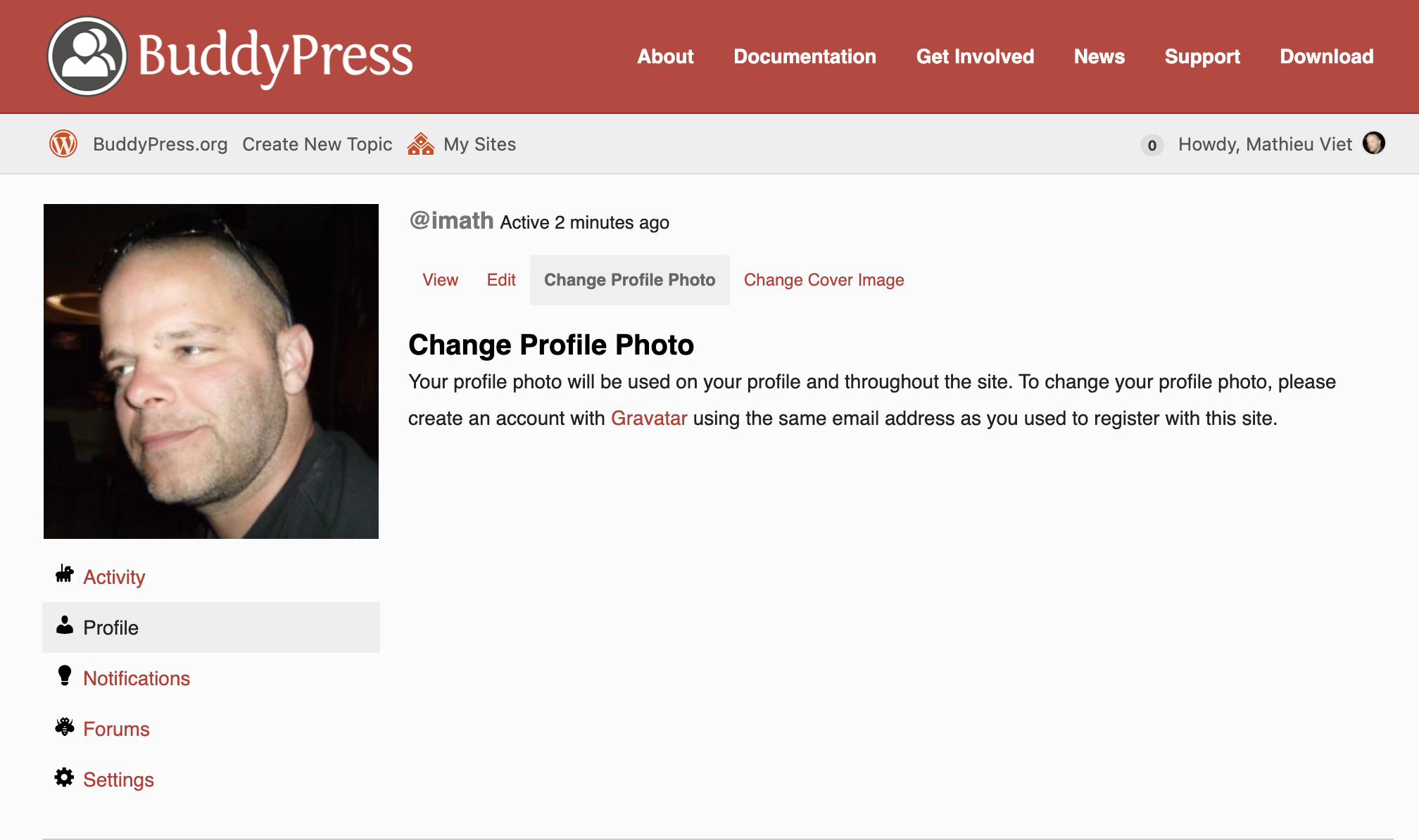
In BuddyPress 10.0.0 we’ve added the possibility to save an history of the uploaded avatars, that’s the only thing I can see to cause your specific config these kind of troubles.
I’d be interested to see the last lines of your server’s
error_logfile. You can try to disable the avatar history feature like this:Create a bp-custom.php file into the
/wp-content/plugins/directory of your site and add this code into it:<?php add_filter( 'bp_disable_avatar_history', '__return_true' );In reply to: BuddyPress 10.0.0 “La Pino’z”@moviefloss I’d look to the PHP version used by the 2 hosts. I recently tested BuddyPress with PHP 8.1 and realized we need to improve compatibility with it.
In reply to: BuddyPress 10.0.0 “La Pino’z”@moviefloss if there’s no more lines at the end of your error log, then I believe you should switch to a Twenty Twenty (one/two) theme to check if the issue is still there. From what I see the issue seems to be located into the “valenti” theme. If that’s the case, the theme author should fix the issue as it’s a premium theme and we cannot access to it.
In reply to: BuddyPress 10.0.0 “La Pino’z”Thanks for your feedback and tests @moviefloss Could you check the error_log file of your server? I believe we may find the reason of our trouble there.
In reply to: BuddyPress 10.0.0 “La Pino’z”Thanks for your screenshots @moviefloss, I don’t think that’s your issue unfortunately.
Can you add a
bp-custom.phpfile into the/wp-content/plugins/directory of your site and add this code into it:<?php add_filter( 'bp_disable_avatar_history', '__return_true' );And try to upload an avatar again?
In reply to: BUG in bp_remove_member_typeHi,
Thanks for your feedback, this will be fixed in next minor release. See https://buddypress.trac.wordpress.org/ticket/8639
In reply to: BuddyPress 10.0.0 “La Pino’z”Ok, thanks for confirming it was the members directory.
As I’ve already written in my previous reply, we made this change because, the “All Members” text was wrong when the select box to filter members is set to “Last active” which is the default way of filtering the members directory. When this filter is selected, you only have the users who logged at least once on your website. The amount is calculated according to this.
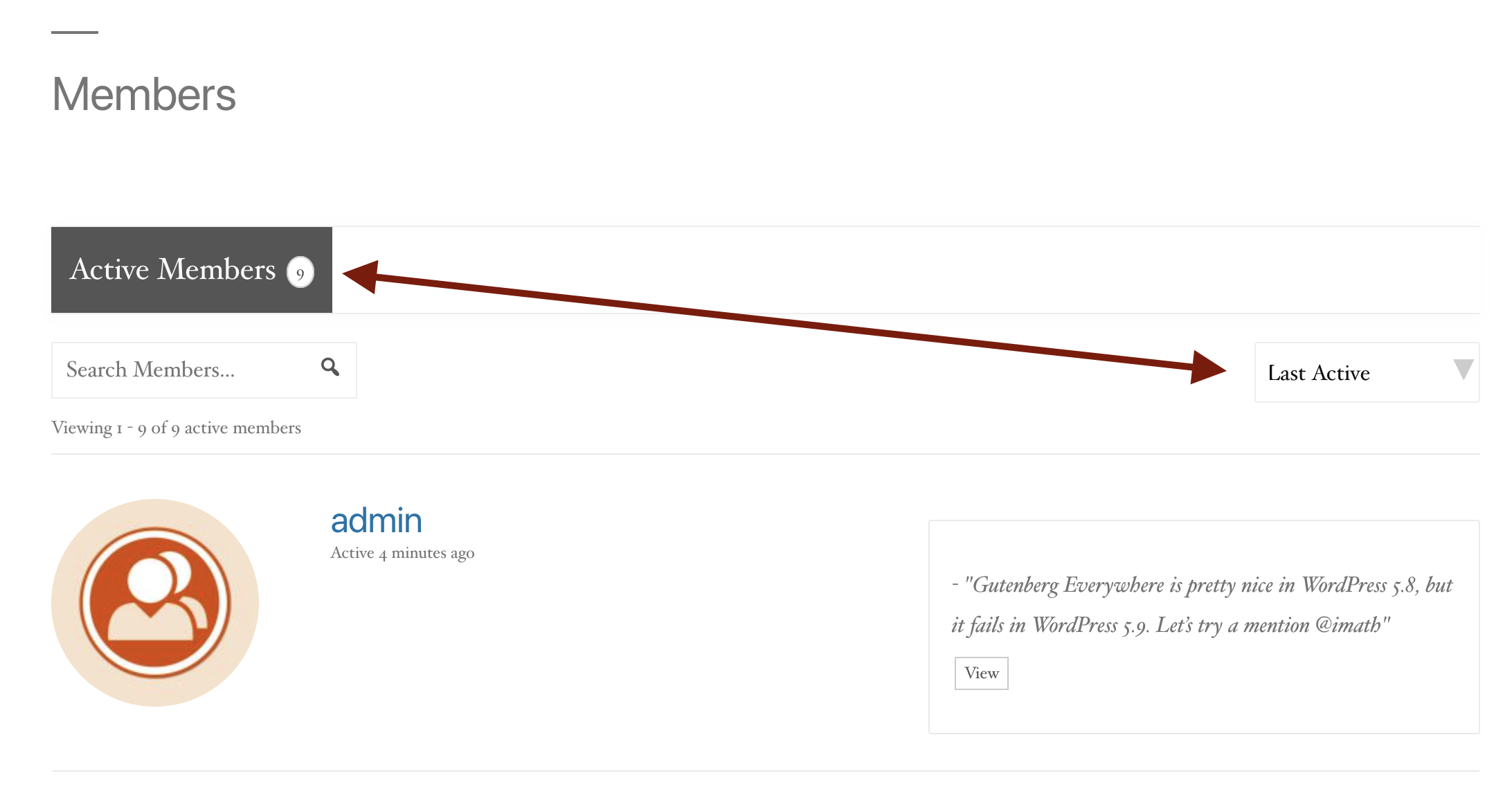
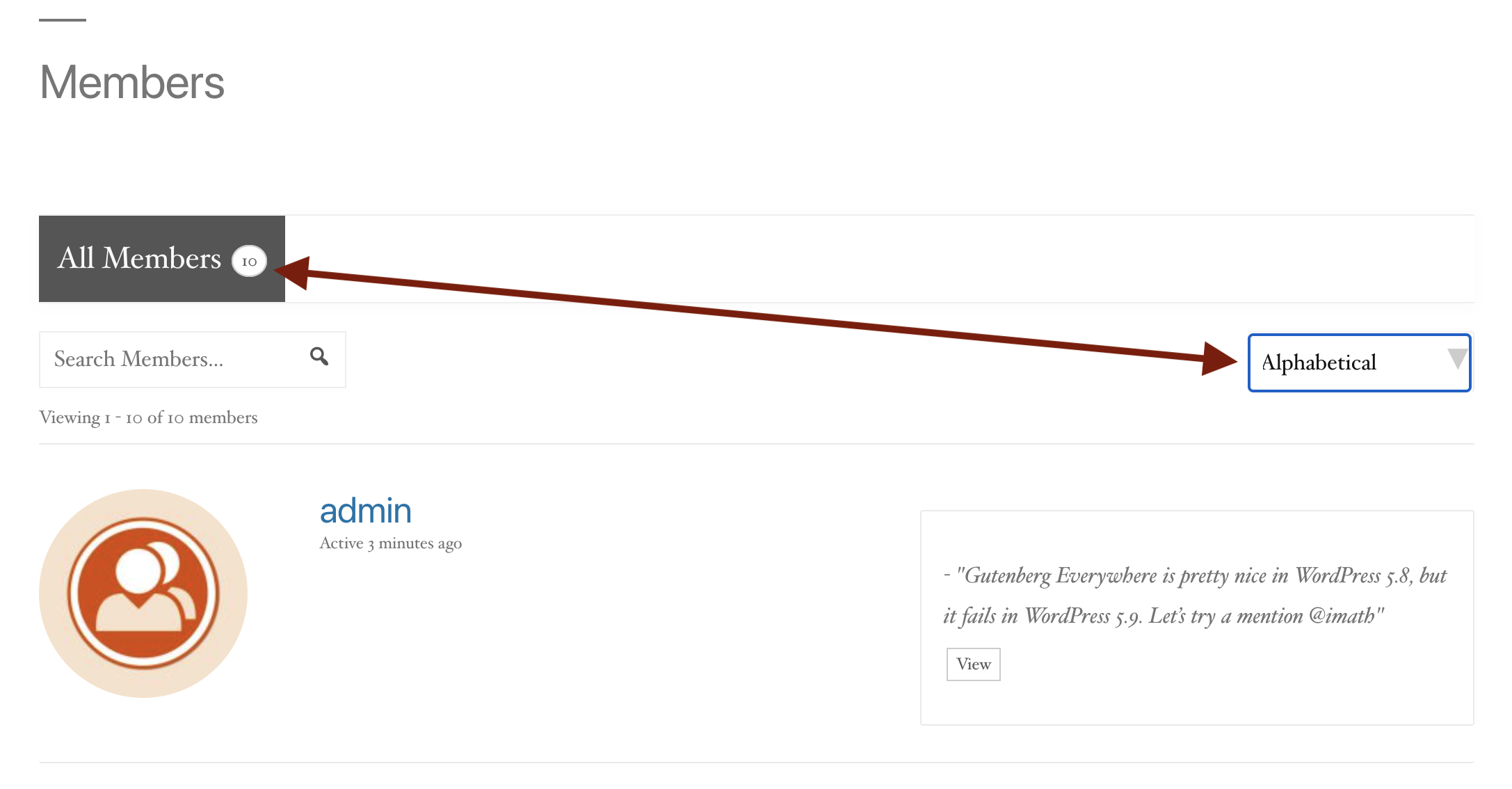
Into this select box, you have other options, like the “Alphabetical” one when the Extended Profiles component is active. As soon as you filter the directory using this option, you’ll see the All Members text back with the real amount of members of your site.
 In reply to: BuddyPress 10.0.0 “La Pino’z”
I think I understood your issue:
if you are you using the BP Default Theme or a theme based on it, or if you disabled the Avatar UI we introduced in version 2.3, I was able to find an issue with this very old way to set an avatar: you have a form with a simple button to upload your image and cropping happens after a page load.
Meaning, you don’t have a tabbed interface to upload/recycle/delete your avatar like shown below:
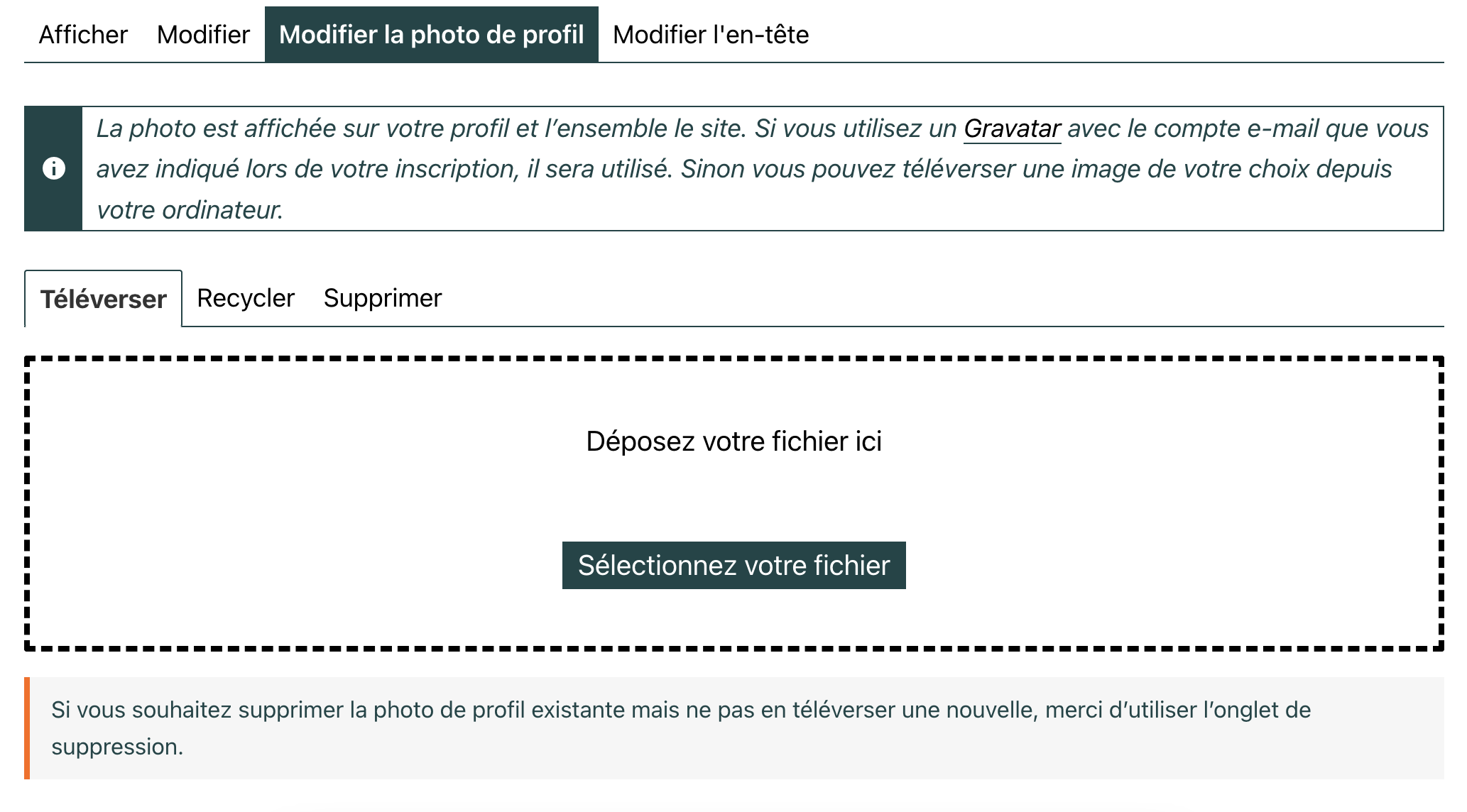
If so, it will be fixed in the 10.1.0 minor release we’ll soon make available. Probably this coming monday or tuesday.
If not I’d like to see the screenshot: to share an image here, just use any free image hosting service, and paste the link here, yes.
In reply to: BuddyPress 10.0.0 “La Pino’z”Awesome @windhillruss thanks a lot for your update 👍
In reply to: BuddyPress 10.0.0 “La Pino’z”Hi @moviefloss & @pasindups
Uploading/cropping avatars works fine with me.
Can you try help me to reproduce the issue so that I can fix it?
1. Before uploading the picture, open the browser’s inspector and activate the network tab, the one which logs pages load, Ajax requests…
2. Upload the picture, according to what you described, you should see an error logged into this tab, double click on the line of this error and make a screenshot of the request result.
3. Repeat the operation activating the console tab of the browser’s inspector, but this time you might see JavaScript errors logged, I also need a screenshot if that’s the case 🙂Tell me more about the picture you’re trying to upload: file extension, size in pixels.
Tell me more about the browser you are using: Firefox, Chrome, Safari, Edge, Internet Explorer 😬, another one ?
Tell me more about the active theme?
Tell me more about your WordPress configuration (regular, multisite) if Multisite how BuddyPress is activated (Network, on the main site of the network, on a subsite, other)?
If you are using some specific BuddyPress constants into your wp-config.php file which ones?Thanks in advance for your inputs 😉
In reply to: BuddyPress 10.0.0 “La Pino’z”Hi
@webby87 thanks a lot 😍
@godsdead if you have more inputs about it, like ways to reproduce, please share them with us. I can’t reproduce the issue.
@windhillruss sorry to read about it, I’ll give it a look asap.
@giuseppe2016 just tested on 5.9 with the Twenty Twenty theme being a subscriber and I wasn’t able to reproduce, everything seems to be ok to me.Sure!
Thanks for the ping @johnjamesjacoby. I’ve open a ticket with a patch about it. @alexmangini don’t hesitate to test it. By the way we don’t use Git but SVN for BuddyPress code. If you want to dive into BuddyPress code contribution, I advise you to read this tutorial to get started quickly 😉
In reply to: BuddyPress 10.0.0 “La Pino’z”By default BuddyPress is only showing “Active Members” into the Members directory, that’s why we made the change, if you want to see “All Members”, you need to select the “Alphabetical” option of the filter dropdown list (NB: this option is only available if the xProfile component is active).
“Active Members” are members who actually logged in once. “All Members” are any members including the ones who never logged in.
Could you be more specific about what you call “members search page”? Is this a specific page you built? or is the it the regular Members directory ?
In reply to: BuddyPress 10.0.0 “La Pino’z”Even if you haven’t disabled the new Widget block editor or are not using the Classic Widget plugin, you can keep BP Legacy widgets using a specific filter, I advise you to read this developer note: https://bpdevel.wordpress.com/2022/01/16/legacy-widgets-in-buddypress-10-0-0/
In reply to: Share Link inside Activity FeedHi,
I think so if the plugin you use to let users create their own product is relying on a custom post type, see this documentation page https://codex.buddypress.org/plugindev/post-types-activities/
In reply to: Help wanted!Just checked https://www.danskeosteopater.dk/find-en-osteopat/members/?s=anders & it seems to work as expected.
If you’re talking about the search form displayed on the right side of your page, it’s not generated by BuddyPress. Have you tried to reach the plugin author of the BP Profile Search plugin there https://wordpress.org/support/plugin/bp-profile-search/ ?


