Forum Replies Created
-
In reply to: WordPress-specific xprofile (meta) fields not saving
Hi, I’m back 🙂
I confirm this is working as expected. I’ve used this code to generate the Twitter WP Contact method: https://gist.github.com/imath/c634d9bfb575f128d76a25aaa76fc2e5
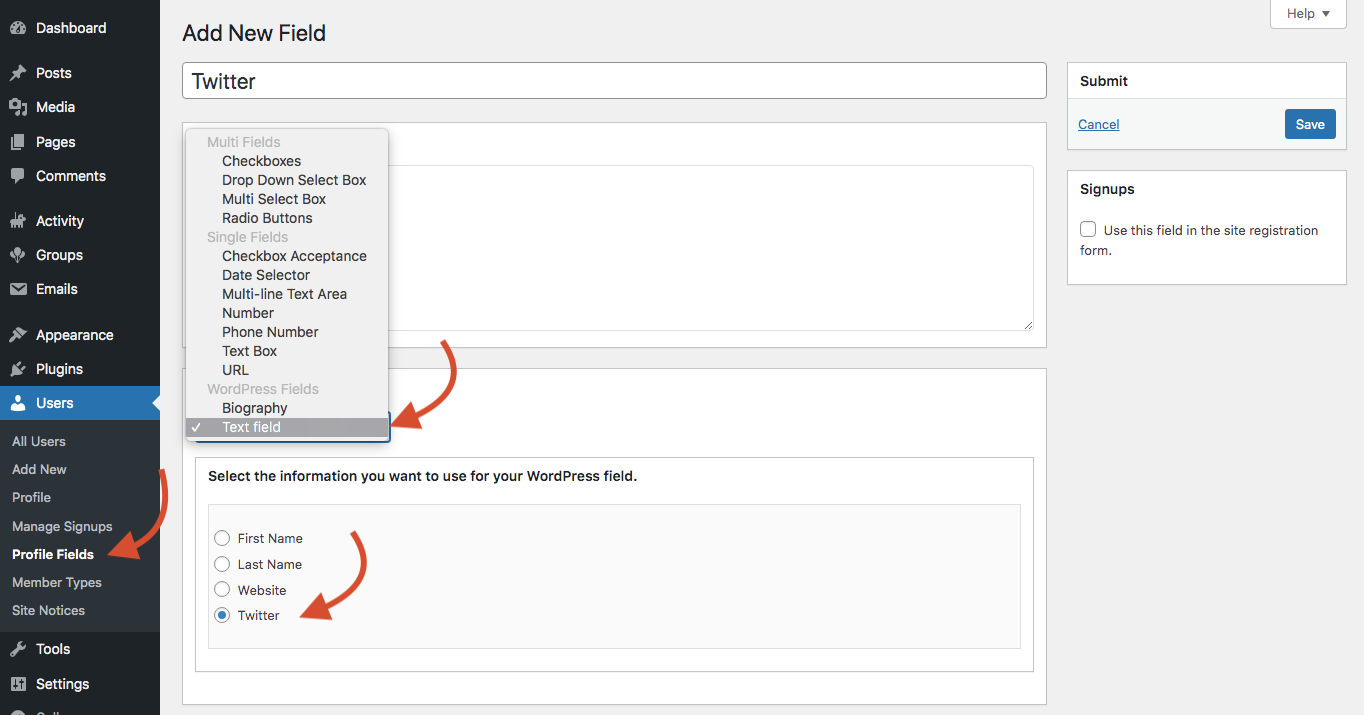
Then, I’ve created a new xProfile field using the WordPress text field type, as shown in the below screenshot.
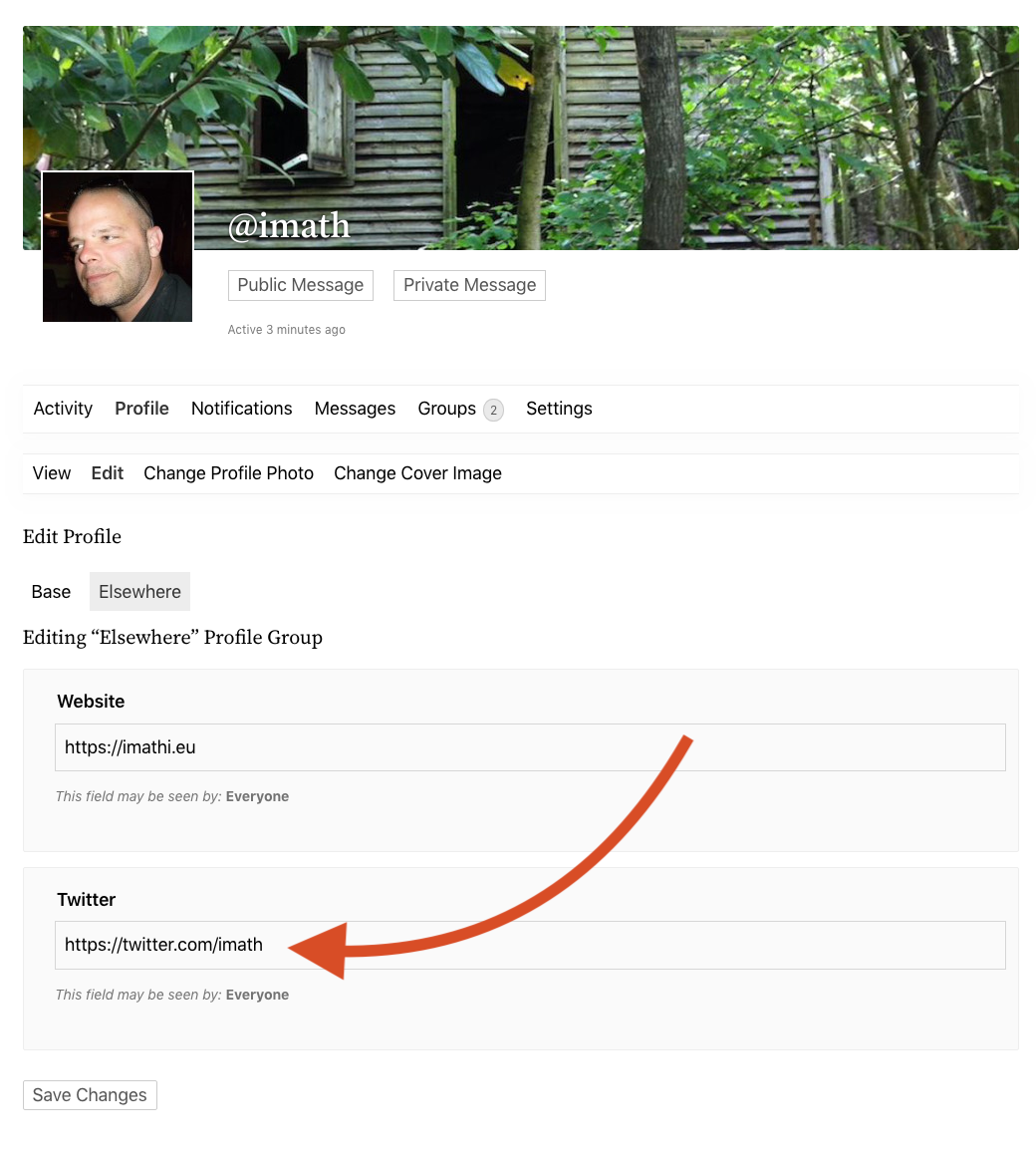
Once done, I was able to find the new input inside the user’s profile edit screen on front-end, see screenshot below.
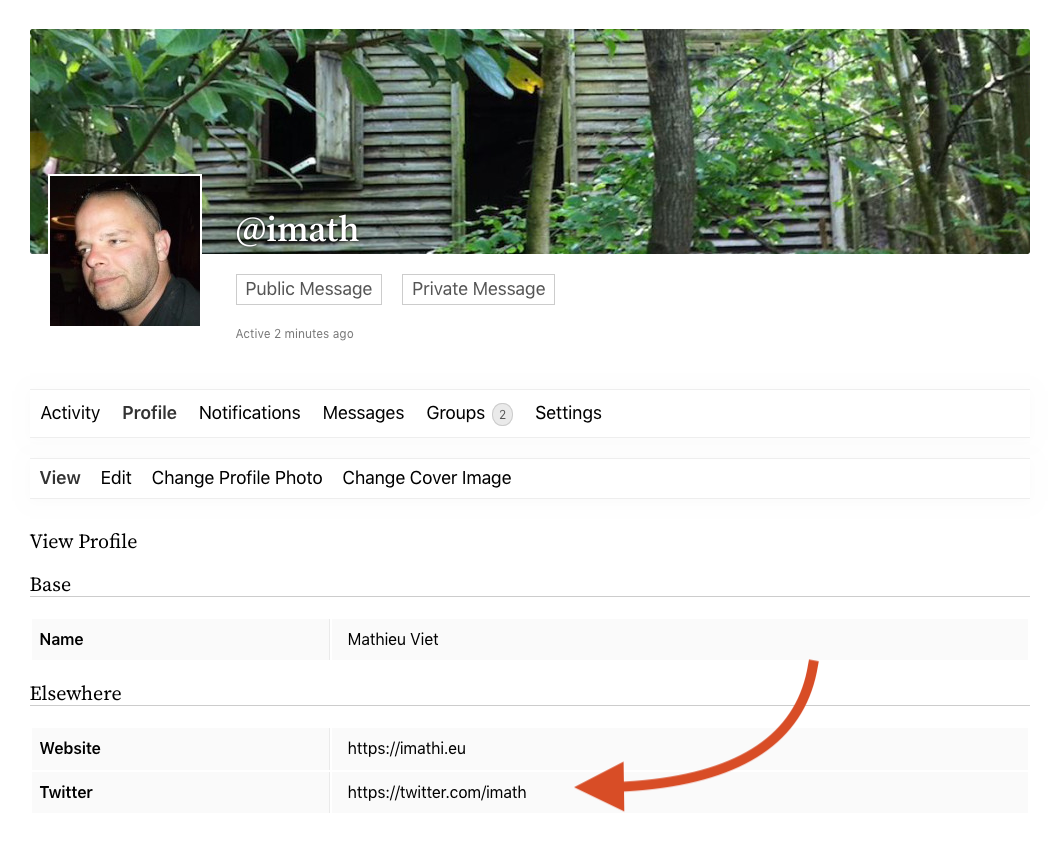
When I’ve submitted my edits, the twitter link was saved successfully and on the user’s profile view screen, it is displayed as a clickable link:
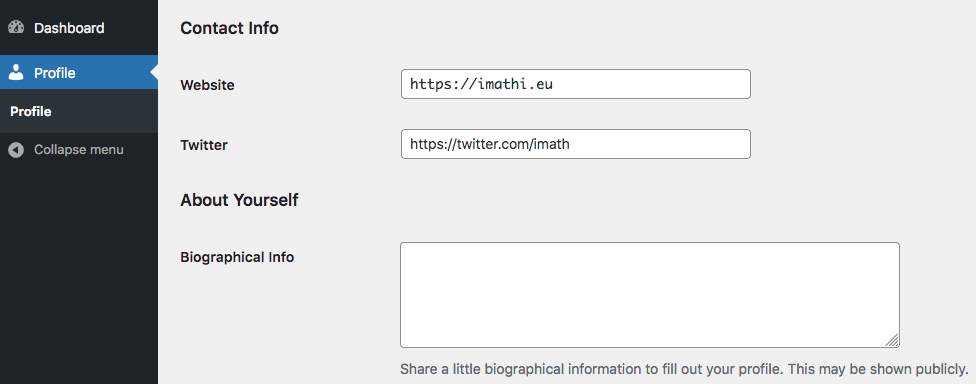
The same goes for the WP Dashboard profile, see below:
 In reply to: PHP 8 Compatibility?
Hi,
Just like WordPress PHP8 is ok with BuddyPress, see our PHPUnit corresponding GH action: https://github.com/buddypress/buddypress/runs/4734025743?check_suite_focus=true
In reply to: BuddyPress 9.2.0Hi, it’s probably an issue with the size of your image, try to use a smaller image in pixels. Nothing was changed about it into this specific version.
In reply to: Performance optimizations in databaseHi,
About 1 and 2, these meta are not generated by BuddyPress, so I advise you to identify the plugins involved and ask their support.
About 3, you can probably do it for your site, it’s more risky to do it from the BuddyPress plugin.
About 4. The only approaching string added by BuddyPress is
'Deleted User'and it’s only added at runt time, so to me these are not added by BuddyPress into the DB, so I’d try to see if this comes from another plugin and contact their support.About 5. It’s an interesting point, only the first subject of the messages thread seems necessary, and I wonder do we even need a subject to start a private conversation 🤔 ?
About 6. I don’t think BuddyPress adds postmeta or if it does it’s probably when Post types Activities are on (Blogs component active).
In reply to: WordPress-specific xprofile (meta) fields not savingHi @maelscuttle
Thanks for your report. If these fields are generated filtering the
wp_get_user_contact_methods()function they should be included into/updated from the front-end xprofile form.I’ll give it a look and will be back soon.
In reply to: BuddyPress 10.0.0-beta2Hi thanks for your ping @wackao. I did some clean up into the first forum pages.
In reply to: buddypress-10-0-0-beta1Hi @wackao,
Thanks for your feedback: migrating our Legacy URL parser to WP Rewites is quite a challenge because as you wrote, we’ve been postponing this change probably too much. There’s a risk some BuddyPress plugin features stop behaving the way they should, that’s we chose the feature as plugin approach: to try to do it smoothly ☺️. About your concern, I believe we can at least improve this using BP Rewrites, yes 😉. I’ll keep it in mind following our progress on it 👌
In reply to: buddypress-10-0-0-beta1Hi @windhillruss thanks a lot for your feedback I believe it’s just a matter of theme template updates. @dcavins can you have a look at it?
In reply to: BuddyPress 8.0.0No problem @leahkoerper 🙂 The issue will be fixed in BuddyPress 9.0.0. FYI: https://buddypress.trac.wordpress.org/changeset/13017
In reply to: BuddyPress 8.0.0@leahkoerper you can probably write your text on a Google Doc, Dropbox paper or other online services and then add a link to your text here?
In reply to: BuddyPress 8.0.0Hello @shendeluth
Thanks for your feedback. What are the field types you are using for the ones which fails to act like required fields ?
In reply to: Registration page does not loadHi,
Have you tried contacting the
beehive buddypress themesupport team ? It looks like it’s specific to their theme.Hi @doctrpnyc
Do you know if the BP xProfile Component is active in WP-Admin > Settings > BuddyPress?
If so what is the version of BuddyPress you are using ?
If it’s 8.0.0, if you go to WP Admin / Users / Profile fields, do you have a Signup Fields tab ?In reply to: Terms of Service linkLooks like there’s a plugin named
TRINITY_WPactive on your config which is adding this content.In reply to: BuddyPress 8.0.0Hi @tamarazambrana & @niftythree
The signup fields order issue will be fixed in next BuddyPress version. Thanks a lot for your feedback.
For more details about the issue: https://buddypress.trac.wordpress.org/ticket/8500
In reply to: BuddyPress 8.0.0Hi @niftythree thanks for these new inputs. I’ll try to reproduce your issue asap and will report back here once done.
In reply to: BuddyPress 8.0.0Hi @leahkoerper
Thanks a lot for these new inputs. I’ve tested what you’ve described to try to reproduce the issue. I’ve created 3 new users on my development environment:
– User A is contributor
– User B is Editor
– User C is SubscriberBeing an admin, I’ve added a field without enforcing the field visibility.
Users A, B & C can change the field visibility and the field visibility they chose is fully respected.
So I can’t reproduce your issue with a fresh WordPress install with only BuddyPress being activated.
I believe you may have some code running on your config that prevents BuddyPress to act like it should. If it’s not a plugin or a theme, try to look if there’s an existing
wp-content/plugins/bp-custom.phpfile or awp-content/mu-plugins/directory with files in it.I see, you can try the following code:
/**
 * Adds activities generated when a user activates their account when a user
 * is created using the WP REST API.
 */
function rest_automatically_generate_an_activation_activity( $user ) {
	// Adds a "became a registered user" activity.
	bp_core_new_user_activity( $user->ID );

	// Fake a user log in.
	bp_update_user_last_activity( $user->ID );
}
add_action( 'rest_insert_user', 'rest_automatically_generate_an_activation_activity' );
In reply to: Group HomepageHi @mjf68
This setting is available from the BP Nouveau panel of the WP Customizer.
Once you’re inside the WP Customizer, you’ll find the BP Nouveau Panel as shown below.
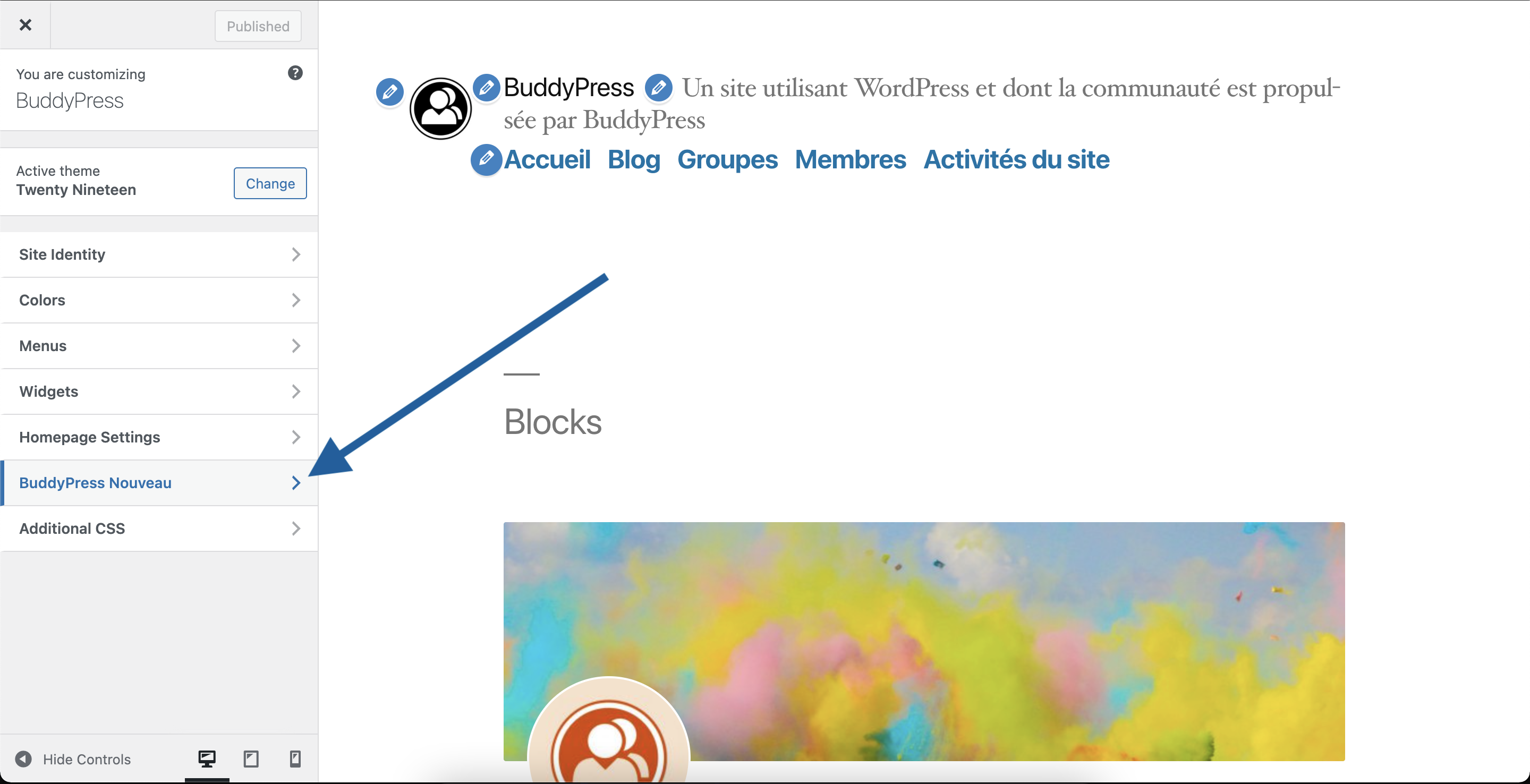
Click on it to reach the BP Nouveau available setting sections.
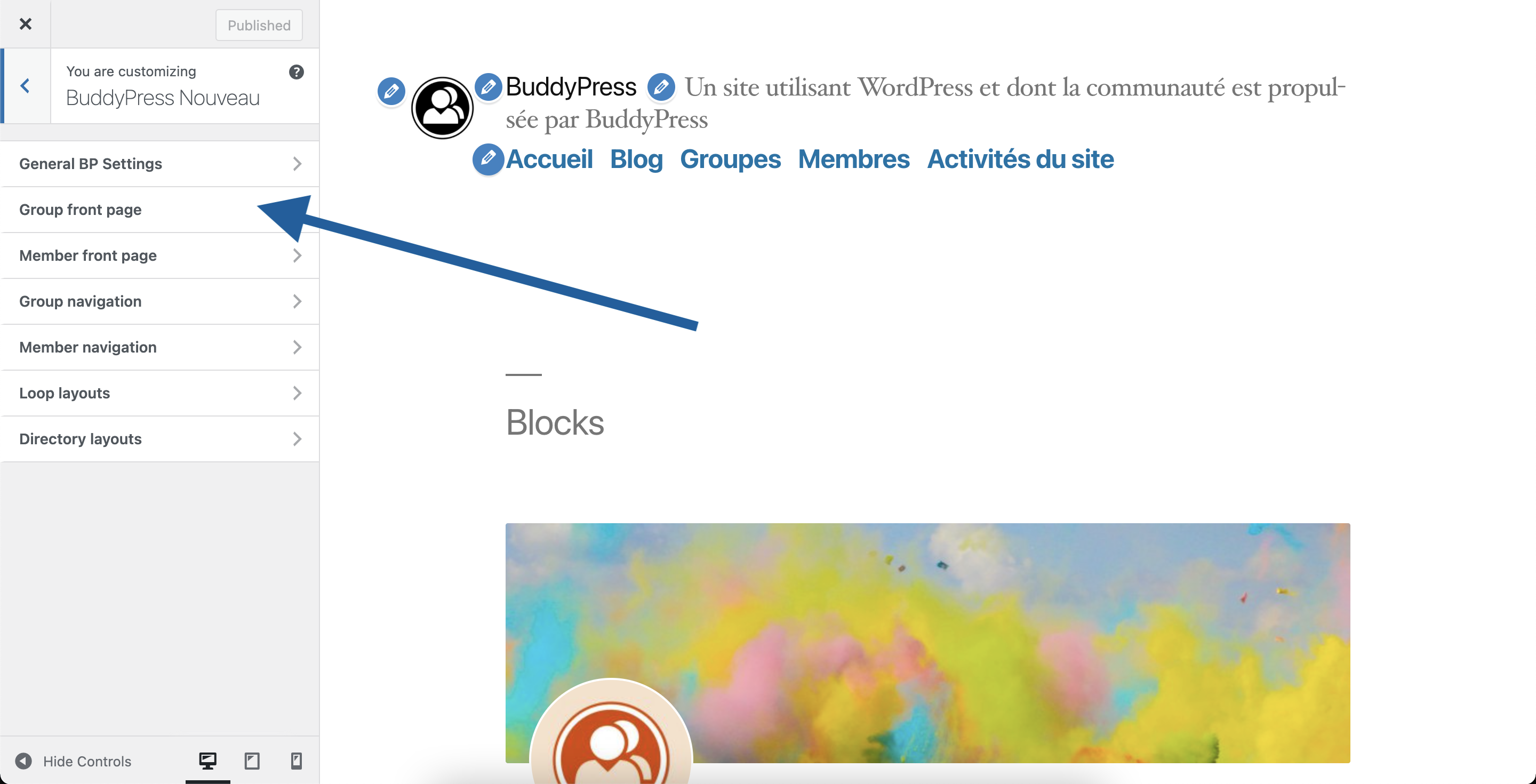
Click on the Group Front Page section to customize this area. You’ll reach the following settings.
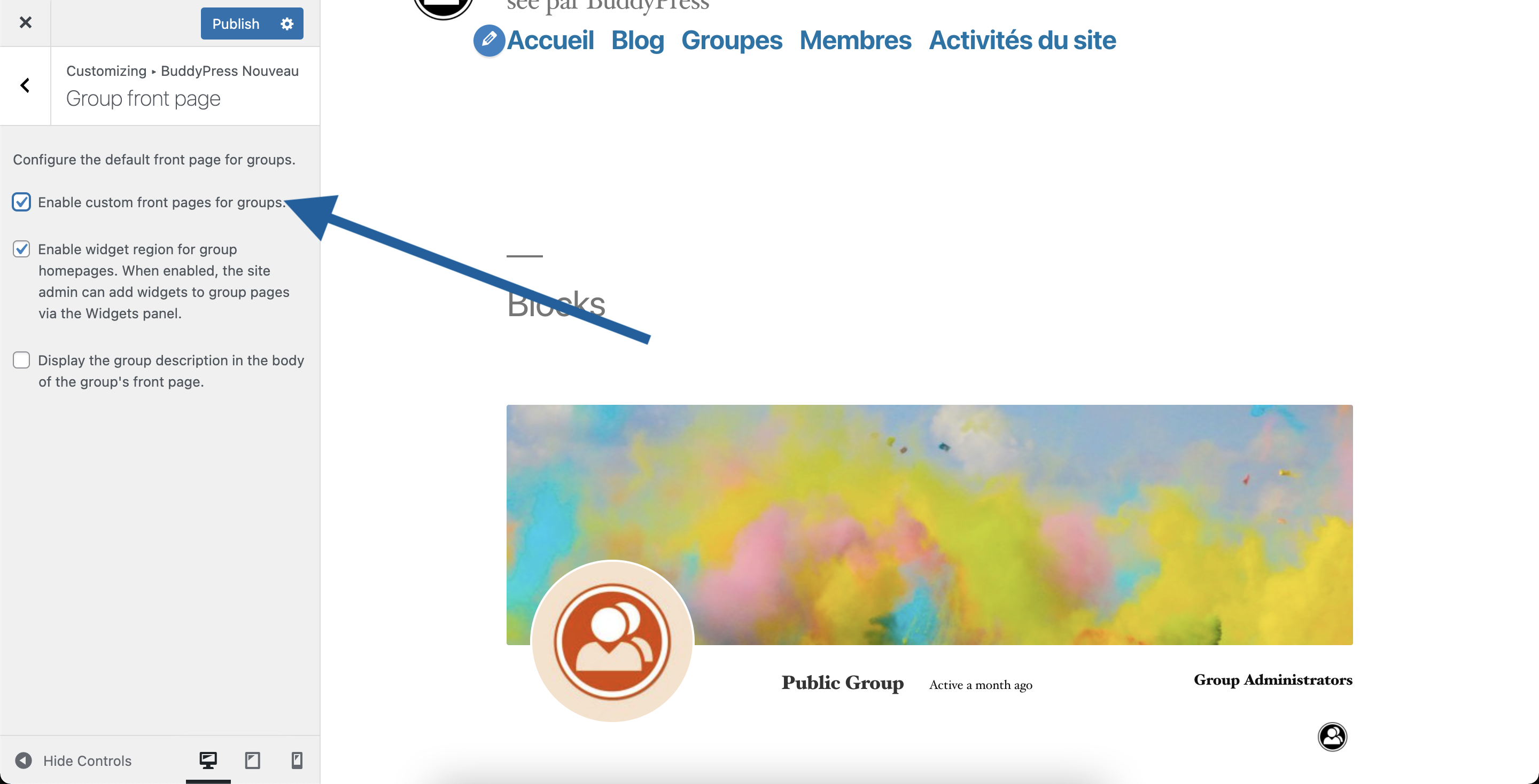
If you want to disable the Group’s front page, you simply need to uncheck the first checkbox.
In reply to: BuddyPress 8.0.0Hi @mastersat
Thanks for your feedback, could you tell us:
– what Theme you are using?
– do you know if this Theme or a Plugin is overriding BuddyPress Templates?
– if you have no idea about the above points could you look into your themes/plugins files to see if there’s amembers/single/home.phpfile?I’m bit amazed by this
enabled direct registration of new members and disabled email confirmation
As far as I know, a user registering from the front-end (managed by BuddyPress) is first receiving an email containing a secret key he needs to paste into the BuddyPress activate page to validate their account. But maybe you are using a plugin or some custom code to disable this..
Otherwise, you can achieve what you describe adding the following code snippets to a bp-custom.php file.
/** * Adds activities generated when a user activates their account when a user * is created using the wp-admin/user-new screen Add new action. */ function automatically_generate_an_activation_activity( $user_id = 0 ) { // Adds a "became a registered user" activity. bp_core_new_user_activity( $user_id ); // Fake a user log in. bp_update_user_last_activity( $user_id ); } add_action( 'edit_user_created_user', 'automatically_generate_an_activation_activity' );Hi,
It’s possible by default in WordPress, just go to
yoursite.url/wp-login.phpIn reply to: BuddyPress 8.0.0Hi @b4ureye,
Ok, can you reply to the following questions:
– What is the name of your active theme?
– If it’s a child-theme, what is the name of the parent theme ? You can find this information into thetemplate:header of thestyle.cssfile of your child-theme.
– Does this theme contains amembersdirectory or abuddypress/membersdirectory?
– if so does this directory contains aregister.phpfile?
– if so can you share on Gist.Github.com the content of this file?Thanks in advance for your replies.
In reply to: BuddyPress 8.0.0Hi @leahkoerper,
I’ve just checked the xProfile custom visibility feature, It works as expected for me.
As you’re mentioning Elementor, have you tried deactivating this plugin to see if there was something messing with BuddyPress on their end?
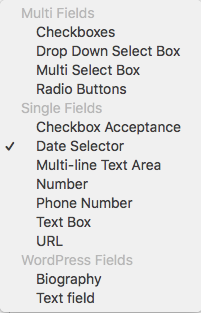
But out of curiosity what is the type of the field (see list below)?
 In reply to: Are the BuddyPress developers stupid?
Thanks for your reply @shanebp.
As one of the BuddyPress lead developers, I confirm everyone in the development team is giving their time freely.
There are probably improvements we can bring to documentation to help you find replies more easily. To achieve this we need contributions. You are welcome (like every user) to help us, oh and contributing to an open source project is also free (just in case…).


