Forum Replies Created
-
I wouldn’t even know where to begin to look in the tags plugin, lol!
Bump! Using solution #2 did work to add the link, but I just don’t think I want to sacrifice the sorting and “active” tab highlighting (which is what it’s caused).
Can anyone walk me through implementing solution #1 mentioned by @sbrajesh?
Bump! Can anyone look at this for me and see if there’s something glaringly obvious I’m missing?
Awesome, thank you! I just used solution #2 b/c #1 is way over my head.
New problem, though…no matter which tab is clicked/active, “My Groups” is always highlighted as the selected one. Also, the “order by” returns a list of all of the groups, even when I’m trying to filter my page of specifically tagged groups that I linked to. Would solution 1 solve these issues, and if so, is it the sort of thing that someone could provide me a code snippet to copy/paste? Because that I could do.
Thanks @mercime!!
Now does anyone know how to change the word “Home” to “Activity” on the group nav?
ETA: nevermind, that’s in the link too

what @LPH2005 said.
IDK, but it’s happening to me as well. We have a 4 hour error, though. WP 3.0 RC1 (MU) + BP 1.2.4
Nevermind, I just realized that a component of the forums extras plugin does exactly what I need. BP-TinyMCE still looks awesome for those who need more, though. I hope my posts help someone else having issues

I went into the group activity page template file and just surrounded the update textarea with conditional tags, and hid the dropdown “post in” list on the sitewide activity page altogether (left the option to post to user’s profile selected and the whole dropdown hidden).
Now group members can post replies to admin/mod group activity stream updates, as well as do everything they used to in the forum, but they just can’t post new updates to the group activity stream.
I should clarify:
* textareas don’t clear out on submission of activity stream updates. The update posts just fine, but it doesn’t dissapear from the textarea afterward.
* I’d love an image button that would bring up a popup similar to the link one so that posters could enter the remote URL of the image they want to post, and it would be inserted with img tags.
OK, I fixed this issue as well. Signatures were supposed to be surrounded by divs, but BP-TinyMCE wasn’t allowing the div tags at all. I had to add some stuff to the bp-tinymce.php file. Here’s a pastebin of my new one:
Forum Extras Signatures are displaying as they should again, and the BP-TinyMCE plugin is also doing it’s job…mostly (text in textarea doesn’t clear out after submission)
Anyone know how I can delete the list and blockquote buttons and add an image button? I also would actually like to be able to turn the whole thing off in all textareas except for forum topics/replies.
OK, fixed the problem in the screenshot I posted by duplicating the langs files as described in comment #23 here:
http://teleogistic.net/2009/12/tinymce-in-buddypress/
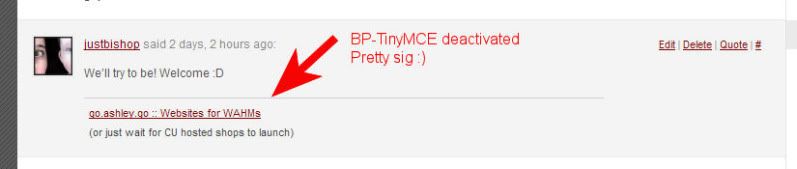
But I still have an issue…I’m also using the Forums Extras plugin with signatures enabled on the BP default theme. With BP-TinyMCE deactivated, forum signatures display really nicely separated from the post by a nice horizontal rule, and in a slightly smaller font than the post text itself. With BP-TinyMCE activated, the horizontal rule is gone, and it looks from the source code as if the last
tag used in the post content is not closed, so the signature is just inserted immediately after the last character entered there.
Screenshots:
http://img.photobucket.com/albums/v84/justbishop/tinymceact.jpg

Still working on WP 3.0 RC1
It wasn’t working for me with WP 3.0. I was getting a 404 when I had my front page set to “Activity Stream”.
I just got it working by copying a good portion of activity/index.php into a custom page template. Then I set a page to use the template and set my front page to THAT page (if that makes any sense!) I also have the page content displaying above the stream in a not logged in conditional statement so that I can show easily editable content to non-member visitors. I’m happy to pastebin my page template if anyone needs it.
(WP 3.0-beta2 + BP 1.2.4.1)
Thanks
I was actually coming to post that I didn’t really need it any more, but it’d still be useful info I suppose.
In my case, the actual “blog” part of the main blog wasn’t being used for anything, so I’m just using that as the classifieds post system. I have custom fields set up (custom field template plugin) for users to call their remotely hosted photos, and am using a combo of the Members and Adminimize plugins to hide admin panel stuff that they don’t need to see. I also had to do some editing of the core wp-admin/edit-users.php to get rid of unnecessary profile fields in the backend, but nothing too bad that it can’t be redone after an update.
Yeah, because I totally didn’t get that from it. Maybe no one expects people who know next to nothing about PHP to be attempting a hack like this?
Anyway, thank you so much for this!
AHHHHHHHHHH!!!! You’re a genius!!!!!!!!!
Did I miss where the tutorial here said to name the .mo file in that way?!
Um, ok, I think I haz teh dumbz. When I save w/ Poedit, I get an error popup that says something along the lines of
yadda yadda yadda “field “Language-Team” still has the initial default value”
I thought it was saving it anyway? Yeah…it’s been a long day. I’ve done a search for “Language-Team” and come up with nothing. I looked through the Poedit prefs and found nothing. How do I get rid of this error?!
ETA: Nevermind about that…it IS saving my changes. Still have no idea what that error is, though, or why changes aren’t being reflected on my site when I upload the edited .mo file

Thanks for looking! I did try changing “mysite” to something else, but that didn’t do anything for me either.
Are we talking about the .mo file, or the bp-custom.php file I created? I’ve tried both files in wp-content/plugins/buddypress/bp-languages/ as well as wp-content/plugins/ with no result.
If someone can tell me how to post code here, I’ll post what I have in my bp-custom.php. I tried earlier and it just kept posting blank.
Thanks

Moved it, but nothing changed
ETA: I edited and converted the original buddypress.pot file to the .mo file and then uploaded that, if that makes any difference. So, not there’s buddypress.pot and buddypress.mo in my wp-content/plugins/buddypress/bp-languages folder, when originally there was only the .pot file. Is that wrong?
I did the same using Poedit. Uploaded the .mo to the same place the original buddypress.pot was.
I couldn’t find a bp-custom.php file anywhere in my install, so I created one and c&p’d the code the tutorial linked above told me to. Do I need to put something in place of “mysite”, and if so, what? Should there be anything else in bp-custom.php? I uploaded it to wp-content/plugins/buddypress, should it go elsewhere?