Search Results for 'buddypress'
-
AuthorSearch Results
-
June 19, 2009 at 4:40 am #47744
In reply to: Buddpress Theme Like Buddypress.org
Dwp1975
ParticipantI want this theme as well, is this a go?
June 19, 2009 at 4:18 am #47743In reply to: Installing buddypress into a subdomain — help needed
Burt Adsit
ParticipantThe BP_ENABLE_MULTIBLOG option works fine on my install using subdomains.
June 19, 2009 at 1:43 am #47740In reply to: buddypress login widget broken
ParticipantDo you have any custom code in bp-custom.php or plugins that redirect the user after login active? The normal behavior for login from that member theme sidebar area is to drop right back into to the same blog you logged in from.
June 19, 2009 at 1:39 am #47739In reply to: buddypress login widget broken
ParticipantIn 1.0.1 I tried the login from the member theme sidebar area and if you have the bp root blog defined properly it works just fine. I assigned another blog as the BP_ROOT_BLOG and everything bp stopped working on blog id 1 as expected. It works just fine from blog id 17 that I switched it to.
June 19, 2009 at 1:23 am #47738In reply to: buddypress login widget broken
ParticipantI can only comment on how bp 1.0+ operates. What version bp? I don’t know that the image upload or login problems have anything to do with what we are talking about. When you select one of the directories such as members, groups or blogs from the theme main nav, does it run the directories properly? If the answer is yes to that and your member theme works properly then bp is happy with whatever blog id it thinks you’ve defined as it’s root blog.
There are also two different types of image uploads in bp/wpmu. bp’s avatars and the blog post images that are associated with them. Which one are you referring to?
June 18, 2009 at 11:22 pm #47736In reply to: buddypress login widget broken
Anointed
ParticipantOk, I wasn’t clear enough:
I installed wpmu using subdomains.
I had Nicola install buddypress onto my main domain for mu. Then after seeing the roadmap and a few other notes, I decided to move buddypress from the foreground on the homepage to a subdomain so that I could use a production ready theme for my site.
I created a new blog ‘community’ and turned on the buddypress theme. I also went into bp-custom.php and inserted your code, replacing the X with the blog id# (I had also tried applying the code change to wp-config.php as well, did not work either)
Basically bp is not picking up the fact that it is now blog id #30 instead of blog id#1, hence the broken login and also the image upload problems that popped up after ‘moving’ bp off the root blog.
I hope this is more clear
June 18, 2009 at 11:20 pm #47735In reply to: install bbpress – no dropdown to select admin
Participantbbpress RC2 and RC3 integration is broke. See: https://buddypress.org/forums/topic.php?id=3199
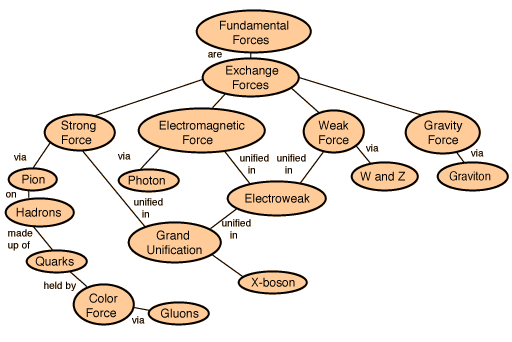
Neither one of us in that thread had any success. I’m particularly proud of my discovery of the true nature of the relationship between bp/wpmu/bbpress when it comes to integrating the three:
http://hyperphysics.phy-astr.gsu.edu/hbase/forces/imgfor/fforcon.gif
June 18, 2009 at 11:15 pm #47733ParticipantI changed the title to indicate that it’s here that the problem exists.
June 18, 2009 at 11:00 pm #47732In reply to: buddypress login widget broken
ParticipantYou can indicate to bp that it should consider a particular blog/subdomain as the one it should operate on. That is defined by the BP_ROOT_BLOG in bp-core.php. Change that to the blog id that you want bp to consider it’s own. In bp-custom.php:
define( ‘BP_ROOT_BLOG’, X );
Where X is the blog id of your subdomain.
I’m not sure what you mean by ‘buddypress installed in a subdomain’. There are VPS defined ‘subdomains’ done at the server level and there are wpmu’s concept of multiple blogs as wildcard ‘subdomains’ mapping to a particular blog id.
bp is installed wherever wpmu is installed. It has no independent relationship to domains. bp only has knowledge of blog ids.
June 18, 2009 at 10:44 pm #47731Jeff Sayre
ParticipantThis is because BuddyPress currently runs only on WPMU, not the single-user version of WordPress
June 18, 2009 at 10:40 pm #47730In reply to: Installing buddypress into a subdomain — help needed
ParticipantHas bp been fixed to work in subdomains yet?
When it is fixed, how do I find out?
June 18, 2009 at 10:07 pm #47729In reply to: install bbpress – no dropdown to select admin
ParticipantMatt-
Have you looked at the Trent’s detailed instructions here? His instructions work with bbPress RC1.
Also, is you’re not using BP v1.0.1, it may be a good idea to upgrade.
June 18, 2009 at 8:38 pm #47724In reply to: Slimbox and other similar plug-ins not working ?
diego r.
ParticipantOkay I just tried that same code on the buddypress test site and it didnt work when i tried to make my on page on my blog with that code, it just gets cleared out everytime i publish or update it.
June 18, 2009 at 7:35 pm #47720In reply to: External Blogs
David
ParticipantThis plugin will give to buddypress a lot of benefits,. so Nicole thanks for yor hard job…
June 18, 2009 at 7:33 pm #47719In reply to: lost my status as site admin. how to restore?
3125432
InactiveWanted to warn all buddypress members to be VERY careful following the advice of the link on Burt’s topic. This is by no means a slam to Burt. I just want to relay what happened to me.
Goal: change my usersname
First action: change field in database
Result: lost site admin privileges.
Second action: changed field back to original username
Result: regained lost site amind privileges.
Third action: per Burt’s advice, added a new user and added the username to the Site Admin > Options > Administration Settings (Site Admins)
Result: able to login with the second username and have siteadmin privileges.
Fourth action: removed original username from Site Admin > Options > Administration Settings (Site Admins), and deleted the record from the database
Result: lost all siteadmin access for me and also for any of the 5 other users. impossible to regain access
Fifth action: create new MySql db, make new subdirectory, reupload all files and begin installation process.
Result: lost countless hours of sleep, lots of work but all is at it should be.
– Brian
June 18, 2009 at 6:41 pm #47715In reply to: Profile view shows on members page.
ParticipantAre you still having this issue? Everything looks fine when I visit the link you’ve provided.
If this issue is resolved, please set the light on top to green. If not, please answer these questions: https://buddypress.org/forums/topic.php?id=2674
June 18, 2009 at 6:36 pm #47714In reply to: Slimbox and other similar plug-ins not working ?
ParticipantWell, upgrading the JQuery version that the plugin uses is an option, but it’s best to contact the plugin dev and let them now about the issue. Ask them to update their plugin so that it supports BuddyPress.
June 18, 2009 at 5:47 pm #47713In reply to: Profile view shows on members page.
InactiveHi Sean,
This seems to be a common issue. I had the same thing with my first installation. The system happened to crash when I deleted my original site admin user profile so I had to completely reinstall the 2.7.1 and bp 1.0.1
Anyway, I started a topic on this, https://buddypress.org/forums/topic.php?id=3181
Burt thought I was trying to modify the look but in reality this seems to be a bug that I believe somehow develops after the installation of some of the plugins. That’s my shoot from the hip thought. I think it has to do with Nicola’s BPDEV plugin set. Sorry Nicola but your plugins have some issues. Not all of them but some of them.
– Brian
June 18, 2009 at 5:31 pm #47710In reply to: 3 questions
ParticipantHome themes need to be located in:
/wp-content/themes/Member themes need to be located in:
/wp-content/bp-themes/Read this for more info: https://codex.buddypress.org/getting-started/installing-buddypress/
June 18, 2009 at 5:29 pm #47709In reply to: database slow queries problem
Marcin Biegun
Participantwpmu 2.7.1
subdomain install
i started with this version of wpmu
wpmu seems to work fine now and before, it just slowed down extremally without visible reason (previous server was faster but stats shows that this one should be more then enough)
buddypress 1.0
upgraded from some beta version (rc2?)
many plugins but as I said it shouldn’t be a problem because before moving it wasn’t
i use customized theme, but again – it’s the same ad before moving to new server
i’m running bbpress (1.06),
errors – many slow queries connected with firestats, tdomf, getting wp_options table and so on
June 18, 2009 at 5:28 pm #47708In reply to: optionsbar & userbar’s Not Hidden on Directory Pages
ParticipantSaraswati11-
You may need to update your themes to be consistent with the the default BuddyPress Themes that come with v1.0.1.
June 18, 2009 at 5:26 pm #47707In reply to: Slimbox and other similar plug-ins not working ?
ParticipantThis may shed some light on the issue:
June 18, 2009 at 5:15 pm #47706In reply to: database slow queries problem
ParticipantWe need to understand your server and software environment. Please answer these questions: https://buddypress.org/forums/topic.php?id=2674
June 18, 2009 at 5:13 pm #47705Participant@Svenl77-
Are you trying to install the BP Skeleton Component on an active site? The reason I ask is that you should use the Skeleton Component for developing your own custom BuddyPress plugins. You use the files, code your own solution, then activate your new custom plugin on your development server and test.
There is no reason you would need to reupload WPMU, BuddyPress, or bbPress. The Skeleton Component will not provide any functionality on your site. You simply use it as a general template for coding your own custom plugins.
June 18, 2009 at 4:51 pm #47703In reply to: Possible BP URL problem?
ParticipantThank you for providing good documentation about your issue!
I just did a quick read through of your issue and will think about this some more, but a few quick questions come to mind to get this dialogue started:
- Are you using custom themes? If so, what hapens when you switch to the default BP themes?
- Have you made any alterations to your .htaccess file?
- Do you have any other plugins other than BuddyPress installed and activated? If so, have you tried deactivating all of them except the BuddyPress plugin?
- Although this may not be useful, have you checked your server’s error logs?
-
AuthorSearch Results