@r-a-y
FWIW, I am testing locally, but ‘wp_remote_post( ‘https://buddypress.org’ );’ seems to return a response just fine. RSS items displayed in the “WordPress News” dashboard widget load as well.
I don’t want to this to be a red herring, so I am happy to test out any other ideas.
Hi @scaffies
Thanks for the report. Whilst this won’t resolve the issue, it might be worth mentioning that the BuddyPress team don’t reach out directly to plugin developers before each update. However, developers that choose to integrate their plugin with BuddyPress are urged to check the blog for important updates on upcoming releases. Beta versions and release candidates are made available which allow for some testing time before ‘go live’.
Hope this info helps.
Now, on to the issues at hand. Is it possible to provide a link to the Chat and Messenger plugins? I’ll try to take a look to see what the issue could be.
In the mean time, please try to let these developers know (via their support channels) there’s an issue and hopefully they’ll be able to look into a hotfix if one is needed.
Hello
I can’t answer in my old original post:
https://buddypress.org/support/topic/how-can-i-redirect-to-forum-group-instead-of-home-group/#post-233447
I want to ask if there is an option for redirect directly to forum instead of activity from the Group’s widget in the sidebar
The function of user shanebp works great but doesn’t work with the sidebar’s widgets.
Thanks and sorry for open another topic
When testing BuddyPress 2.2 I’ve run into a problem where posting activity updates or replies won’t display properly (saving via Ajax) with Askimet enabled. They are saving to the DB, but upon hitting “Post Update” or “Post” the spinner just spins forever and in console I see:
POST http://www.angrybirdsnest.com/wp-admin/admin-ajax.php net::ERR_CONNECTION_RESET
To debug I disabled all plugins except BP and switched to Twenty Fifteen. Once I did that activity updates started to display properly upon saving. I had a hunch Askimet or bbPress might be the culprit, so I turned Askimet back on first (bbPress was still disabled). My hunch was right as now when I post an activity update it doesn’t work, the spinner spins and the aforementioned error shows in console.
Long story short, Askimet is one of the most popular plugins out there, so it would be great if someone else could help me double check this and if it’s indeed an issue find a fix.
Thanks!
@agentswall You’re welcome. Marking this as resolved.
The Create Groups link has always been in the Groups Directory page, not in the individual groups page. There is also a Create Groups link in the BuddyPress section in the Admin Toolbar which I see you have disabled. You could add the link if you want in the menu you added for logged in users if you need a way for users to find that link if they are not in the groups directory page.
I was installed Multinetwork Wp I can create user and sub site without problem but if someone want register user or user+create sub blog the system give me
Fatal error: Cannot use object of type WP_Error as array in /home/*******/public_html/community/wp-content/plugins/buddypress/bp-members/bp-members-screens.php on line 113
I was test with buddypress 2.1.1 and 2.2 (in 2.1.1 give the same but line 75)
Wordpress 4.1 eng
Pages Buddypress all created and submited , register,active etc
in setting i was tested the only register user and register and creating site no lucky
How can i fix the registration?
Hello, thanks for the reply! I use Sweet Date template. Currently updating the plugin SEO Yoast, were not available. If I understood you correctly, that problem will be solved in the following updates to Buddypress or will be solved when you upgrade the plugin SEO Yoast. Thanks again, regards and greetings!
[Correction] “our” 260,000 users of course, not “your”
[Update] We also passed on the same to the commercial vendor of the chatand messenger system, as we learned from the “links” problem with 2.2 that changes had been made to BP, which were (apparently) not communicated to developers:
“In 2.2 we’ve introduced a bp_is_active() check in the function bp_core_get_directory_page_ids(), i think it’s the reason why this problem has occured with this plugin.”
Thank you for your reply Paul. That is encouraging to hear! So “possibly” in one of the upcoming Buddypress releases. 🙂 I would not imagine it would be too much of a stretch to develop that but I suppose it is a matter of how best to develop it with the least impact to the existing ecosystem to ensure compatibility.
If I might add, the option to silently block/ignore someone would be a great benefit. This way the offending party (spammer, harasser, etc) do not know they are being blocked.
@shanebp. Thank you, I am considering BuddyBlock but am hopeful this functionality is added to the core component. Fingers crossed.
Help, please:
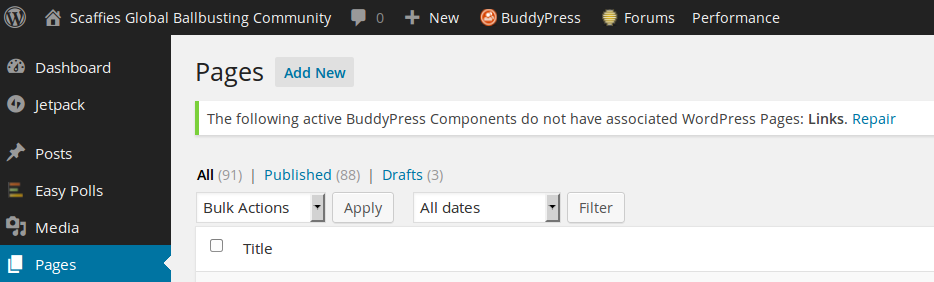
besides breaking the “Links” in BP
https://buddypress.org/support/topic/buddypress-2-2-and-links-page/
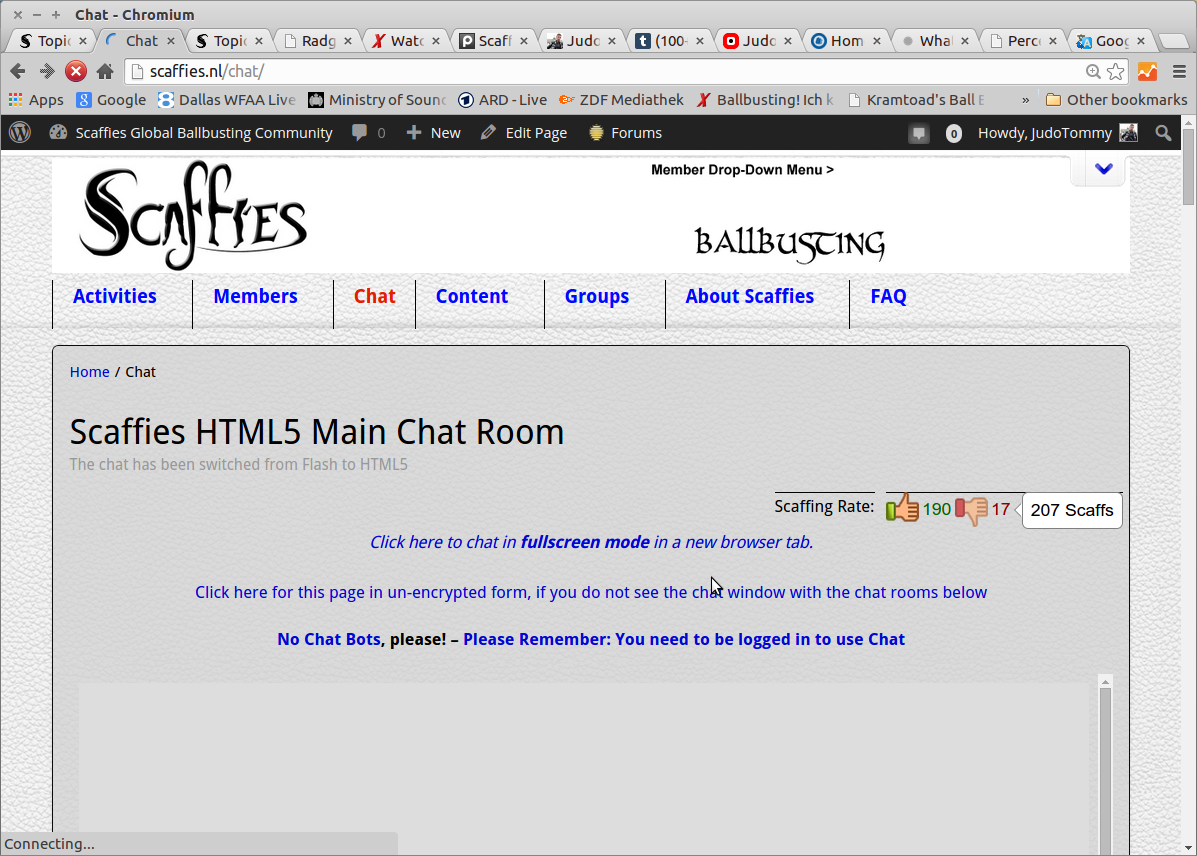
the BuddyPress v2.2 upgrade also broke both our Messenger (bar at the bottom of each page) and the HTML5 chat (it is called flash, but in fact is HTML5):
NSFW: http://scaffies.nl/wordpress/wp-content/plugins/wordpress-chat-plugin-by-123-flash-chat/123flashchat.php?room=
It will simply no longer connect to the chat server, and block the messenger bar from loading… says “connecting …” and eventually times out.
NSFW: http://scaffies.nl/wordpress/wp-content/uploads/2015/02/Chat-Broken.png
Obviously, this is a huge disappointment to your 260,000+ users that these updates and their are not better communicated to plug-in developers, and break major features in BuddyPress installations 🙁
Hello
They worked fine and now they don’t. Members do not see a create groups field nor are able to create a forum. Also the forum and the group page on the menu started to show all my blogs. I have disabled these pages and have replaced them with the buddypress group page and forum page on the members area.
You can join the site easily. I dont want to give access over a forum. If you use a dummy email that will be fine. I will watch for it coming in and activate your membership
many thanks
joe
@nomad48 what theme are you using? There is an outstanding issue with themes which use the new title feature. Have you you updated that SEO plugin? https://buddypress.trac.wordpress.org/ticket/6107
 Anonymous User
Inactive
Just tested on a fresh install, i’m not able to reproduce, that’s why i’ve asked you about a specific config.
When you say “Register and Activate pages cannot be created” Have you created the pages from the Add new page WordPress menu. You need to create 2 pages there and then come back to the BuddyPress settings > Page to set for Register and Activate one of the pages you’ve created.
Anonymous UserInactive
Hi Brandon,
I’m really sorry about the inconvenience.
I think this is very specific to the way the BuddyPress links plugin is built. Maybe the plugin developer will be able to find a quick fix.
In the meantime, @venutius @scaffies you can use a bp-custom.php file and paste in it this temporary fix :
https://gist.github.com/imath/ef0d44e21bd2dd195147
I really suggest you to remove the code as soon as the plugin author fixed the trouble.
this was the issue before (quotes from our change log)
NSFW: http://scaffies.nl/change-log-nl/
.. and it took from SEP/OCT 2014 to now you get it sorted in this 2.2.0 release.
07 OCT 2014 – Tuesday
☠ [10:35 GMT – @scaffiesadmin ] Dumb: the previous BuxFix (known BP 2.1 issues) a few days (Oct 1st) ago, which solved a bug we had reported (GitHub), was NOT included in today’s bugfix update. Manually restored it. Hmmmpf!
☠ [09:00 GMT – @scaffiesadmin ] Updated 1 Plug-In: BuddyPress BugFix Release v2.1.1
this referred to the “enqueue” bug, which was previously discovered, and manually fixed
https://buddypress.trac.wordpress.org/attachment/ticket/5889/5889.01.patch
☠ [14:35 GMT – @scaffiesadmin ] BuxFix (known BP 2.1 issues) received: The BuddyPress people found a bug we had reported (GitHub)- some of the broken functions are now restored!
23 SEP 2014 – Tuesday
☠ [18:30 GMT – @scaffiesadmin ] Upgrading to WordPress 4 and BuddyPress 2.1 unfortunately broke some things – we reported it upstream, and hope for a solution soon.
Thanks for the reply danbp,
So, in short….
1. create a buddypress folder in my child theme
2. copy the code from activity-loop.php to it
3. make the modifications in that folder
Does that sound right? Do i need all of the code there, or just the ‘if…endif’ around the bp-has-activities function?
Thanks
hi @chlab,
if you read code documentation in /bp-legacy/buddypress-functions.php
// Only hook the 'sitewide_notices' overlay if the Sitewide
// Notices widget is not in use (to avoid duplicate content).
if ( bp_is_active( 'messages' ) && ! is_active_widget( false, false, 'bp_messages_sitewide_notices_widget', true ) ) {
add_action( 'wp_footer', array( $this, 'sitewide_notices' ), 9999 );
}
I guess you have to modify your custom code accordingly. 😉
@gatelli yoursite > Groups > nameofgroup > Forum pages use the page layout of the the groups page template as it is integrated with that BuddyPress group. WP/BP versions? What theme are you using?
Same problem here .. pretty annoying, to be honest:
NSFW: http://scaffies.nl/wordpress/wp-content/uploads/2015/02/BuddyPress-Links-gone.png
“☠ [16:50 GMT – @scaffiesadmin ] Through the BuddyPress Update the page “Links Elsewhere” was broken – all Links disappeared. Hmph! Removed t from the menu.”
We had lots (!) of links entered on the page(s) under “Links” and many ‘up’ and ‘down’ votes. ALL are lost, it is now completely empty and I had to remove the page from the menu.
When I stated on our change log I had upgraded Buddypress to the latest version, I added “let’s see what it fixed and what it broke” .. something always seems to go wrong, and with over 260,000 users, it is a bummer.
NSFW: http://scaffies.nl/change-log-2015/
Sadly, I was proven right 🙁
This is a bad day for open source development.
We (all the admins) are clueless about “classes” and “skeleton components” – we just use the software, pay / donate for what we do use, and hope it works … and does not render the work and efforts of thousands worthless in a single, badly tested software update.
I am afraid to install updates – the last one required some code changes do be done manually to fix something else which was broken – yet have to, in order to avoid security problems.
We are not using Multi-Site (i.e. single site, WP 4.1, and all plugins in their latest revisions).
Brandon, London
Hi @nopartysystem,
Can somebody please tell me what I’m doing wrong?
in brief: all ! 😉
After you create a child theme, you’ll have a folder ‘my_child_theme’ and a unique file in it ‘style.css’
If you want to modify BuddyPress, you create a folder named ‘buddypress‘ into your child-theme folder, and in this bp folder, you copy /folder/file/ you want to modify from /bp-templates/bp-legacy/buddypress/
Read here for more details
In your case, you use /child_theme/buddypress/activity/activity-loop.php
Than you modify the code to reflect if ( bp_has_activities( bp_ajax_querystring....
(read here)
Another method to filter your activities is to use bp_parse_args (also explained on the codex)
Hello,
I have a wordless site using Buddypress and Bbpress. agentswall.com
I have groups, forums and topics. I want my members to be able to create their own groups and forums and allow them to post topics as well.
I am not using a private groups plugin.
Previously when signed in as a member, you were able to create a group and add a forum. Now this functionality has disappeared and users can not create a group or a forum.
Can you help?
Many Thanks
Joe
Anonymous UserInactive
Thank you. Are you using a Multisite config or a specific config like BuddyPress activated on a subsite of a network ?
Hi,
Many thanks for the reply.
WordPress 4.1 running Twenty Fifteen theme. I have recently just done a fresh wordpress installation and with the latest buddypress.
At the moment I only have bbpress and buddypress activated.
Anonymous UserInactive
Hi,
Could you describe your configuration :
– Multisite ?
– WordPress version 4.1 ?
– Any BuddyPress plugin activated ?