I fint that i must paste to url “#main” that i will be section “main” first. But where i can change a link in buddypress menu?
I would like to will be that for:
1. Message: http://forexample.com/members/admin/messages/#main
2. Profile: http://forexample.com/members/admin/#main
3. Notifications: http://forexample.com/members/admin/notifications/#main
4. etc.
5. etc.
Where or How i can add “#main” ?
hi @gatera,
It’s only a PHP notice, and harmless in regard of a PHP Warning message. Apparently, your plugin is not completely compatible with BuddyPress or at least called to early or something like that.
You must debug your install.
https://codex.wordpress.org/Debugging_in_WordPress
More about bp_setup_current_user function
https://buddypress.org/support/topic/debug-error-bp_setup_current_user-was-called-incorrectly/?view=all#post-186116
https://buddypress.trac.wordpress.org/ticket/4830
File ref: buddypress/bp-core/bp-core-dependency.php
Documented function: http://oik-plugins.eu/buddypress-a2z/oik_api/bp_setup_current_user/
Hi,
I would remove two steps present during creating the new group:
– Options: Public, Private, etc..
– Invite: Only Administrator, etc…
– Invite: the last step.
So I inserted in functions.php of my theme:
function remove_group_creation_steps() {
	global $bp;
	unset( $bp->groups->group_creation_steps['group-settings'] );
	unset( $bp->groups->group_creation_steps['group-avatar'] );
	unset( $bp->groups->group_creation_steps['group-invites'] );
}
add_action( 'bp_before_create_group_content_template', 'remove_group_creation_steps', 9999 );
Visually, I don’t see the steps that I indicated up, but really the steps there all still.

What am I doing wrong?
Thanks.
Thanks @gatera! It might just be reflecting a problem in the other plugin, but I’ve created a bug report for BuddyPress and we’ll look into it sometime to see if it’s our fault or if there’s something we could be doing better. Thanks for letting us know:
https://buddypress.trac.wordpress.org/ticket/5957#ticket
Which setups? … WordPress is 4.0, BuddyPress is 2.1.1. The site is pokerspirit.net … When I try to enter in my wp-admin when BuddyPress plugin is active there is a message: “Fatal error: Allowed memory size of 67108864 bytes exhausted (tried to allocate 71 bytes) in /users/user/public_html/wp-includes/widgets.php on line 720”. When BuddyPress plugin is deactivated wp-admin works.
I would like to know how to redirect the groups page to the groups forum page regardless of what group a member is joined to.. ideas?
wp-admin on my site is blank when buddypress (2.1.1) plugin is active. If I deactivate buddypress the wp-admin works …
Any suggestions?
“At that point I will call BuddyPress “Perfect”!”
Well…I’m calling BuddyPress “Perfect”!
I’m using the Social Connect plugin because I like the look of its FB and Twitter buttons but it wanted to redirect users to the WP-profile page. So I gave it this meta refresh
“<meta http-equiv=”refresh” content=”0;url=MYSITE/members/[php]$current_user = wp_get_current_user();echo ” . $current_user-user_login . ”;[/php]“>”
and it works like a charm.(I know it’s a hack but….)
So now my plugin from my login page(screen shot) lands at the correct BuddyPress profile page(screenshot)
You can mark this resolved!
Fantastic!
Have a nice day!
@giantqtipz,
i would suggest to track down your install first, before trying to ignore a setting error by adding a workaround.
With a correct BuddyPress setup, the top right menu (under Howdy) contains any links you need to your profile, groups, notifications, etc
What i see on your site is a profile link (aside forum button) who leads to what is normally the members directory.
Check your BP components and give each activated one his own page. This is mandatory to get BP to work correctly.
Check also for the BuddyPres menu if you want to use it with your theme
dashboard > apparence > menu and activate “buddypress menu” in the screen options (top right corner when on the Menu admin page) if you don’t see it in the left column of this page.
Finally make a test with one of WP’s theme before activating Dynamic New.
Configure BuddyPress
I have no idea which files to edit? Im sorry but i using buddypress only two days.
@zydarek,
Activity Loop
http://stackoverflow.com/questions/21229140/buddypress-group-activity-loop-filter-activity-type
Search also for bp_parse_args on the codex.
@bphelp, thank you for your comprehensive advice, but it’s already sticky in “When asking for support”… So i’m affraid that a bit of exasperation will sometimes continue to appear in one or other topic. Sorry for that, i’m not a machine. 😉
hi @roddaut,
don’t thought to much, a theme can influence over all a site, including the admin. This happens in 90% of the issues handled on this forum.
Thought the latest Canvas was 2014.10.14 – version 5.8.5
Hi,
I like the layout present in the homepage of this site.
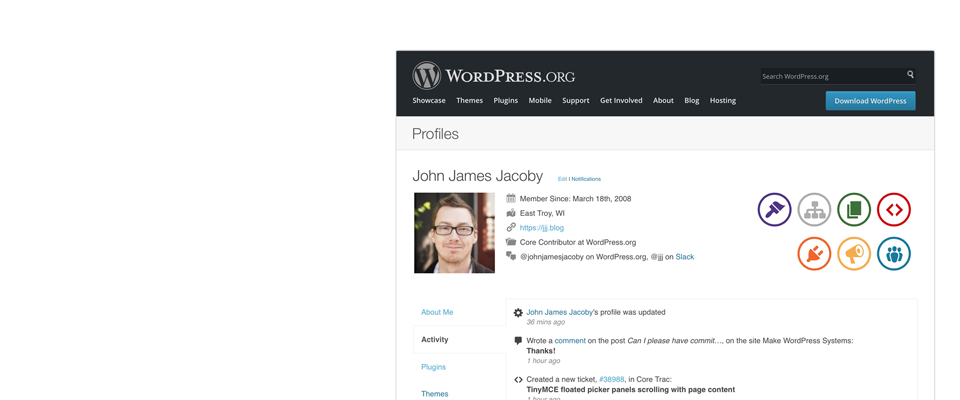
I would show the contact information of user near avatar.
How can I do?
Thanks.
@DIYWWF thanks for the suggestion! But Im also worried (like focallocal) about this getting rid of all the awesome things that make Buddypress awesome.
@bphelp what do you think? isn’t there any other option?
would that not remove many of the buddypress features available to members who sign up to your site?
After lots of searching I finally got round the problem of BP/WP not taking you to the registration page by adding the following file into wp-content/plugins/
bp-custom.php
<?php
/**
* Disables BuddyPress’ registration process and fallsback to WordPress’ one.
*/
function my_disable_bp_registration() {
remove_action( ‘bp_init’, ‘bp_core_wpsignup_redirect’ );
remove_action( ‘bp_screens’, ‘bp_core_screen_signup’ );
}
add_action( ‘bp_loaded’, ‘my_disable_bp_registration’ );
add_filter( ‘bp_get_signup_page’, “firmasite_redirect_bp_signup_page”);
function firmasite_redirect_bp_signup_page($page ){
return bp_get_root_domain() . ‘/wp-signup.php’;
}
This dispenses with BP’s registration system and falls back to the standard WP registration.
hey guys, please my site is totally dump now, there is nothing clickable apart from the header, every other thing is as if there is a layer that covers everything. One vannot read any post by clicking on it. this started after creating a forum with bbpress and buddypress.
I installed buddypress and bbpress and everything works well, but the moment i create a group and added a forum to it, everything get hooked up. but when i deleted the forum, everything came back to normal. i have tried to deactivated all the plugin one by one and later re-activated them, but non of them solve the issue, which i guess is not from other plugin.
I tried to switch theme, from gantry framework to twenty fourteen, it solved the problem, but am not good with twenty fourteen.
Please do have a look at my site lovecoinz.com and tell me what to do.
I actually did read the description, and saw no mention whatsoever that WP Better Emails would allow me to modify any of the BuddyPress specific emails. Or does BuddyPress just hook into WordPress’s built-in emailing system for when new users are created?
Thanks,
– Yvan
Hugo – just one more question for you. If I wanted to add some required field checking to my BuddyPress login form/widget … how would you recommend that I do that?
– Yvan
Hi,
I am looking for solutions to How to automatic scroll down page when i click for example “groups” or “notifications” or “frends”.
I found this topic https://buddypress.org/support/topic/scroll-down-user-profile-page/ but i don’t know where i must paste this <div id='anchor'>whatever</div> code.
I would like to when user click “groups” and then go to for example “notifications” he will be see your notifications at the top.
He must scrool down page to see his notifications, groups, friends etc.
Please help.
Sorry for my english.


