Search Results for 'change buddypress menu'
-
Search Results
-
1) How do I change the width of buddypress?
http://www.fabsie.com/wp-content/uploads/2012/03/buddypressproblem.png2) Can I put the ‘profile’, ‘friends’, ‘messages’ inbox into my main navigation menus?
WordPress: 3.3.1
bbPress: 2.0.2
Installed at: http://www.mysite.com/blog
Apache Server running the latest Php, etc.I have a fresh install of WP in an empty directory called “blog”. Ran through the steps outlined here: http://codex.buddypress.org/getting-started/before-installing/ Verified permalinks etc.
Next I went through the automated installation instructions here: http://codex.buddypress.org/getting-started/setting-up-a-new-installation/
And then walked through the BP 1.5 Installation Wizard here: http://codex.buddypress.org/getting-started/setting-up-a-new-installation/buddypress-1-5-installation-wizard/
I kept all of the defaults.Next I walked through the Configuring of Components keeping all of the defaults. http://codex.buddypress.org/getting-started/configure-buddypress-components/
When I got to the Forums configuration I chose Install Site Wide Forums and then walked through page 2 only of Installing Group and Sitewide Forums: http://codex.buddypress.org/getting-started/installing-group-and-sitewide-forums/2/
(NOTE: on Step 2 with the orange Install Now button, there was a note saying that this was not tested in my version of WP – however I had no issues the rest of the way with the install process)After bbPress was installed, I activated it and then went into the bbPress Settings and left the defaults. I saw the note here saying: ” During the Installation Wizard, Forums will be associated with the “Forums” page. In some installations, you do not need to change anything. But if your sitewide forums won’t work, go to wp-admin BuddyPress > Pages and you’ll find the association and remove the Forums Page as the selected page.”
I then followed the directions to add test forums and topics and then tested.
Here’s where I have issues. At the beginning I found that links were messed up. The forum link went to the blog and the blog went to the forum however the page was completely white. I messed with the menus and sorted that out (I think) and then set the Forum under BuddyPress > Pages > Discussion Forums to – None – per the NOTE above and now a page for the forums showed up however there were no forums. Looking for hours through the codex I found something that said I had to add this shortcode to make it work: [bbp-forum-index]
It seems to work in this configuration however when I use the Dashboard I get this message: “The following active BuddyPress Components do not have associated WordPress Pages: Discussion Forums” With a Repair button next to it. Clicking the Repair button takes me to the BP > Pages page again. If I set that to Forums, it Pulls up the blog root directory page (Home page) and has a big red warning that says “The forums component has not been set up yet.”
I’ve deleted the entire ‘blog’ directory and started from scratch twice with the same exact results. It’s not a hard process and I find it difficult to think that you’d really have to manually add the short code for the forum to work. So what am I doing wrong or missing?
All help is appreciated. Oh, I did try searching the forums first. But the search is broken and I got tired after reading the first 50 pages. So please excuse me if this has been answered previosuly.
Thanks,
JaredThis is more or less a plea to the BuddyPress development team. I really believe you should make it a priority to make the next version of BuddyPress address the lack of profile privacy options above any other changes you may have planned in the future. Cosmetic changes are not that important because most people with any real BuddPress experience will more than likely be using a child theme to customize the cosmetics of the site to their liking. This change should be integrated into the BuddyPress default core because it is the only real way to make BuddyPress a viable choice for membership only social netwoking. BuddyPress is really a well developed plugin for WordPress and I know it is about being social, but the end user should have the ultimate choice in whether or not their profiles or site activity are view-able to the logged in members(public) or just their friends(private). This should be standard feature in buddypress without being dependent on plugins. When I say public or private, I mean that all members should have to be logged first before even given the option to view another members profile, maybe a landing page integration built into BuddyPress core that redirects any visitor the the landing page when attempting to view any post or page on the site. In my opinion just because a new user activated account there should still be options in the core to keep their profile accessible to only members they are friends with etc. I am not saying to jump the gun and make every single Profile field either view-able or not depending on friendship. Just a simple choice to display or not to display your profile to people you are not friends with. In other words the options in @modemlooper‘s BuddyPress Profile Privacy plugin functionality should be integrated into the BuddyPress default settings without dependency on a plugin. Privacy of the end user seems to be a determining factor in whether or not visitors decide to join/register on your site. Privacy options along with ACL built into BuddyPress right out of the box will put Buddypress in a whole new league for social network CMS choices. I also think the .htaccess file should contain the Options -Indexes code at default. Directory browsing should never be open by default. To me it is a security risk not include the Options -Indexes code in .htaccess at default. I would also like the buddybar and its links to somehow be integrated into a custom menu somehow. I would also like to see an option in the buddypress dashboard that will allow you to choose how many activity items are loaded.
HI all,
I have decided to change from using group forums to using sitewide forums.
I realise it may not be possible to move the group forum posts to a sitewide installation but the site is very new so this doesn’t concern me.
I’m having trouble disabling the group forums. I go to the forums setting screen under the buddypress menu and click uninstall group forums.
I then click install sitewide forums and install bbpress. when I go to the site the group forums are still showing and if I go to the forum settings page again the option is still there to uninstall group forums and also the option to install sitewide forums is still there as if my changes are not taking effect.
Maybe I am doing something wrong?
WP 3.3.1 BP 1.5.4 using custom community theme.Many thatnls for any help.
[sorted this now, I renamed the bbp-config.php to .old the root of my WP installation
Rather than deleting it so I can go back to my old forums if i choose.]I just completed the setup of a WP site with the udesign theme and I have installed BP ! – All on my home local server. Certain things like the menus items are not aligned properly ! and this obviously needs some tweaking ! .. I activated the BuddyPress Template Pack and followed the step by step instructions. On Step Three: Tweaking your layout, it is said :
” …. to change the HTML structure in the BuddyPress templates that you copied into your theme to match the structure in your page.php…. “What exactly to they mean by change the HTML structure ??? … does it mean I have to put in the same arguments shown in the div tags and put them in the BP template files copied into my u-design directory ( going by method 1 ) ??? .. please help … I need some cues .. I don’t want to mess it up !
Can someone provide me with an example ??? … the u-design is based on the 960 grid css system to theme WP.
please help ..
thank u in advance
Topic: Problem with user profiles
Hi, I have installed BuddyPress a a few other modules and am almost ready to build my live site (working on a test site atm). Just two problems I can see.
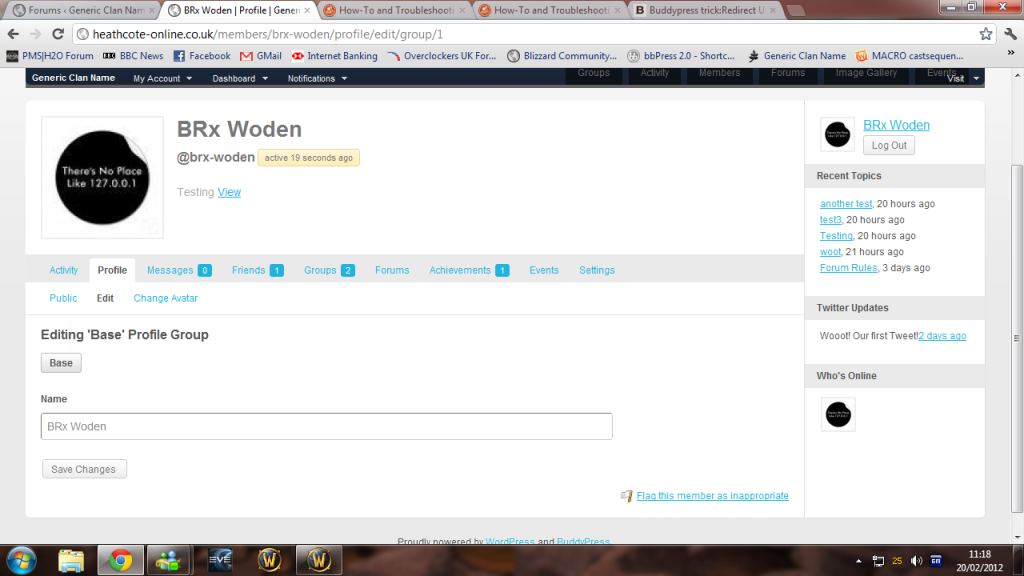
A users profile page doesn’t actually show their profile.
A user can only edit their profile using the dashboard. Which isn’t (and never will be by me )themed.You can see a screenshot of what I mean here http://i1176.photobucket.com/albums/x334/Woden83/bpprofile.png I have entered information for that user, interests a website etc but they ar’nt showing. And the edit profile page linked to in the menu only allowes a user to change their password.
Ideally general users (subscribers) would never see the dashboard.I am running WordPress 3.3.1, BuddyPress 1.5.4, bbPress 2.0.2
Hello,
We have a request from the boss to change “Groups” to “Teams”? He would like to change it everwhere, menu, urls, etc.
If there is a way to do this and a new version of BuddyPress comes out would we need to do this again?
Thanks,
RhekHi
From Members Directory page I have the following problems
1. Use the drop down menu to change listing order (eg last active / alphabetical) error message: “Sorry, no members were found.”2. Click on the page numbers below to look at members not appearing on first screen: same result.
Is this a bug or user / setup error.
Thanks
Details
– WordPress 3.3.1 and BP 1.5.4
– tested w Chrome and Firefox
– Theme: Canvas BuddyPress child theme (Woo Themes)
– No BP plugins; WP Backup Plugin.Hi,
I just installed buddypress and have the following question if someone could please assist me?
1. I do not use Groups and the forum on buddypress, can this be deleted instead of just deactivating it?
2. I have a problem with my menu, if you look at my site http://www.sweepbook.com/rate-this/ you will notice the menu items are on top of each other, I would like to have it horizontal as per the original theme, it just changed for some reason??? I have also tried custom menu, but that did not work either.
3. The logos on my site, redirects to http://www.sweepbook.com/rate-this and therefore throws the famous 404 error, the URL is missing the / after rate-this. It should be http://www.sweepbook.com/rate-this/ instead of http://www.sweepbook.com/rate-this. How can I fix this?
I am currently on Windows share hosting with GoDaddy. Thank you in advance.
I’m using WordPress 3.3.1 and Buddypress 1.5.4 and have written a group extension plugin following the Group Extension API at http://codex.buddypress.org/developer-docs/group-extension-api/ . I load up my plugin core in my loader.php such as:
`function vhm_plugin_init() {
require ( dirname( __FILE__ ) . ‘/includes/vhm-core.php’ );
}
add_action( ‘bp_include’, ‘vhm_plugin_init’ );`Then in the vhm-core.php I load my include files. Each include file contains one BP_Group_Extension() class:
`require ( dirname( __FILE__ ) . ‘/vhm-control.php’ );
require ( dirname( __FILE__ ) . ‘/vhm-events.php’ );
require ( dirname( __FILE__ ) . ‘/vhm-service.php’ );`Each group extesnion class has a display screen and an edit screen. When in the Group Admin Menu, and I click on an edit tab, the admin submenu changes showing only those tabs prior to the selected tab in the include/require order above. Any tabs that were loaded after the selected one disappear. So for example, im in a specific group as an admin, and go to the admin menu. I see “Details | Settings | Avatars | Members | Control | Events | Service” in the admin submenu (details -> members is part of Buddypress obviously, the other menus are generated from the function edit_screen() for each class in my plugin). If I click on service, the menu is “Details | Settings | Avatars | Members | Control | Events | Service” when I click on Events the menu is “Details | Settings | Avatars | Members | Control | Events” when I click on control the menu is “Details | Settings | Avatars | Members | Control” and when I click on any of the buddypress tabs ( Details | Settings | Avatars | Members) I see the full submenu again. Seems like loading multiple BP_Group_Extension classes in one plugin results in a last one selected is last one loaded. It definitely follows the order of the includes in my vhm-core.php.
Is this expected behavior? Is it not intended to load multiple edit_screen() functions in my class extensions? The weird thing is, that the function display() portion works fine. In other words, when I go to each item in the main group tabs (outside the admin menu) this does not happen. Only in the admin submenu do tabs disappear.
Topic: Renaming Group Tabs
@r-a-y Long ago (Original thread: http://tinyurl.com/7h6cgld ) you posted some code about modifying the names of the group tabs:
function avatar_change_bp_groups_submenu() {
global $bp;
$bp->bp_options_nav = 'Activity';
}
add_action('wp', 'avatar_change_bp_groups_submenu');
A similar function works fine for modifying the profile menu
function avatar_change_profile_tab_names() {
global $bp;
$bp->bp_options_nav = 'Change Photo';
}
add_action( 'bp_setup_nav', 'avatar_change_profile_tab_names', 999 );
But the groups menu version doesn’t appear to work any more. Can you advise?
Using BP 1.5.3.1/WP 3.3.1/MAMP testing setup.
Topic: Profile page?
When a new user logs in to my site, they get a message saying:
“Page not found
We’re sorry, but we can’t find the page that you’re looking for. Perhaps searching will help.”The URI is /members/(user’s name)/profile. I am using wordpress with buddypress with the s2members plugin. What I would like to do is have a tab in the menu that says profile so that they can go to a profile page any time they are on the site and change certain information on their profile, kind of like it is on facebook. Also, when they login, I’d like it to take them directly to their profile.
Thanks in advance!