Search Results for 'change buddypress menu'
-
Search Results
-
Hi,
I installed BuddyPress 14.4 today on a new WordPress site . I am using the latest free version of Astra and Spectra.( both free versions)Here’s what I have done so far:
Installed BuddyPress plugin and activated it via the dashmenu.
Selected components in Settings → BuddyPress → Components and saved.
Set permalinks to Post Name and clicked Save Changes.
Checked the dashboard — no pages were created automatically under Pages.
Could you please advise:
What steps should I take to properly create the necessary BuddyPress pages?
I also plan to use wpForo for a forum — will BuddyPress pages need any special setup to work alongside it?Thank you very much for your guidance.
Hi
I have a big problem. All my buddypress pages (members archive and other buddypress pages) is having the logged in user call name as heading. Please see image here
https://www.dropbox.com/scl/fi/ifkurq9g1i9ppk8krq4gg/change-menu-title.JPG?rlkey=wyh7rryfffucyk4wac10jkfqk&st=9xrhh9td&dl=0
How to change this?All the best
Michelle
Topic: Redirect login link
Hi, When people are logged out the login links shows in the menu. When clicked it goes to the default wordpress login. How can I change where the links does or even remove it. I am not using the buddypress default registration.
Thank you
KimTopic: Disable password change
Hi,
I am building Intranet and using BuddyPress so all employees have profile page. I need to disable the password change. We integrated OneLogin to the Intranet site so employees only have access through that and I don’t want them to change their password from the Intranet.
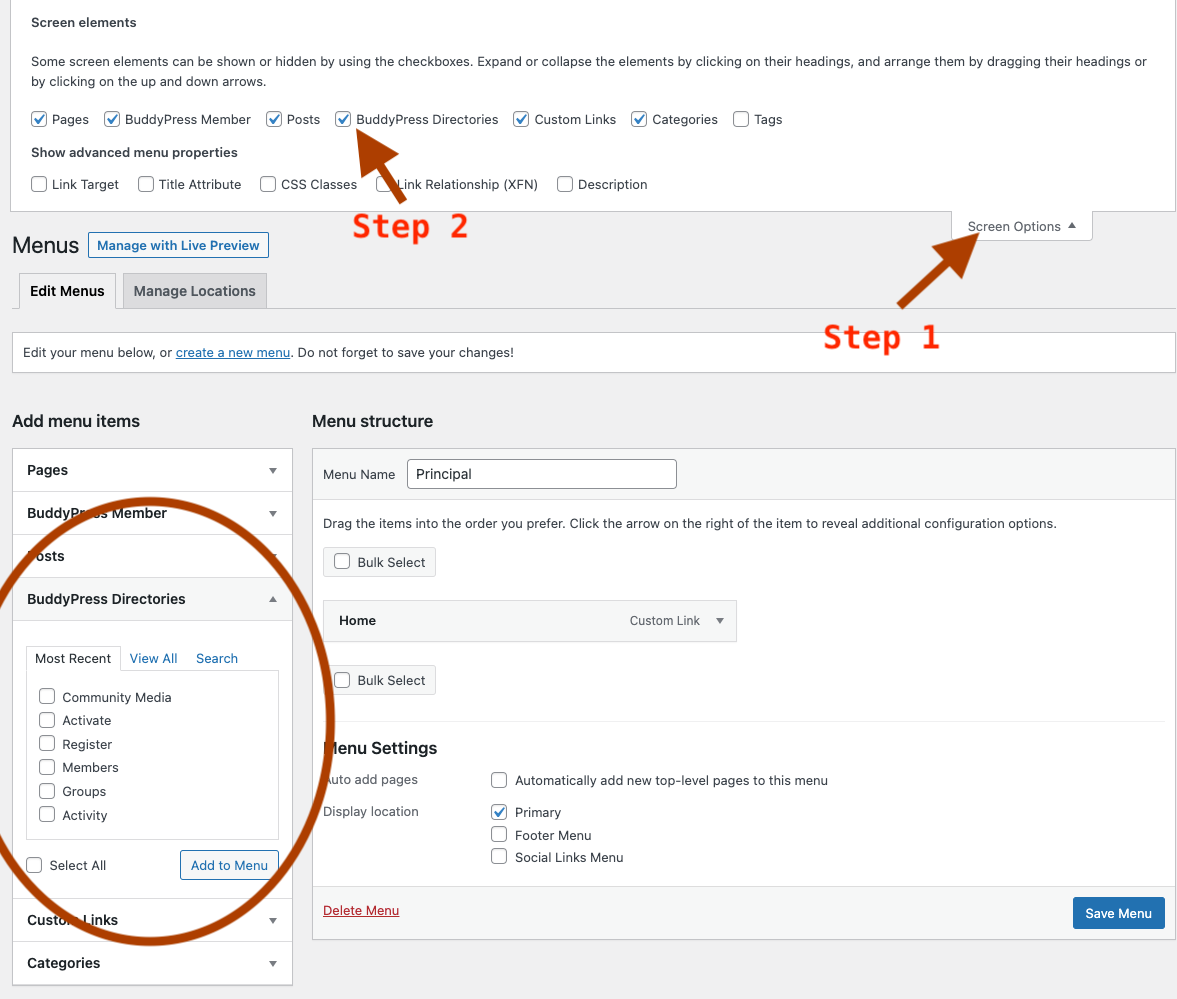
My other question how do I access the Navigation menu of the BuddyPress to change order or disable some items?
Thank you for your help.
May Fathallah
There seems to be a bug in the expected behaviour of the sorting of friendship lists and friendship request lists. When a user visits their friendship list or request list, even though the drop down sort menu shows that it is set to “alphabetical” the actual sorting is “last active.”
To switch it to “Alphabetical” the user must first change it to “last active” before changing it back to “alphabetical.” But this is only a temporary fix–after a reload of the page, it goes back to sorting to “last active” regardless of what the drop down menu says it is doing.
I don’t know if this has been an issue for a while, or if I’m just noticing it. I have BuddyPress 12.2.0 installed on WordPress 6.4.2, along with the BuddyPress Classic plugin activated. I am using BuddyPress Nouveau with the Astra theme.
Today while trying to solve a different issue, I used the BuddyPress tools, “Repair total members count.” and “Repair member “last activity” data” which then reset everyone last activity status to “Not Recently Active.” I thought everything was fine, but then within an hour or two we started getting reports from our members about them not being able to see their friends list or find friendship requests.
As I said, it is possible that this has been the case for a while, but since it was a newer install, everyone who was requesting or accepting friendship connections was by definition recently active. Now that their last active status has been reset, though, it has become quite apparent and is causing a great deal of confusion as people try to find their friends or can’t figure out why they aren’t seeing their friendship requests.
Topic: Visibility control
I have created a new menu called DATA, then when I visit my profile, my MENU appears (DATA, MESSAGES, NOTIFICATIONS, SETTINGS, ALERT) but I don’t know how to hide my new menu called DATA, for the following options:
(a) when I visit a new user profile.
b) when other users visit my profile.Do you know what kind of functions I can use and what files I have to change in BuddyPRess?
Hello
I use the BuddyX theme, and hide the WordPress menu for my users.
Is there any way to let users change email via the Buddypress user menu?
Thanks,
LarsHi!
How can I hide the BuddyPress “Profile Fields” menu entry (in the WP backend) for non-admin users?
https://pasteboard.co/osvfH8ty1JYk.jpg
They should not be able to make changes there.
Thx in advance and best regards
Markus