Hello Support,
I m using buddypress register in my website .now I have many spam registration members. How to stop spam registration on my wordpress membersship site. Is there any plugin ? Please help me.
That is used by the backbone – javascript library which is included with WordPress.
Perhaps something, maybe your theme, is preventing it from being loaded.
Try switching to a WP theme like 2015.
Good Afternoon All,
Thanks in advance for any support…it’s much appreciated this is an amazing piece of software. I am using BuddyPress with S2Member free version and can’t seem to fix this tricky issue.
Site: studentmotorsport.com
Wordpress Version: 4.7.2
Site Template: MSocial
BuddyPress Ver: 2.8.0
My website uses PayPal buttons set via S2 member at 4 levels of paid membership 1-4…I have set Open Registration to NO in S2 Mmeber as I am not offering any free users.
Problem 1 Open Registration NO: After Payment via PayPal the user is directed to ‘Create an account’, after completion the message presented says ‘User registration is currently not allowed’. Here a user has been recorded by WordPress and user emailed activation link. Can the message presented be changed or user redirected to my welcome page?
Problem 2 Open Registration YES: After Payment via PayPal the user is directed to ‘Create an account’, after completion the message presented says ‘Check you email to activate your account’. I check my email and have been sent an an ‘activation email’, after selecting the message presented says: Invalid Activation key. In this instance if I set ‘Open Registration to Yes’ each paying member is allocated as a free subscriber in WordPress and I have to manually edit each user to the correct paid level.
Problem 3: Whether Open Registration is set to YES or No I check my email and have been sent an an ‘activation email’, after selecting the message presented says: Invalid Activation key.
Any help would be appreciated.
With regards
JP
Thanks Shane! I’ll give this a shot when I get back to home this evening and let you guys know how it works out. I’m afraid the little profile I made doesn’t do any sorts of compares, it just lets me know if it is loaded before or after certain other hooks like init, the_content and such.. I’ll have to reopen that and add bp_load and get a better idea of where it loads to buddypress though.
My I make a request, though, developer to developer 😛 This seems to have broken a lot of plugins and I like to say I follow the methods of WordPress to the letter without getting hacky :P. If changes like this are made, can we still preserve a method of backward compatibility? The profile info, for instance shouldn’t matter much when it loads, so long as the BP class is loaded, which means, I guess what I’m saying is I’m drawing a blank to what it would be that would require the xprofile fields to be dropped to such a low load order that it doesn’t initialize with the plugin class init.
From my previous post, changing AllowOverride None to AllowOverride FileInfo seems to have made the member, groups, and other pages operational.
The following is a diff of the httpd.conf from the Yosemite version of macOS and my current version. Remember that there are three configuration files: httpd.conf, my.cnf, php.ini
https://bradleyaross.wordpress.com/2017/02/04/wordpress-installation-problems/
BradleyRossMacBook:apache2 bradleyross$ diff httpd.conf httpd.conf-YosemiteDefault
22,25d21
< #
< # History:
< # Starting with httpd.conf.pre.update which was dated July 1, 2015
< #
107,109d102
< #
< # The line for mod_include.so was uncommented 17-February-2017
< # to allow the use of server side includes
164,167c157
< #
< # The line for mod_cgi.so was uncommented on 17-Feb-2017
< #
< LoadModule cgi_module libexec/apache2/mod_cgi.so
—
> #LoadModule cgi_module libexec/apache2/mod_cgi.so
178,186c168,170
< # See http://askubuntu.com/questions/48362/how-to-enable-mod-rewrite-in-apache
< LoadModule rewrite_module libexec/apache2/mod_rewrite.so
< #
< # The two following lines had been commented out as part of the
< # update July, 2015. They are now being uncommented to
< # put them back in
< #
< LoadModule php5_module libexec/apache2/libphp5.so
< LoadModule hfs_apple_module libexec/apache2/mod_hfs_apple.so
—
> #LoadModule rewrite_module libexec/apache2/mod_rewrite.so
> #LoadModule php5_module libexec/apache2/libphp5.so
> #LoadModule hfs_apple_module libexec/apache2/mod_hfs_apple.so
235,237d218
< # Apparently the slash at the end of the Directory open tag
< # refers to the root of the file system rather than /> indicating
< # an empty tag
269,270c250
< # The attribute Includes was added 17-Feb-2017
< Options FollowSymLinks Multiviews Includes
—
> Options FollowSymLinks Multiviews
278,281c258
< # The attribute None was changed to FileInfo 17-Feb-2017:wq
<
< #AllowOverride None
< AllowOverride FileInfo
—
> AllowOverride None
453,455c430,431
< # The following two lines were uncommented on 17-Feb-2017
< AddType text/html .shtml
< AddOutputFilter INCLUDES .shtml
—
> #AddType text/html .shtml
> #AddOutputFilter INCLUDES .shtml
BradleyRossMacBook:apache2 bradleyross$
I have .htaccess
I have loaded the entire system three times and followed the directions
I have made sure that all of the files have an owner of _www
I have already screamed and will probably do so again. I am currently using
Apple Macintosh macOS 10.12.3
Wordpress 4.7.2
Theme: TwentySeventeen
bbPress 2.5.12
BuddyPress 2.8.0
Jetpack 4.6
The requested URL /blogs/wordpress/template/members/bradleyross/profile/edit/ was not found on this server.
The page register has the permalink http://localhost/blogs/wordpress/template/index.php/members
Does this sound correct
It also appears that multiple attempts to load the software may result in things like members-2 and members-3. You may have to send pages with those permalink to the trash and then empty the trash. Hopefully, you can then recreate the pages correctly
I now assume that the problem is somewhere in the rewrite module. In the httpd.conf file, I am going to change the line Allow None to Allow FileInfo. Does this sound reasonable and are there any other changes you think that I should make.
in httpd.conf, I have
LoadModule alias_module libexec/apache2/mod_alias.so
LoadModule rewrite_module libexec/apache2/mod_rewrite.so
#
# The two following lines had been commented out as part of the
# update July, 2015. They are now being uncommented to
# put them back in
#
LoadModule php5_module libexec/apache2/libphp5.so
LoadModule hfs_apple_module libexec/apache2/mod_hfs_apple.so
and
<Directory “/Library/WebServer/Documents”>
#
# Possible values for the Options directive are “None”, “All”,
# or any combination of:
# Indexes Includes FollowSymLinks SymLinksifOwnerMatch ExecCGI MultiViews
#
# Note that “MultiViews” must be named *explicitly* — “Options All”
# doesn’t give it to you.
#
# The Options directive is both complicated and important. Please see
# http://httpd.apache.org/docs/2.4/mod/core.html#options
# for more information.
#
# The attribute Includes was added 17-Feb-2017
Options FollowSymLinks Multiviews Includes
MultiviewsMatch Any
#
# AllowOverride controls what directives may be placed in .htaccess files.
# It can be “All”, “None”, or any combination of the keywords:
# AllowOverride FileInfo AuthConfig Limit
#
AllowOverride None
#
# Controls who can get stuff from this server.
#
Require all granted
</Directory>
A site with users amounts more than 100k+
After installing and activating buddypress get the white screen of death.
We use this theme running on hostgator.
But when twenty seven theme selected and try activating buddypress turns out to be
“Fatal error: Allowed memory size of 67108864 bytes exhausted (tried to allocate 72 bytes)”
We have 512M as memory limit on php.ini
Any suggestions please?
@indra1007
Have you read the article that was linked by @danbp?
Do you have .htaccess file in the same diretory where you installed WordPress?
If not, create it with this content:
# BEGIN WordPress
<IfModule mod_rewrite.c>
RewriteEngine On
RewriteBase /
RewriteRule ^index\.php$ - [L]
RewriteCond %{REQUEST_FILENAME} !-f
RewriteCond %{REQUEST_FILENAME} !-d
RewriteRule . /index.php [L]
</IfModule>
# END WordPress
More details here: https://codex.wordpress.org/htaccess
Latest WordPress itself has issues on PHP 7.1, and while testing BuddyPress we allow failures on PHP 7.1 as well.
So in general BuddyPress should work on PHP 7.1, but no one spent extra attention on testing there everything and fix if there are any issues.
Try to downgrade to PHP 7.0.x.
Thanks for reporting!
A fix is already in trunk:
https://buddypress.trac.wordpress.org/changeset/11432
This will be ready for v2.8.1. Until then, manually patch bp-xprofile/bp-xprofile-admin.php with the changeset linked above until 2.8.1 is released.
Bug confirmed! Open a ticket on the trac.
To login, use same credentials as for this forum.
Hi, after update BuddyPress to 2.8.0, I can’t access the Profile Fields admin screen (User -> Profile Fields) to manage the custom fields, like delete and edit (mode edit_field and delete_field). When I try to access this screens, I see the message “Access Denied”.
Before update, this was working. I downgraded the version and it’s working again. I think that is a bug of 2.8.0 version.
The BuddyPress is installed at a network installation of wordpress.
Hi. I struggled with this for a while, and I agree entirely that something like this needs to be in the BuddyPress core… actually, I think much better user management needs to be in the WordPress core, not just BuddyPress, but that’s a discussion for another time…
I eventually found the code that you’re using and modified it to be able to ignore all users with a specific WP role or roles, thus removing the need to hard-code specific user IDs.
To manage user roles you’ll need a plugin such as User Role Editor by Vladimir Garagulya and create a new role that you assign to users who you want excluded (I chose “suspended”). If you use URE you can assign this as an additional role to the main one that WordPress allows you to set.
The code is here: http://pastebin.com/9xYALGfR, but I’m no PHP expert, so offer no assurances… all I can say is that it works for me 🙂
You will need to integrate Multi Vendor plugin into BuddyPress.
That means create specific profile pages (there is an article in BuddyPress Codex), modify BuddyPress templates in your child theme (same – see articles in Codex).
You can check this as well:
What are your WordPress and BuddyPress versions?
Just installed and activated buddypress on my new website: try.chirri.dk.
When I activate the plugin, I can’t do nothing:
http://prntscr.com/e98k5z
I tried to create a new wordpress on a new sub-domain and it happens every time I will activate BuddyPress! What is wrong?
WordPress Version: 4.7.2
BuddyPress 2.7.4
I’m currently working on this website on my localhost, so there is no link for me to share. However, I’m hoping I can explain the issue well enough that you can still help.
Overall, BuddyPress is mobile responsive. There is, however, one area that is not mobile responsive and that’s the Profile field. Profile -> View. I have the following Profile Field Groups: Base (Primary) and Administration. Although Administration, is mobile responsive, Base (Primary) is not. These two have the following table class: profile-fields. So, it appears that all the settings are the same and/or correct, but for some reason it’s not taking effect on Base (Primary). These additional fields were added with XProfile.
Please let me know if this is an issue you are familiar with and how I can fix this.
Thank you.
-Juanita
Hi !
I use the last version of wordpress and buddypress.
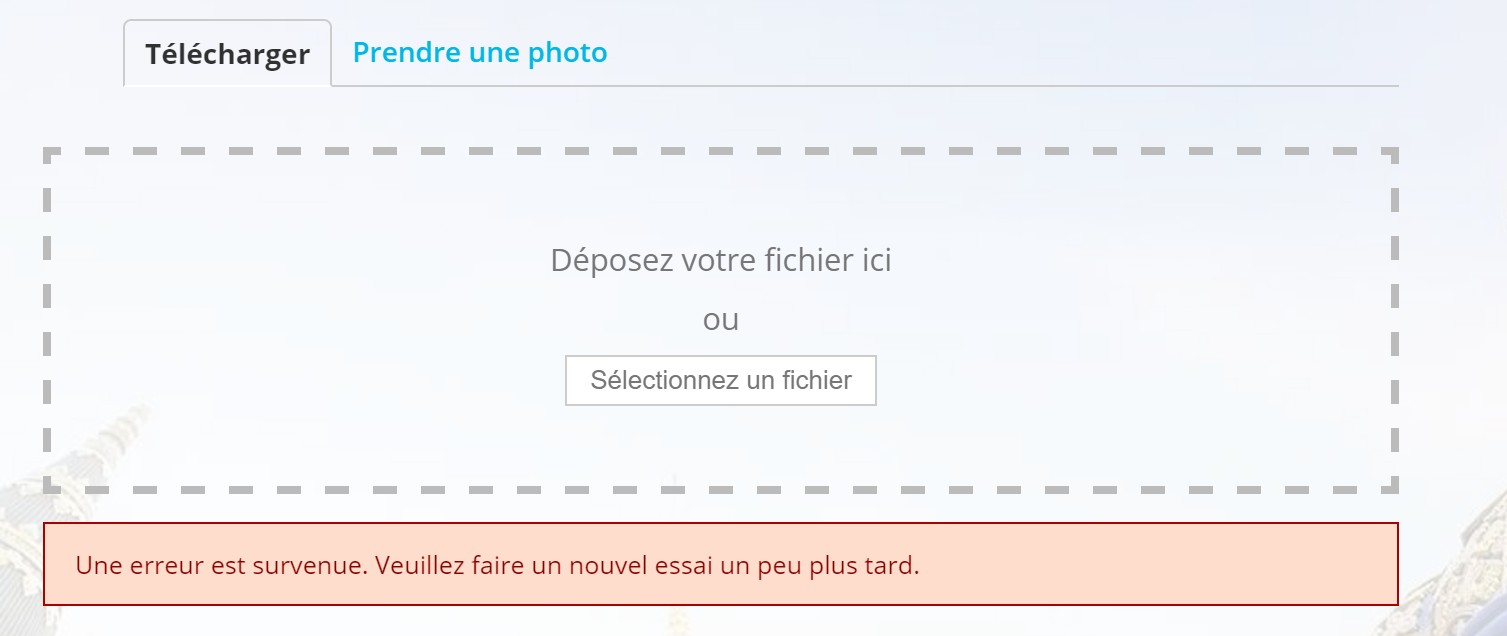
I try with user to change avatar but I canot.
You can see message in the picture.
https://voyagepratique.fr/img/bug/buddypress-avatar.jpg
Also i check in the admin panel and I authorize user to upload avatar. By default user is Contributor and if i change to editor or other higher grade it works.
Someone can help me ?
Thanks in advance.
first of all, i’m new to the plugin and wordpress and i am building a website with community features. feel free to tell me about some cool plugins that hook into buddypress to add functionality (i already know about bbpress).
_____________________________________________________
on the wordpress dashboard in settings, buddypress, components, there is an unchecked feature named “site tracking”. what is this exactly and what does it do?
i am using the buddypress login widget. the only tabs it has are the user name and the logout button. is there a way to add more tabs to this like friends, private messages, forum topics (when bbpress is installed), etc?
in the options menu i can enable/disable users uploading profile picture and cover picture. is there an option to limit whether they upload a photo to the site or use a url to post the photo? can i make it so that i can select stock images for user to choose their profile picture and cover picture from?
i notice there is also support for additional community interaction like grouping and posting on group pages. is there a way for users to have their own personal mini blogs that can be viewed by other users?
how would i go about customizing the design/layout of user profiles?
any other advice for me?
The reason seemed to be that the account I was posting from didnt have a buddypress registration only wordpress admin registratation.
Thanks,
It seems I was able to get some help here too:
https://wordpress.org/support/topic/hello-guys-how-to-exclude-a-single-page-from-redirect/#post-8800781
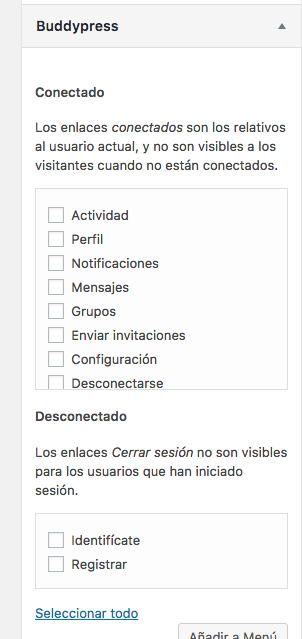
The think is that I want the activity page to show be visible menu for logged out users as well.
But the activity page is only selectable for logged in users as you can see here: https://snag.gy/Am1gph.jpg
Thanks for the tip!
Have you tried one of the privacy plugins?
For example: https://wordpress.org/plugins/bp-simple-private/