Search Results for 'wordpress'
-
Search Results
-
Topic: activity what shows plugin
Will someone make a plugin that adds an admin settings in the backend where the admin can choose what gets shown in the default activity stream please? I will donate funding for this to some extent if that’s what it takes.
When accessing the admin settings screen it needs to check for all components that are currently able to post things to the activity stream, and display them. (some people have bp docs as an option, others don’t. some have rtmeida ‘added media or whatever)
checkboxes or even ctrl+click to highlight the ones you want to show would be good.
Or maybe we need to select the ones we want to omit?whatever is better – we need this.
I tried the bp parse args a while back and as to where I was able to limit what was displayed – it also removed the other drop down / selectable options – so if people (for who knows what reason) really want to see a stream of who became friends with who – then they could choose to change the display.
maybe steal some of the backend of the https://wordpress.org/plugins/buddypress-block-activity-stream-types/ plugin – and rework it so it does some parse args or something?
Topic: WordPress Login Problem
Hey guys,
I’m having a problem with my login. Users can sign up though FB no problem but once they have an account and try to login the site sends them to wp-admin but its a broken page then if you refresh the page the WP login will pop up and you can login no problem…
Here is the site: blondemafia(dot)tv/associates/members/
I’m using the BuddyPress Widget for the login. Theres nothing blocking users from the wp-admin and the link is correct but it should log them in not redirect to /wp-admin.Thanks for the help!
I’m trying to build a WP with some public content and other content only available for registered users and being able to control their profile and movements (an email automatic sent when a user changes something). I’ve built some webs on WordPress but I am still learning.
Basically, I’m asking if with BuddyPress will be possible:
- – New users with need for administrator approval
- – Some private content only avaliable for certain users
- – Personalized fields in user profile
- – Automatic sending of emails when a user changes a profile field
Thank you in advance
Topic: Odd Characters in Emails
I need assistance understanding why after upgrading BuddyPress (2.8) and WordPress (4.7.2), my client is seeing odd characters in their summary emails.
Sample from today’s email:
~~~~
Group: [ESSA-The Every Student Succeeds Act (2015 reauthorization of ESEA) – Parent Centers Taking Action](http://www.parentcenterhub.org/groups/new-every-student-succeeds-act-2015-reauthorization-of-esea/) weekly summary
To disable these notifications for this group click [unsubscribe](http://www.parentcenterhub.org/members/myriam/?bpass-action=unsubscribe&group=60&access_key=f2235886eb95aa9972109a72ede8f6fa) – change [email options](http://www.parentcenterhub.org/login/?action=bpnoaccess&auth=1&redirect_to=http%3A%2F%2Fwww.parentcenterhub.org%2Fgroups%2Fnew-every-student-succeeds-act-2015-reauthorization-of-esea%2Fnotifications%2F)
~~~~
When I view Settings > BP Group Email Options, and “View queued digest items” it looks fine.
I have gone into Tools > BuddyPress and used the “Repair Tools”.
I have just taken over the account and I am not familiar with BuddyPress. What else can I do? Suggestions?
Any related posts I’ve seen are years old… guidance?
Thanks,
Kathryn
Topic: Bypass Email Requirement
Hello,
First, I must mention that I know there have been other threads on this topic. However, I missed the conversation by years, and I need to reopen this discussion.
Someone mentioned that they were able to bypass the wordpress email requirement by editing register.php to make it generate a random email address, insert it into the email address field, and then use CSS to hide the field on the form. They did not mention how they did all that though!
This method of bypassing the WP email requirement would work for me because I use a plugin that disables email verification, and it leaves WP simply checking that the email address is in the the correct format, (somebody@something.something,) and that the email address is not currently in use.
To be more specific, I need code that would do this:
1) Generate a random email address each time register.php is loaded
2) Make sure the random email address hasn’t already been used. If so, generate another.
2) Assign signup_email to the value of the random email addressIf anyone could help me with this, you would also be helping many other people who want to accomplish this. I would be glad to elaborate and share with everyone how I used your help to make this work.
Thanks!
Topic: [Resolved] Pages not working
I am using the following:
Wordpress 4.7.2
Buddypress 2.8.0
with the Socialize theme.
My site is http://www.sagedrops.comI have created the following pages that Buddypress tells you to create initially: Members, Activate, Register, Activity. When I click on preview for each of these pages, it just displays the title of the page (members, etc), not the actual content that is supposed to be there. Am I missing something basic or is there a problem that is preventing these pages from showing the actual content?
Thank you,
JodyTopic: Application-Post to forum
I am moving my current guild forums from PHPbb to buddypress/bbpress in wordpress. But there is one thing I cant seem to find, and Ive been looking around and it seems im not the only one looking.
Looking for application plugin
Here is what im looking for, user registers and then applys for a specific group by going to a page with the php form and on submission the post is made in a specified forum.
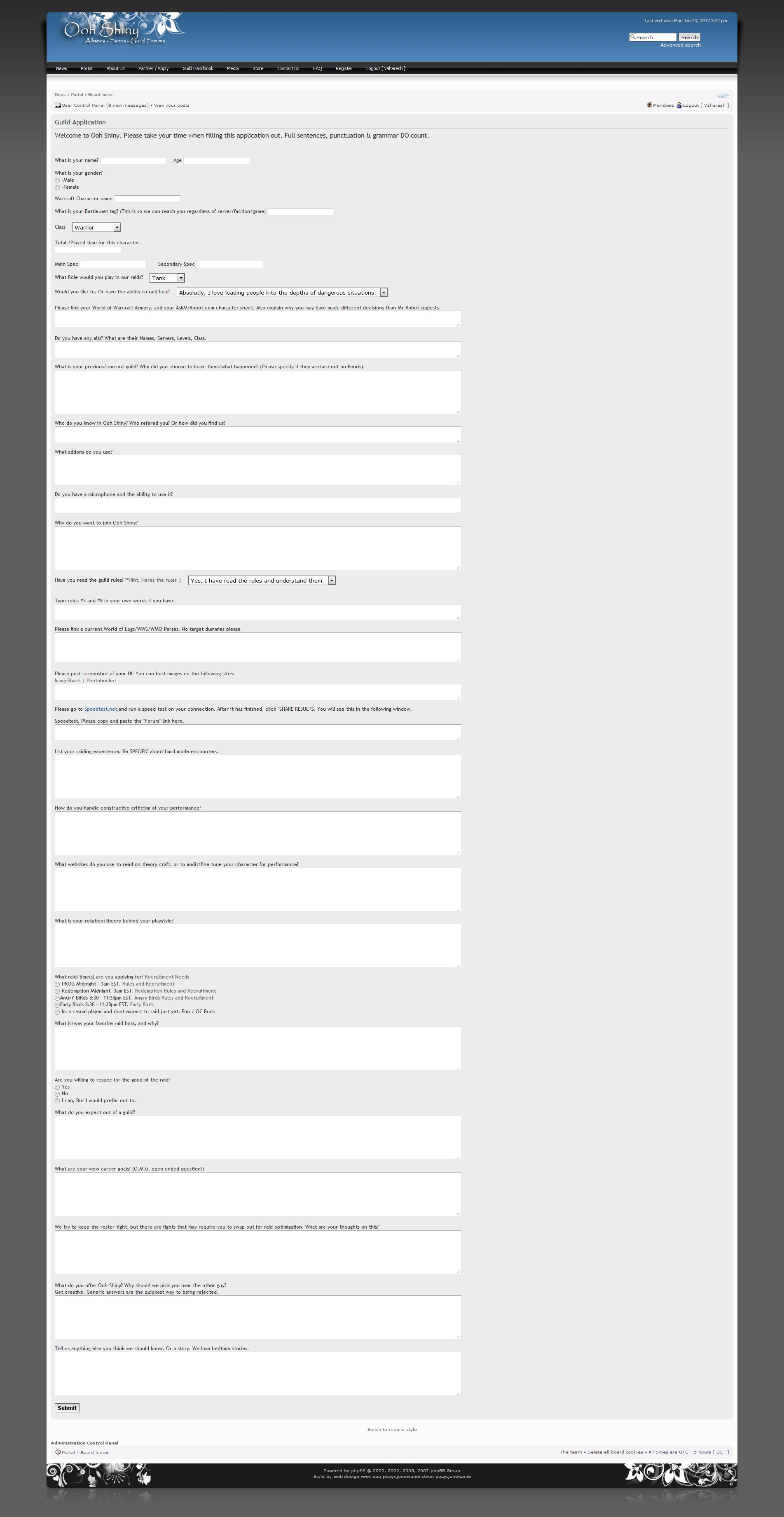
Here is the addon that I use with phpbb PHPBB Forum Plugin Here are some screenshots of it in its current useFront end application
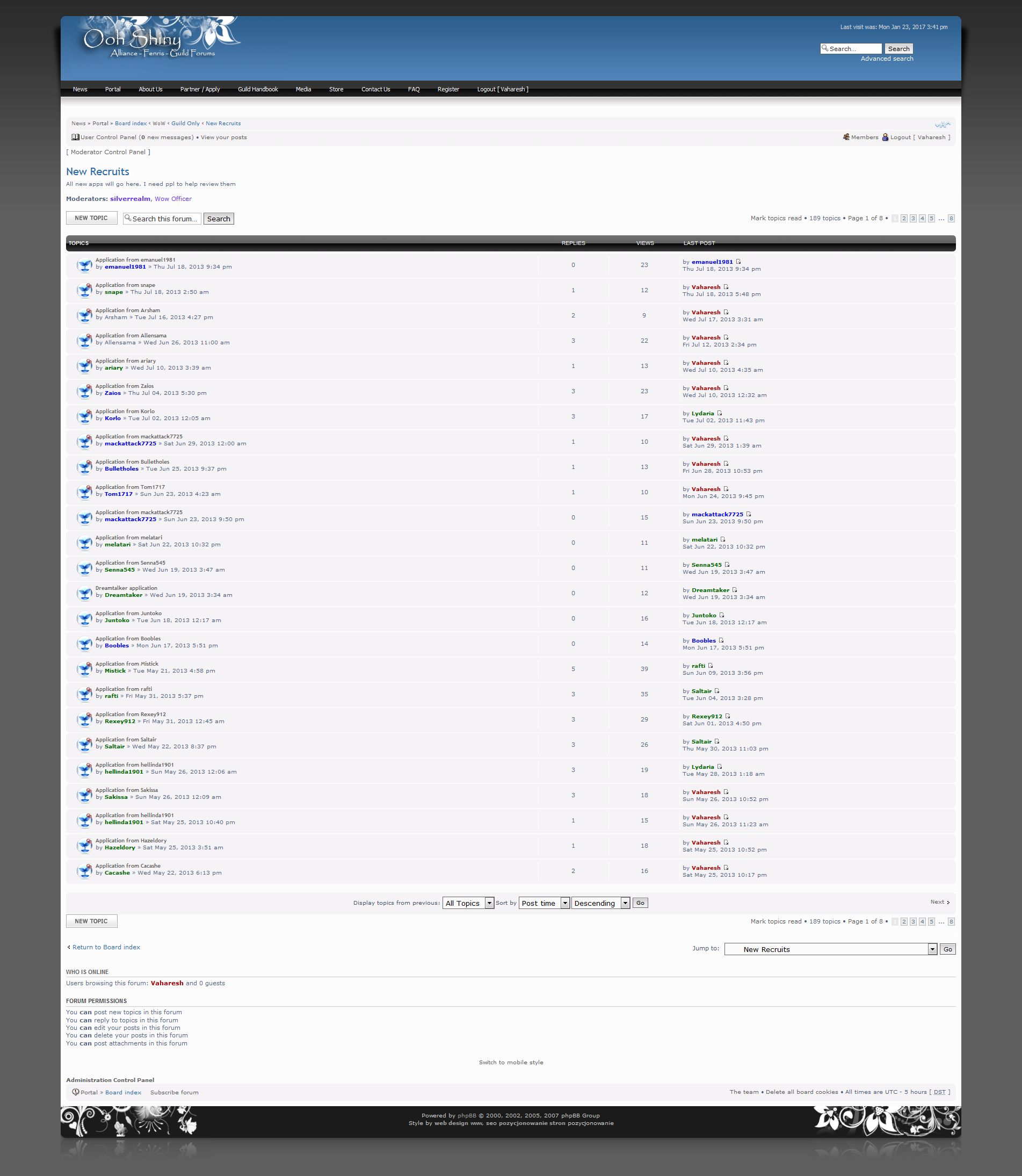
Then it creates a new post with New Application from %username
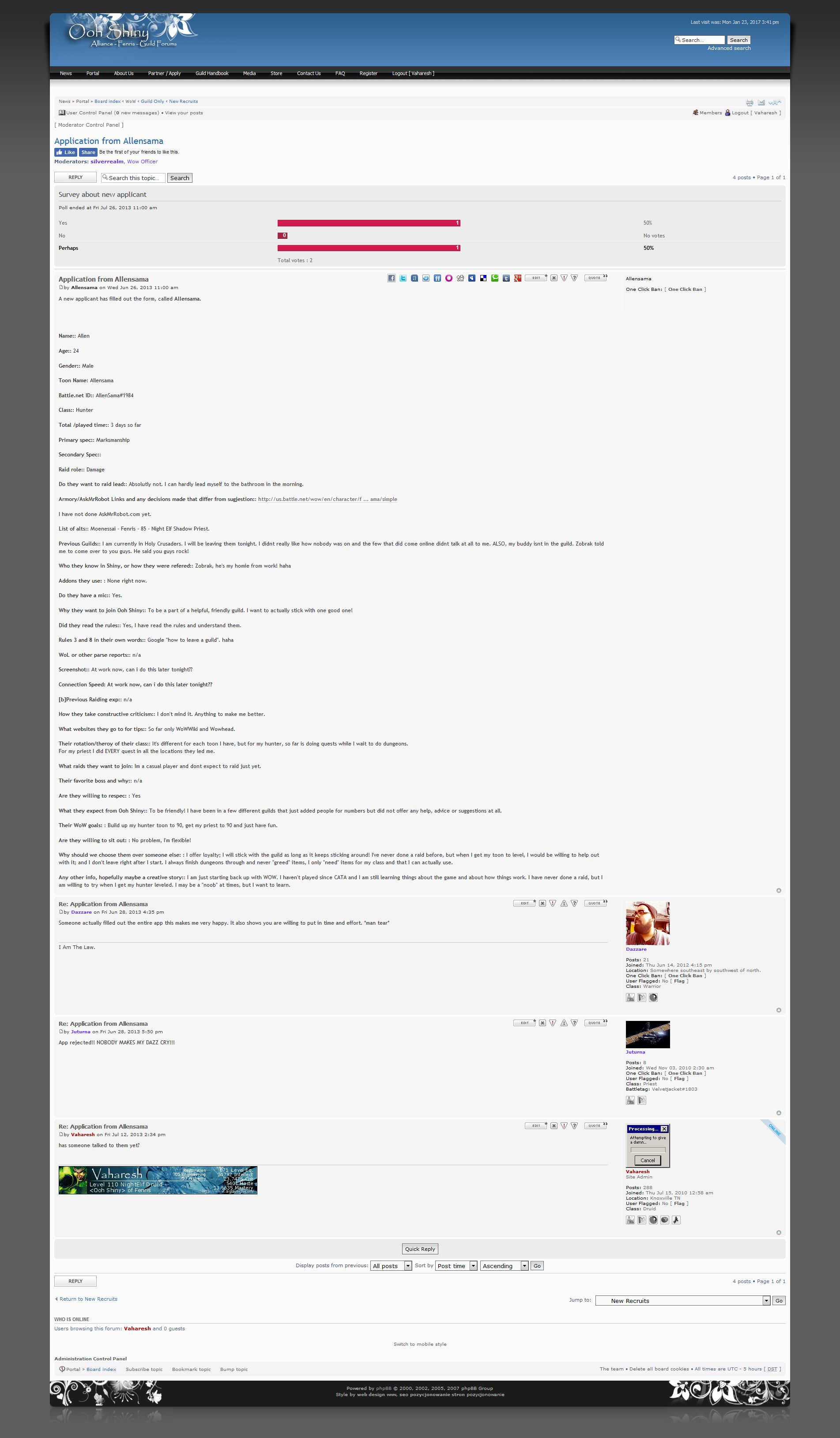
Then in the output view it has it in its own post
Has anyone seen ANYTHING from bbpress or buddy press that can do this?
Thank you for any information you may have available,
InTempestTopic: How to detect current page
Hello,
I am a wordpress developer. I need to detect if the current page is “Activate”. I am trying following code but its not working when any user click on their activation link from their email address:
function my_redirect() {
if ( is_page( array( 38, ‘activate’, ‘Activate’ ) ) ) {
//Do stuff here..
}}
add_action( ‘template_redirect’, ‘my_redirect’ );Is there any other way so that I can detect if the current page is Activate or not?
Thanks in advance.
SamI search for a plugin or code.
I wish a notification in the administration of the keywords I would have chosen, without deleting his keywords in the front office. This feature must work with all buddypress, message, activity, group, and custom pages.
I use WordPress 4.7 and BuddyPress 2.7.4. I have Woffice theme based on Unyson.
Thank you in advance for your help
After a new user registers he is sent an email for confirmation.And after he clicks the link through email he is directed back to my site.It shows a message which reads- login using your username & email.That login link redirects to WordPress login.I want to change it to redirect to my front-end login.How to do that?




Hi.
I wasn’t sure if this was normal. But it seems pretty extreme. I have some blacklist bad words and a max link allowed set in my general wordpress comment/discussion moderation settings. But, it seems to be blocking and controlling/affecting my buddypress users (subscribers) buddypress activity status updates.
Example: if a user tries to post any activity status update at all, it throws a warning saying they have posted a inappropriate word. If they try to post a link, it says they have posted too many links.
It’s almost like the WordPress 4.7.2 discussion settings are completely shutting down the status updates of the users.
I’ve used buddypress in the past, but I do not remember this. Is there a setting that I can uncheck, etc?
Is there a way to keep the WordPress comment moderation settings separate from the Buddypress status activity update settings?
Any help would be appreciated. Thank you in advance!