Search Results for 'buddypress'
-
Search Results
-
Topic: No Buddy Press Menu
Topic: Conditional Tags
Hello,
I am currently trying to assign my CSS to the individual BuddyPress / Youzify pages using the conditional tags. Unfortunately, I am failing in the “Activity” classes
I have divided the CSS classes as follows:
Global
Profile
Account
Activity
Members
Groups
Messagesnow I don’t get any further with the Activity CSS. It works on the activity page & on the profile page too. But I can’t do that on the group page
for this project I use the “Custom CSS & JS” plugin.
I use the conditionals tags “bp_is_activity_compnent” & “bp_is_group_activity” for the activity CSS classes, but unfortunately it doesn’t work in the group
Do you have a solution for me?
best wishes
Hello, I read some support posts but I still don’t be able to have my buddypress working.
I’ve installed buddypress on http://www.didasharing.it/buddy and the home page works, but every other page doen’t work, I receive only 404 error, for example https://www.didasharing.it/buddy/members/mattruffoni/activity/.
Should I fix this problem?
Thanks in advance for any helpHi all,
I want to conditionally add a step in the Group Creation wizard of Buddypress / Buddyboss.
In step 2 my form asks for a specific field (via a Select-box with the HTML name “group-types[]”).Whenever a specific group type is selected and the user clicks “next step”, I want to add a new step inbetween conditionally on the group type field.
I found the Group Extension API which is very complicated to understand:
And I found this code:
https://gist.github.com/shanebp/c9cdde9443bdeab9b4caIt kind of works, but there are two things:
I’m not sure where exactly to “ask” the already made setting “group-type[]” for the group in the creation wizard and unfortunately the settings-page “Ville” is added at the end.
I tried to set a “position”-element in the $arg which is passed to parent::init( $args ); but this is not accepted.
Any help would be highly appreciated.
I have two questions:
1 Is it possible to redirect registration to the root blog of WP multisite? (BuddyPress is network active and root blog is in the main site of the WP installation.)
2 Is it possible to disable BuddyPress on one site (blog) in the network?
Dear Buddypress,
Our theme is based on Eduma (Education Learning Management System) and our main plugin is Learnpress.
Upon installing Buddypress and bbpress, this is how the page of the Activity looks like. Why does it look so ugly [1] https://ibb.co/xsBtK27?
Why can I have this look [2] https://ibb.co/XDxYrx3 instead?
Is this [1] a newest version? is there anyway to improve the default looks?
Thank you. Look forward to hearing from you soon.
Regards,
JoshSince WordPress 5.2 there is a built-in feature that detects when a plugin or theme causes a fatal error on your site, and notifies you with this automated email.
In this case, WordPress caught an error with one of your plugins, BuddyPress.
First, visit your website (https://krushivaldemo.com/) and check for any visible issues. Next, visit the page where the error was caught (https://krushivaldemo.com/wp-admin/themes.php?page=gutenberg-widgets&legacy-widget-preview%5BidBase%5D=jnews_tab_post&legacy-widget-preview%5Binstance%5D%5Bencoded%5D=YTo3OntzOjE3OiJoZWFkZXJfYmFja2dyb3VuZCI7czowOiIiO3M6MTc6ImhlYWRlcl90ZXh0X2NvbG9yIjtzOjA6IiI7czoxMToiaGVhZGVyX3R5cGUiO3M6OToiaGVhZGluZ182IjtzOjEwOiJoZWFkZXJfdXJsIjtzOjA6IiI7czo1OiJsaW1pdCI7czoxOiI0IjtzOjU6InJhbmdlIjtzOjM6ImFsbCI7czo1OiJ0aXRsZSI7czowOiIiO30%3D&legacy-widget-preview%5Binstance%5D%5Bhash%5D=5198ca3443978d63339d8cefe44e053d) and check for any visible issues.
Please contact your host for assistance with investigating this issue further.
If your site appears broken and you can’t access your dashboard normally, WordPress now has a special “recovery mode”. This lets you safely login to your dashboard and investigate further.
To keep your site safe, this link will expire in 1 day. Don’t worry about that, though: a new link will be emailed to you if the error occurs again after it expires.
When seeking help with this issue, you may be asked for some of the following information:
WordPress version 5.7.2
Current theme: JNews (version 8.0.6)
Current plugin: BuddyPress (version 7.3.0)
PHP version 7.4.16hi
I use bbpress+buddypress
member -> forums is can see a list of the created topics.My information (list of my topics) does not have any problem with page changes,
Another user’s topic list has a problem.I’ll explain the details
First, the place I’m talking about is the forum menu on the profile page.
ref to this image link : https://ibb.co/xs3Bbkxmy topic’s list page 2,3,4 url address is
ez) http://site_url/member/MYID/forums/topics/page/3/ref to this image link : https://ibb.co/KxSJtby
my topic list is no problem, it’s ok
however other user’s topic list occur problem
The first page is fine
ref to this image link : https://ibb.co/FHzp84nbut page 2,3,4,… is 404 error occur
url address is
http://site_url/member/%5BOTEHR_USER_ID%5D/page/2/ref to this image link : https://ibb.co/Dpf6hty
So if I directly enter the address as below, it will be displayed normally.
http://site_url/member/%5BOTEHR_USER_ID%5D/forums/topics/page/2/ref to this image link : https://ibb.co/NnznmQT
There seems to be a problem in the URL address conversion process(be my guess)
I really need help to solve this problem
Best Regards,
HyunhoTopic: Improvement Performance
Hello BP team,
Could you please check & remove assets plugin prefix to avoid duplicate scripts?
This is vendor script, it maybe used by other plugins or themes.
Also, please update jquery-cookie to js-cookie.
jquery-cookie was moved to https://github.com/js-cookie/js-cookieWoocommerce plugin updated this script. please update for BuddyPress too, to avoid duplicate the script.
Thanks
Hi,
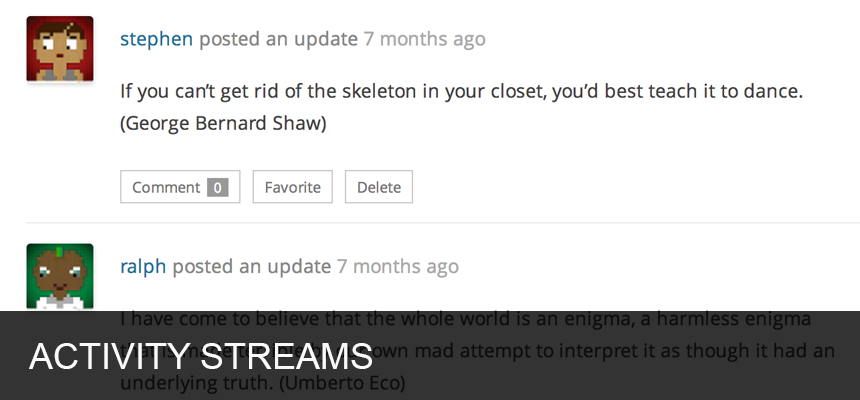
Would like to know if the avatar used seen in screenshot on the BuddyPress Plugin page on wordpress.org is default or we need to install additional plugins?
screen
https://ps.w.org/buddypress/assets/screenshot-1.png?rev=1534012Thanks,
PinkDreamBoxTopic: Wrong URL’s
Hi there I am on Version 5.6 for WordPress and latest BuddyPress version.
I have forums for this website but they are private at the moment. So I am going to describe my problem as best I can and if need be I can create an account for someone to log in and have a look quickly. The site is https://first-aid-for-stress.com/
Basically. Everything seems to work fine apart from when I try to access the Forums from two different locations.
This is all through memberpress as well. As people sign up through that and get access to the private forums.
Basically when you go into a group you see the Activity Feed. And the example being. You see this activity in one of the Topics “idwithin started the topic ‘Accessing Your Course Material’ in the forum Welcome! Come and say hello”
When i click on the “Accessing Your Course Material” link to take me to the topic. It gives me this link https://first-aid-for-stress.com/groups/welcome-come-and-say-hello/forum/topic/accessing-your-course-material/ – and a 404 saying Page does not exist.
Yet when I go into the Tab that says Forum and select the Topic from this list then it works as it should. But gives me a completely different URL – https://first-aid-for-stress.com/members-forum/welcome-come-and-say-hello/forum/topic/accessing-your-course-material/
This is what I cannot figure out. As there is obviously a problem with how the link is structured. I’ve been through the settings and can’t see anything wrong.
Thank You i hope I explained it enough.
AaromHello 👋🏼☺
Something inexplicable is happening to me with which I have been stuck for several days:
In the registration form, the “register” button does absolutely nothing. When you move the mouse over it, the color changes and the pointer changes as if it had a link, but when you click on it, ABSOLUTELY nothing happens, as if there were no links in the button. And the button below to login leads to the activity page. As this is the case, nothing is recorded in the debug.log file, since no movement has been made.
Among the many things I have tried is to reinstall the plugin, but it has not helped. I have also checked in case it was something related to Jquery and the wordpress 5.6 update, but no obese code appears either.
I can’t find where to continue the investigation.
When I started the project the Buddypress “registration” and “login” forms worked with the same version of the currently working theme (Free Generatepress), but now the Buddypress login form doesn’t work either.
I tried deactivating all plugins and reinstalling wordpress, even to a previous version, but nothing changed, the same I did with the buddypress plugin, reinstalling the version with which the project started, with no change in the problem.The “Activity” page created automatically by the Buddypress plugin also became unusable, redirecting to the main page and creating a “logout”. The solution to this has been to create a new page with another name and assign it in Buddypress as an activity page.
I have left the Budypress registration form on this page:
https://bio-naturaeco.com/register-bp/And the form for Login here:
https://bio-naturaeco.com/login-bp/Although it is the Registration form that I need.
I need some way to continue.
Thank you very much in advance.
A greeting.Buddypress v.7.1.0
Wordpress v 5.6Topic: menu with bp_nav_menu()
in my child theme I have added this to the members/single/parts/item-nav
        <label class="toggle" for="toggle">☰ <span>Menu</span></label>
        <input class="toggle" id="toggle" type="checkbox">

<nav class="<?php bp_nouveau_single_item_nav_classes(); ?>" id="object-nav" role="navigation" aria-label="<?php esc_attr_e( 'Member menu', 'buddypress' ); ?>">
	<?php if ( bp_nouveau_has_nav( array( 'type' => 'primary' ) ) ) : ?>
		<ul>
   <?php bp_nav_menu(); ?>
		</ul>
	<?php endif; ?>
</nav>
I have removed the submenu form all the other page fronts
So this is the problem1. The loop for the sub-menus is
a. Putting the profile menu items under a new submenu under settings
(this submenu )<ul class="sub-menu"> <li id="public-personal-li" class="menu-child"><a href="http://localhost/wordpress/members/athlete-lynn/profile/#item-header-content">View</a></li> <li id="edit-personal-li" class="menu-child"><a href="http://localhost/wordpress/members/athlete-lynn/profile/edit/#item-header-content">Edit</a></li> <li id="change-avatar-personal-li" class="menu-child"><a href="http://localhost/wordpress/members/athlete-lynn/profile/change-avatar/#item-header-content">Change Profile Photo</a></li> <li id="change-cover-image-personal-li" class="menu-child"><a href="http://localhost/wordpress/members/athlete-lynn/profile/change-cover-image/#item-header-content">Change Cover Image</a></li> </ul>Here is the source codes for the menus while looking at looking at my own profile not as admin.
So I was wondering if the walker argument could help with this, but I could not find any documentation on that part.
Could you point me to where or how to get the profile submenu items under the profile li and not as a sub sub of settings?<nav class="main-navs no-ajax bp-navs single-screen-navs user-nav-tabs tabbed-links horizontal users-nav" id="object-nav" role="navigation" aria-label="Member menu"> <ul> <div class="menu-bp-container"><ul id="menu-bp" class="menu"><li id="front-personal-li" class="menu-parent"><a href="http://localhost/wordpress/members/athlete-lynn/front/#item-header-content">Home</a> <ul class="sub-menu"> <li id="public-personal-li" class="menu-child"><a href="http://localhost/wordpress/members/athlete-lynn/front/#item-header-content">View</a></li> </ul> </li> <li id="xprofile-personal-li" class="menu-parent"><a href="http://localhost/wordpress/members/athlete-lynn/profile/#item-header-content">Profile</a></li> <li id="activity-personal-li" class="menu-parent"><a href="http://localhost/wordpress/members/athlete-lynn/activity/#item-header-content">Activity</a> <ul class="sub-menu"> <li id="just-me-personal-li" class="menu-child"><a href="http://localhost/wordpress/members/athlete-lynn/activity/#item-header-content">Personal</a></li> <li id="activity-mentions-personal-li" class="menu-child"><a href="http://localhost/wordpress/members/athlete-lynn/activity/mentions/#item-header-content">Mentions</a></li> <li id="activity-favs-personal-li" class="menu-child"><a href="http://localhost/wordpress/members/athlete-lynn/activity/favorites/#item-header-content">Favorites</a></li> <li id="activity-friends-personal-li" class="menu-child"><a href="http://localhost/wordpress/members/athlete-lynn/activity/friends/#item-header-content">Friends</a></li> <li id="activity-groups-personal-li" class="menu-child"><a href="http://localhost/wordpress/members/athlete-lynn/activity/groups/#item-header-content">Groups</a></li> </ul> </li> <li id="friends-personal-li" class="menu-parent"><a href="http://localhost/wordpress/members/athlete-lynn/friends/#item-header-content">Friends <span class="count" style="cursor: pointer;">1</span></a> <ul class="sub-menu"> <li id="friends-my-friends-personal-li" class="menu-child"><a href="http://localhost/wordpress/members/athlete-lynn/friends/#item-header-content">Friendships</a></li> <li id="requests-personal-li" class="menu-child"><a href="http://localhost/wordpress/members/athlete-lynn/friends/requests/#item-header-content">Requests</a></li> </ul> </li> <li id="notifications-personal-li" class="menu-parent"><a href="http://localhost/wordpress/members/athlete-lynn/notifications/#item-header-content">Notifications <span class="count" style="cursor: pointer;">1</span></a> <ul class="sub-menu"> <li id="notifications-my-notifications-personal-li" class="menu-child"><a href="http://localhost/wordpress/members/athlete-lynn/notifications/#item-header-content">Unread</a></li> <li id="read-personal-li" class="menu-child"><a href="http://localhost/wordpress/members/athlete-lynn/notifications/read/#item-header-content">Read</a></li> </ul> </li> <li id="invite-anyone-personal-li" class="menu-parent"><a href="http://localhost/wordpress/members/athlete-lynn/invite-anyone/#item-header-content">Send Invites</a> <ul class="sub-menu"> <li id="invite-new-members-personal-li" class="menu-child"><a href="http://localhost/wordpress/members/athlete-lynn/invite-anyone/#item-header-content">Invite New Members</a></li> <li id="sent-invites-personal-li" class="menu-child"><a href="http://localhost/wordpress/members/athlete-lynn/invite-anyone/sent-invites/#item-header-content">Sent Invites</a></li> </ul> </li> <li id="settings-personal-li" class="menu-parent current-menu-parent"><a href="http://localhost/wordpress/members/athlete-lynn/settings/#item-header-content">Settings</a> <ul class="sub-menu"> <li id="general-personal-li" class="menu-child current-menu-item"><a href="http://localhost/wordpress/members/athlete-lynn/settings/#item-header-content">General</a></li> <li id="notifications-personal-li" class="menu-child"><a href="http://localhost/wordpress/members/athlete-lynn/settings/notifications/#item-header-content">Email</a></li> <li id="profile-personal-li" class="menu-child"><a href="http://localhost/wordpress/members/athlete-lynn/settings/profile/#item-header-content">Profile Visibility</a> <ul class="sub-menu"> <li id="public-personal-li" class="menu-child"><a href="http://localhost/wordpress/members/athlete-lynn/profile/#item-header-content">View</a></li> <li id="edit-personal-li" class="menu-child"><a href="http://localhost/wordpress/members/athlete-lynn/profile/edit/#item-header-content">Edit</a></li> <li id="change-avatar-personal-li" class="menu-child"><a href="http://localhost/wordpress/members/athlete-lynn/profile/change-avatar/#item-header-content">Change Profile Photo</a></li> <li id="change-cover-image-personal-li" class="menu-child"><a href="http://localhost/wordpress/members/athlete-lynn/profile/change-cover-image/#item-header-content">Change Cover Image</a></li> </ul> </li> <li id="invites-personal-li" class="menu-child"><a href="http://localhost/wordpress/members/athlete-lynn/settings/invites/#item-header-content">Group Invites</a></li> <li id="data-personal-li" class="menu-child"><a href="http://localhost/wordpress/members/athlete-lynn/settings/data/#item-header-content">Export Data</a></li> <li id="delete-account-personal-li" class="menu-child"><a href="http://localhost/wordpress/members/athlete-lynn/settings/delete-account/#item-header-content">Delete Account</a></li> </ul> </li> <li id="groups-personal-li" class="menu-parent"><a href="http://localhost/wordpress/members/athlete-lynn/groups/#item-header-content">Groups <span class="no-count">0</span></a> <ul class="sub-menu"> <li id="groups-my-groups-personal-li" class="menu-child"><a href="http://localhost/wordpress/members/athlete-lynn/groups/#item-header-content">Memberships</a></li> <li id="invites-personal-li" class="menu-child"><a href="http://localhost/wordpress/members/athlete-lynn/groups/invites/#item-header-content">Invitations</a></li> </ul> </li> </ul></div> </ul> </nav>Hello,
I install buddypress. A few days ago, user and admin can modify their profile on my website http://lilisoumise.fr
I make several modification, add/remove several extnesions. I desintall and reinstall my theme and buddypresse several time.
On settings, the checkbox says that user can edit their profile is checked.
But on front, when I go on modify on my profile, nothing is displayed
To edit a profile, you can create here :https://lilisoumise.fr/inscription/
https://lilisoumise.fr/members/USER/profile/edit/group/1/
When Is see the code, it says
div class="profile edit"
<style data-target = "global" type = "text/css" ==$0
 #bf_hweb{display:none}.bf-alert{display:block;padding:15px;margin-bottom:20px;border:1px solid rgba(0,0,0,0.1);background-color:#fff}.bf-alert.error{background-color:#f2dede;color:#a94442;border-color:#ebccd1}.bf-alert.success{color:#3c763d;background-color:#dff0d8;border-color:#d6e9c6}.bf-alert.warning{color:#8a6d3b;background-color:#fcf8e3;border-color:#faebcc}.bf-alert.info{color:#31708f;background-color:#d9edf7;border-color:#bce8f1}li.image.bf_image{list-style-type:none;float:left;padding-right:10px}ul.bf_files{padding:0}#poststuff{padding-top:0;min-width:auto}.bf_inputs li{list-style:none}button.bf-draft:disabled,button.bf-submit:disabled{background-color:#c4c4c4}.bf-draft{background:#f2f2f2;border:1px solid rgba(0,0,0,0.12);color:#444}.bf-hidden{display:none !important}#wp-admin-bar-buddyforms-admin-edit-form > a.ab-item:before{content:"\e000";font-family:'icomoon';font-size:27px;padding:0;padding-right:10px}#bf_hweb{display:none !important}.bf-clearfix::after{content:"";clear:both;display:table}
Do you have an idea ?
There seems to be no German translation for the “notification-description”.
“You have 1 new reply to [topic] from [user]”
And I can´t find a way to add a translation with the plugins “Loco Translate” (https://de.wordpress.org/plugins/loco-translate/) or “Say What?” (https://de.wordpress.org/plugins/say-what/), too. That works perfectly in other cases, but not in this one.
—
Wordpress 5.6
BuddyPress 7.1.0
bbPress 2.6.6
Loco Translate 2.5.0
Say What? 1.9.6