Search Results for 'buddypress'
-
Search Results
-
Hello all,
when our users get their daily digest emails from groups and they click on the links to view content:
1. They are sent to the login screen if not logged in.
2. They are not redirected to the original content.
3. If user is already logged in, they are sent to the login page anyway, but this time it displays a “You are logged in message”I have looked hard through the forum here and have found alot of info, tried a few items like modifying the bp-core-catchuri.php file:
1. Tried changing modes from 2 to 1
2. Tried removing all redirects we might have etc.I am fairly new to this, so I can’t think of anything else that might be causing a default behavior of buddypress to change.
Any input is welcomed.
I want to set a profile field where a user will list his experience in a particular organization. From and To.. I tried Date -> Range but it just renders single dropdown. The best possible scenario would be having a datepicker with range.?
I’ve installed BuddyPress Xprofile Custom Fields Type but even this doesn’t have a range date picker.
Anyone has any suggestion/solution would be appreciated.Hi, I get an error stating that buddypress theme has a javascript error which is blocking backup buddy
I am unable to get the txt and paste it, but here is a screen grab of the error message
any help would be great
Thanks
Hi, currently running on latest wordpress and buddypress versions.
My problem is that private message, public message and add friend buttons appear but are not clickable. I tried with Twenty Sixteen and the problem is still there.
Any ideas ?
Thanks a lotTopic: Goodbye Buddypress?
I have been using BP for so long now I can barely remember when it all began. I think it all started about eight years ago and although we have had our moments I never thought this day would ever come but alas it seems I can overcome her little quirks no more. But how do you leave your BP Multi Network – when
define( 'BP_ENABLE_MULTIBLOG', true );has always been there for you? It just doesn’t seem like WP Multi Network, the old maid she is, will be able to hold amore together.Custom this and custom that, always a way to stay true but I must have broken her heart when she finally discovered my devotion to this little threesome called AWS S3, wpengine and LargeFS. It looks as though it’s just going to be too much for her little heart to bare. It seems so sad that I can save her avatar’s with a simple
define( 'BP_AVATAR_UPLOAD_PATH', '/nas/content/live/heartbleed/profiles/members' );
define( 'BP_AVATAR_URL', 'https://' . $_SERVER['HTTP_HOST'] . '/profiles/members' );
but those damn Cover_Images and the silly way they are managed just keep running away from the slightest push up and no matter what I do I can’t find a way to keep them true.
So goodnight sweet Princess, the night draws close and the bitter cold is closing in. Wherefore art thou my Romeo, wherefore?
Topic: Layout Fixing issue
Hi Team,
I want to change the layout of the user profile page according to my design.
Below is the link to the profile page:http://www.goodmourning.co/members/alyssa311/But I am unable to find out which plugin file needs to be edited in order to change layout.
I am also using BuddyPress Xprofile Custom Fields Type plugin.
Please help me to know the exact that needs to be manipulated for changing the layout of the above URL.Quick response will be highly appreciated.
Hello,
I would like to modify the default Member’s page to remove the “bp_member_latest_update”. Currently the page shows the list of members, not including the “Admins”. I achieved this by adding the following function to the functions.php page:
add_filter( 'bp_after_has_members_parse_args', 'buddydev_exclude_users_by_role' );

function buddydev_exclude_users_by_role( $args ) {
    //do not exclude in admin
    if( is_admin() && ! defined( 'DOING_AJAX' ) ) {
        return $args;
    }

    $excluded = isset( $args['exclude'] )? $args['exclude'] : array();

    if( !is_array( $excluded ) ) {
        $excluded = explode(',', $excluded );
    }

    $role = 'administrator';//change to the role to be excluded
    $user_ids =  get_users( array( 'role' => $role ,'fields'=>'ID') );

    $excluded = array_merge( $excluded, $user_ids );

    $args['exclude'] = $excluded;

    return $args;
}
The page shows the default behavior: Avatar, Name, Latest Activity (with a link that reads “view”), and the last active time.
I would like to remove/hide the latest activity (including the word “view”) from the list altogether. Any ideas on how I could achieve this? Perhaps with a snippet to add to the functions.php file?
I have the following installed:
BuddyPress – 2.9.1
WordPress – 4.8.2
Theme – Buddy (child)I appreciate any help in advance!
Topic: Cover Photo Issues
Hi,
We’ver recently launched our site, http://www.theknightsrequiem.com. Our site usses both buddypress and bbpress. We are having an issue with cover photos being uploaded to users profiles.
When you try to upload the photo, you get a progress bar, like you would see any other time. However it never appears, you just receive the message
“For better results, make sure to upload an image that is larger than 0px wide, and 225px tall.”Again no image is actually uploaded or displayed. However, we can upload user profile photos.
We are running WordPress 4.8.2
Our theme is Game Addict by Skywarrior
Potential plugins that could be affecting this, Buddypress itself, bbpress.Thank you for your time and help.
I want to set a profile field where a user will list his experience in a particular organization. From and To.. I tried Date -> Range but it just renders single dropdown. The best possible scenario would be having a datepicker with range.?
I’ve installed BuddyPress Xprofile Custom Fields Type but even this doesn’t have a range date picker.
Anyone has any suggestion/solution would be appreciated.Hi everybody another problem when i try to edit some buddypress template files.
I just copied the file register.php fromoriginal directory
/wp-content/plugins/buddypress/bp-templates/bp-legacy/buddypress/members/register.phpto
/wp-content/themes/my-child-theme/buddypress/members/register.phpand it still reading the original file. What should i do?
Hey Guys, i have tried installing buddypress plugin for my website http://www.lovelylifevines.com through wordpress cms and showing an unknown error. Will post screenshot on the same.
1) Can someone help me with the code needed to remove these bullet points from the Buddypress Menu? Can I put the code in a plugin like custom css?
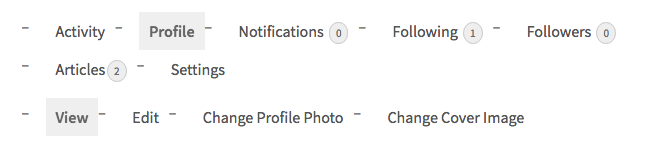
2) also, my default page setting has a sidebar, but I want the Buddypress pages all to be full-width. How can I change that?
BuddyPress version 2.9.1 & WordPress version 4.8.2
Hi, I’m trying to keep one or more WP basic roles, specifically editor and author.. out of my Buddypress community but still allow them to use other WP functionality like publishing posts, etc.
In this case scenario, I’m using BP for the main population of users, and Ultimate Member for another category of users who are insulated from the BP community but have a profile that can be viewed by all. UM profiles are celebrities who are present in the site with a profile created through the UM registration system and mainly write blog posts. BP profiles are people who interact with each other and use mainly the BP functionality, no blogging.
Its all working so far but I just haven’t figured out how to get the UM “celebrity” members out of the BP directories, including the alphabetical directory. When the UM member registers, there’s also a BP profile created for him. These should not be available to BP users, only the UM one so I need a way to filter them out completely.
Another big question I have is how to restrict Buddypress pages, directories, groups etc. I’m using Groups by Itthinx for most of my membership functionality.
Thanks for any help anyone can provide.
I ask this again because I am running WP482 on my site & I have also downloaded Super Socializer because I thought I had to as I had only a startup WP at that time & thought I would need Super Socializer to connect however it has made my job so much harder & longer.
I now am asking if I really need it, I would rather be spending the time with BuddyPress installation/themes etc as long as the connect is ok without it and can be done with your support.
My site is http://www.thecrystalgateway.org and also wondering if the theme can be expanded into BuddyPress? that I have now.
I am a Beginner but giving it a go, I appreciate any advice you could give me, Kind Regards RoseashmGood afternoon.
I wanted to ask how I could make a step-by-step form on the registration page of my buddypress inserted on the same page. I do not have much programming knowledge, so I would appreciate, if this were possible, any details to be able to carry it out.
Thank you very much and greetings.
Rubén
Hello,
I am new with buddypress, I am trying to create a social network to share info about 3d printers. I am looking for the way to automatically create the structure of a group and its forum, when this is created by the user.
Please could any one help me?
I wanted to create wikis in each groups, but i couldnt find any solution. So i was thinking at least to create a forum topics and sub-topics automatically when any user create a new group.
I hope you can help me guys.
Thanks in advance
Ting


