Search Results for 'buddypress'
-
Search Results
-
Hi,
Our service image
We would like to match amateur baseball team games. As an example, there would be multiple applications for a specific game, and the recruiter would select one and match it.
In addition, we would like to add functions for recruiting new team members and helpers as well.We are currently creating a matching site using HivePress (https://hivepress.io/).
I would like to give HivePress the BuddyPress group/member functionality, please let me know how(integration with BuddyPress).
Hello,
I have isolated an issue that causes Buddypress’s Dynamic blocks to fail to load.
Step one. Have Neve Theme and Buddypress installed, and place Dynamic Members and Dynamic Groups blocks on a Page.
Step two. Verify they work with sample members and groups.
Step three. Install Gamipress and reload the page that was working previously.
Errors:
Dynamic Members:Uncaught TypeError: Cannot read properties of null (reading ‘closest’)
at dynamic-members.js?ver=11.2.0:2:1081
at Array.forEach (<anonymous>)
at r.start (dynamic-members.js?ver=11.2.0:2:992)
at parcelRequire.k5We (dynamic-members.js?ver=11.2.0:2:1647)
at f (dynamic-members.js?ver=11.2.0:1:468)
at parcelRequire.k5We (dynamic-members.js?ver=11.2.0:1:771)
at dynamic-members.js?ver=11.2.0:1:1023Dynamic Groups:
dynamic-groups.js?ver=11.2.0:1 Uncaught TypeError: Cannot read properties of null (reading ‘closest’)
at dynamic-groups.js?ver=11.2.0:2:1053
at Array.forEach (<anonymous>)
at r.start (dynamic-groups.js?ver=11.2.0:2:964)
at parcelRequire.UOvc (dynamic-groups.js?ver=11.2.0:2:1617)
at f (dynamic-groups.js?ver=11.2.0:1:468)
at parcelRequire.UOvc (dynamic-groups.js?ver=11.2.0:1:771)
at dynamic-groups.js?ver=11.2.0:1:1023Any help is appreciated, I will pass this along to Neve’s developer. I have already reached out to Gamipress.
Thanks,
HP Odin
Hello Everyone, I hope you all guys are doing good.
i want to make buddypress name field not required. I activated extended profile but still I don’t see any option to make the field optional.
I tried custom code for the field id ( field_1 ) but no success.
Any help?
Using WordPress and Buddypress with latest version.
Topic: Remove toolbar
I am using WordPress version: 6.2.2
I am using BuddyPress version: 11.2.0
My website is https://entertainerdrivers.com/
I installed Buddypress and set everything up via watching a WPtutorial video. After I set everything up I created a dummy account, to see how everything functioned on something other than my admin account. My issue is the toolbar at the top. Users can click on the wordpress icon, on the left side and get to my wordpress details. How do I not allow this? I have disabled all of the buddypress pages until I can sort this out.Hi Support Team.
I am running the latest BuddyPress on the Latest Astra Free Theme.
I have installed Buddypress and have all pages assigned but they show up Blank with only the page title. When I try create a group or view my profile from my dashboard it gives me 404 Error
Topic: Invites not being sent
Hi,
I have a new site with a “Member” only chat. Since the chat isn’t open to the public, the invites aren’t being delivered. Invites only work when I select “anyone can register” in the general settings. This site is for people with a rare disease and don’t want their stories public. Can I have a closed chat AND have the ability for members to invite eachother to the new chat.I am using Buddypress 11.2.0
and WordPress 6.2I am not a programmer and need a simple solution.
Hi all,
I’ve set up Paid Memberships Pro and Buddypress and have a code snippet in place to store latitude and longitude user meta from a member’s PMP billing address. I would like Buddypress to use this user meta to geolocate for each member and allow the members directory to be filtered by location – how can I achieve this?
Hi all,
I’m setting up Buddypress’ Member Directory with Paid Memberships Pro and am wondering if there is a way to exclude expired/cancelled Paid Memberships Pro members from Buddypress’ Member Directory?
Topic: No style in Buddypress why?
Hey,
I’m new to buddypress and would like to use it but I can’t get the default style of buddypress.
If I enable the legacy style the overview is a little bit better but I want to use the “Nouveau” style.
With this style all sites from Buddypress are broken.
The developer tools says, that all files are loaded correctly. I disabled all plugins but the problem still exists. The same style is given if I enable the default twentytwentythree theme from WordPress… 🙁PHP 8.1
WordPress 6.2.2
BuddyPress 11.2.0
Apache 2.4
Ubuntu 20.04Here an example screenshot of the group overview (all sites looks like that): https://i.postimg.cc/NFkmM99T/buddypress.png
Has anyone an idea what is the problem here? I can’t find the problem.
If you need more information please post it and I answer you quickly.
Thanks!Sorry for my bad english 😀
Dear Support,
Please assist with field verification. We would like to use same input verification for custom field as for field “name” (https://prnt.sc/da-ZJswtaXVA)
Also, field name was changed in the code (https://prnt.sc/i4cLYOFajVtt)
We have custom service that takes data from that field and creates O365 user so this must be valid wordpress login.
We would be grateful if you provide some information on how to make extra validation for unique values (compared to wordpress logins) for custom field and extra checks for valid symbols?
Thanks in advance!
Hello support,
I have buddypress installed on my site and I want my members who are undertaking courses to be able to share and upload docs at that time.
Can you please guide me in this regard as to which plugin would be best suitable for this purpose?
Website: https://www.itdi.pro/community/
Topic: Buddypress Birthdays
I use WordPress for my company’s local intranet. I have been using the Birthdays widget for a couple years… one setup for employee birthdays and one for work anniversaries. The IT Dept recently upgraded our server and now it shows the birthdays and anniversaries started on January 1 and not from the current date. Any ideas on how to fix this??
Wordpress 6.2.2
BuddyPress 11.2.0What is the difference between the type of Members vs. Groups.
Let me explain my context:
I have two LearnDash courses(CourseA and CourseB), I would like to show all enrolled students of each course. Buddypress has the members section where it shows all members (courseA members + courseB members).
For example:
CourseA: I want to show all students enrolled in CourseA.
StudentA
StudentB
StudentCCourseB: I want to show all students enrolled in CourseB
StudentD
StudentE
StudentCHow can that be done with BuddyPress, do you have any ideas?
Thanks
Topic: Hide pages/content
Hi,
I am building a membersite using buddypress, bbpress and package it with buddyx theme.
If I visit as non-logged in I can see activites, forums, member etc. Is it possible to somehow block that? Perhaps re-direct to a login/register page as facebook does?
Best regards,
flamuren
Topic: comment order


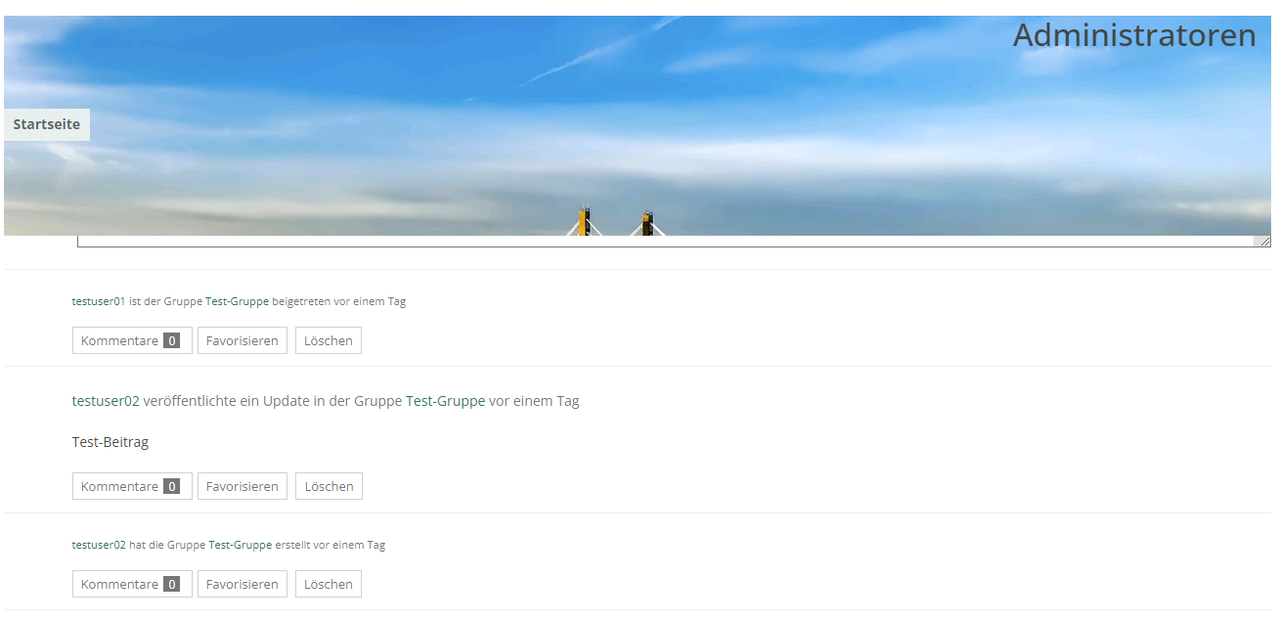
My theme is showing Buddypress comments in the wrong order:
Activity
-Comment3
-Comment2
-Comment1
Is there a way to change this to the logical
Activity
-Comment1
-Comment2
-Comment3