Search Results for 'buddypress'
-
AuthorSearch Results
-
January 13, 2014 at 5:44 pm #176863
@mercime
ParticipantCheck your error logs. https://codex.buddypress.org/getting-started/troubleshooting/blank-pages/
January 13, 2014 at 4:38 pm #176858terraling
ParticipantThanks for the reply Henry, but it doesn’t happen in either global.js or buddypress-functions.php as far as I can tell.
January 13, 2014 at 2:19 pm #176851In reply to: Top WordPress toolbar: Second level dropdowns blank
ofloveandbeauty
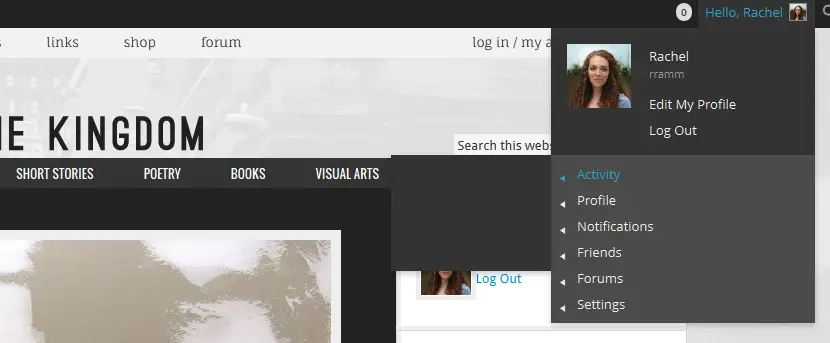
Participant@mercime I think I have the problem narrowed down to the theme. I tested it on another theme and the dropdowns show up fine. Also, that wasn’t the only dropdown that wasn’t working. Here’s a screenshot of the other BuddyPress one that is also blank: http://kingdompen.org/wp-content/uploads/2014/01/2nd-level-dropdown-blank-2.png
January 13, 2014 at 11:50 am #176850In reply to: Newbie looking for where to start
DownunderDabbler
ParticipantShmoo, thank you for your reply and I am sorry for not responding earlier – my screen still shows 0 replies to this post and the only reason I saw your post was because I came to write something sarcastic about the lack of help offered. I have come to this site a couple of times every day since posting.
Where I was stuck was on the ‘Pages’ part of the Buddypress settings page – I was under the impression I needed to create a page for each of Activity, Groups and Members sections at least, but had no idea what these pages did or needed to be functional. I have tonight again spent time watching videos trying to find an answer and found this short tutorial which showed that there are already existing default pages – that’s all I needed to know to at least get started.
Thank you for taking the time to answer – much appreciated.
Hakim
January 13, 2014 at 11:12 am #176849Henry Wright
ModeratorDo you mean immediately after you’ve submitted? That is usually the result of JavaScript. Take a look in buddypress-functions.php or global.js if you are still using bp-default.
January 13, 2014 at 9:05 am #176843In reply to: Buddypress in Spanish?
ParticipantMike
WordPress and BuddyPress are set up to work in different languages provided the alternative language files are available and installed.
There is a difference between running a site purely in another language, vs. having an existing site be able to switch between languages.
If the site will be purely in Spanish that’s straightforward, you have to just load the WordPress and BuddyPress Spanish language files. If you want to switch that’s more complicated and you will want to use a plug-in to achieve that.
If you are switching between languages, there’s the question of the WordPress & BuddyPress text (the buttons, things like “user1 posted an update 10 minutes ago” etc., and then there is your content, your words and the page, the menus etc.
You’ve got a bit of reading to do to learn more about this.
Start with https://codex.wordpress.org/WordPress_in_Your_Language
For BuddyPress you can use this plug-in to make sure it loads the latest Spanish language files:
https://wordpress.org/extend/plugins/buddypress-translationsThere are a bunch of plugins for maintaining a bilingual site that all work in different ways. Try WPML or qTranslate to get you started (although you may find they do not fully support BuddyPress, you’ll have to try them or contact the developers to see.)
TL:DR; is it’s very straightforward for standalone sites in a different language, but pretty complex for multi-lingual sites that you can switch between languages.
January 13, 2014 at 8:59 am #176842In reply to: Top WordPress toolbar: Second level dropdowns blank
Participant@ofloveandbeauty thanks for the screenshot. That menu is not generated by BuddyPress. It’s more like it was generated by another plugin which probably needs to be updated by the developer.
January 13, 2014 at 4:56 am #176837In reply to: Themeing best practice now?
modemlooper
Moderatorread this to understand templates
January 13, 2014 at 3:27 am #176833wiste
ParticipantI’ve got no advice the actual problem as I’ve only been banging my head against BuddyPress for about a week, but did you check to see that the update didn’t overwrite your changes? My understanding is that you need to use a child theme for file changes so that updates don’t overwrite them.
January 13, 2014 at 3:21 am #176832In reply to: Activity Streams in Page and Groups
ParticipantHi @rayela, since your original question never got answered I thought I’d give you an answer:
As you discovered, you can disable all activity feeds for your entire site by unchecking the “activities” component on the BuddyPress settings Components tab, but as you mentioned this results in a blank home page which isn’t good.
Unfortunately, you cannot fix this without writing code because there are no easy options to do this with BuddyPress (I feel your pain, I quit programming for a reason).
You will need to create a functions.php or bp-custom.php as mentioned above to add custom code to. This function will redirect it so that the forum tab is the “home page” for your group and remove the “home” tab so that it’s no longer visible:
function redirect_group_home() {
  global $bp;
  $path = clean_url( $_SERVER['REQUEST_URI'] );
  $path = apply_filters( 'bp_uri', $path );
  if (bp_is_group_home() && strpos( $path, $bp->bp_options_nav[$bp->groups->current_group->slug]['home']['slug'] ) === false ) {
    if ($bp->groups->current_group->is_user_member || $bp->groups->current_group->status == 'public') {
      bp_core_redirect( $path . 'forum/' );
    }
  }

  $bp->bp_options_nav[$bp->groups->current_group->slug]['home'] = false;
}

add_action('bp_init', 'redirect_group_home');
I’m not sure if you’re still active here but I felt after your amiable responses you deserved a real answer.
January 13, 2014 at 3:17 am #176831In reply to: Link ultimate auction pro to buddypress email
jewbi
ParticipantAnyone can help me? I really need to mix the email from ultimate auction pro to buddypress message.
Thanks
January 13, 2014 at 3:09 am #176830r-a-y
KeymasterHi focallocal,
Read this for a tentative fix:
https://buddypress.org/support/topic/buddypress-stopped-working-with-thesis-on-upgrade-from-1-8-to-1-9/#post-176829And reply in that thread to let us know if it fixes your problem.
January 13, 2014 at 3:05 am #176829KeymasterThanks to Qball7686 for posting a freely-available theme that runs into this problem.
I have a tentative fix for this. See:
https://buddypress.trac.wordpress.org/attachment/ticket/5301/5301.01.patchIf people who are having problems with their themes can test this fix and let us know if that works for them, that would be great.
January 13, 2014 at 1:56 am #176825In reply to: bp-legacy in bp-templates
Jonas Lundman
ParticipantThanks everyone for this hard-to-find-info!
Where is the user experiance and human point of view dear Buddypress team? Totally confusing using “legacy”, and I consider myself old in the game…
January 13, 2014 at 1:27 am #176822In reply to: BP page settings and WP page templates
ParticipantIm not so good at this template part but I think Accociation with “buddypress pages” (or like Woocommerce and other) is to claim the slug for the screen function, that don care about the content() of the page itselfs.
I might be wrong, so someone please confirm or correct this.
January 12, 2014 at 10:15 pm #176817nextstep
ParticipantOK RESOLVED.
Thanks NM, Yes it was the BuddyPress Album component that I had disabled while trying to sort out the group avatars and not reactivated while trying to fix this error.
When I reactivated the BP Album plugin the error message disappeared.
So it was specific to the theme I set that menu item on – it did go away when I changed the theme – thanks Hugo.
And thanks again NM
Cheers!
January 12, 2014 at 7:33 pm #176810Participant@ubernaut thanks for the reply! Sorry but my internet has been down and life a little too busy to log back in here.
I finally got a reply from the theme developer, but his answer didn’t help. He did at least confirm that it was a problem with the theme and then told me to just upgrade to the new theme they were developing (which is still in beta and has massive problems), so not useful at all. I hacked in some custom CSS I’d found for someone else havign as similar problem with a different plugin to trick it into displaying correctly while I look for another theme.
I believe it is somehow related to the fact that buddypress sidebars are not the same as site sidebars, it just doesn’t see that there are any sidebars at all. I went through the codex and the pages and tried to see where I could fix it myself since the developer has essentially abandoned the theme but it’s just a little beyond my coding skills at present. I think my ultimate solution will be to find a theme by a developer with better support. Hopefully as I learn more problems like this will be less of an issue.
—
On another note:
I realize that this is an open source, free product but I have to say that the attitude from the developers here in the threads I’ve read is incredibly off putting. Rolling your eyes at people who’ve installed a plugin but do know how to code and find your codex incomprehensible is extremely unhelpful.
Wordpress was designed just so that people who didn’t know how to code could build custom blogs and websites. Whipping out a hipster sneer and telling them that they should be grateful is both rude and mean. You are the ones who chose to develop a plugin for a different user base than the core product. Don’t slap them across the face for assuming your plugin might work for them (since it’s apparently the #1 plugin on WordPress.org) and then having questions when it doesn’t.
I will say that having read the forums here first, I almost didn’t install BuddyPress at all because I don’t really want to interact with devs who treat their users so poorly solely based on the excuse that it’s free so you should be able to talk at us however you like, or simply ignore us if our questions are “too stupid”. If I didn’t have even at least a little experience with programming and web development I would’ve passed over it completely. I won’t be able to recommend it to any of my clients because I wouldn’t ask them to have to deal with this themselves.
You are lucky that you have users here helping one another, because for the most part they are the only one I see providing any support.
January 12, 2014 at 3:27 pm #176806Nahum
ParticipantI figured this out, in my case.
If you disable a component and still have the new buddypress menu link for that component in your navigation menu, you’ll get this error. You have to remember to remove it from your menus.
January 12, 2014 at 2:23 pm #176804ParticipantI was working just fine, Multisite, 3.8, and 1.9…and I went to activate Groups component. And I started getting this error message.
Only thing I can think of is that I had Buddypress activated on single mode as opposed to Network activated at the time I enabled Groups.
I activated bp in network mode, but it didnt fix it.
January 12, 2014 at 12:39 pm #176800Hugo Ashmore
Participant> I’m conflicted on how much we can realistically support themes that deviate so far from the norm.
I see no real conflict to be resolved, it’s impossible for BP to take into account unknown divergences from the core template api WP provides, if theme authors want to create something non-standard then sadly that’s their problem and unfair to expect BP to have to try and deal with this. The best BP can do and is doing pretty well is to tie in as much as possible to the set WP template approach and if all themes did the same – and frankly they probably could regardless of proprietary approach to frameworking – then this would be a non issue.
>that now uncover pretty fatal flaws in several themes
Flaws that existed and have existed in many themes that do their own thing.Where that leaves things is sadly fairly and squarely in the theme authors court to try and help provide a solution for template issues.
On a sidenote on another thread I noted a response relayed from a theme author to the user on enquiry of how to resolve their theme issue that the theme author couldn’t possibly support every third party plugin issue that happened along! It’s worth perhaps pointing out to any theme authors that might happen past this thread that there are plugins and there are plugins that really are best described as modules that extend WP they transcend the notion of a simple plugin and leverage the WP API to it’s fullest, these plugins, and I’m thinking of BuddyPress and bbPress here are in wide spread use, and really the smart theme author might be advised to actually test their themes with both these ‘plugins’ to gauge the level of support the theme offers and where possible improve it!
Obviously the above isn’t a great deal of help to those of you having these issues, but this forum is going to struggle to help on these sorts of issues being it’s primary purpose has to be directly related to BP issues and third party themes especially premium ones are something we can’t deal with due to lack of knowledge on how they are constructed.
January 12, 2014 at 8:38 am #176793In reply to: Problem when searching
hugblue71
ParticipantAnd here is my system information :
BuddyPress 1.9.1
Operating System Linux
Server Apache
Memory usage 19.59 Mb
MYSQL Version 5.5.30-30.2-log
SQL Mode Not set
PHP Version 5.3.2-1ubuntu4.19
PHP Safe Mode Off
PHP Allow URL fopen On
PHP Memory Limit 256M
PHP Max Upload Size 50M
PHP Max Post Size 100M
PHP Max Script Execute Time 3600
PHP Exif support Yes ( V1.4 )
PHP IPTC support Yes
PHP XML support Yes
Site URL http://lovebytrust.pro
Home URL http://lovebytrust.pro
WordPress Version 3.8
WordPress DB Version 26691
Multisite No
Active Theme Sweetdate Child 2.3.1January 12, 2014 at 7:49 am #176791borzd
ParticipantThe funny part is:
The code works (redirects properly) with any other page excluded. Except for this two buddypress pages…
January 11, 2014 at 4:14 pm #176769In reply to: Change default email wordpress@mydomain.com
blastblast
ParticipantI am running a child theme of the bp-default…
Should I add this code directly to my theme’s “functions.php”
Or
Should I create a file named “function.php” , add the email code there and then add it to my child theme’s folder?Also, at the bottom of the page here:
https://codex.buddypress.org/themes/building-a-buddypress-child-theme/It states
“(4) functions.php
There is one exception to the template override rule — functions.php.
If you create a blank functions.php file in your child theme, the parent theme (or in our case, the BuddyPress Default theme) functions.php will still be loaded.
This will allow you to inherit existing functions from BuddyPress Default, but you can also add your own customized code in here as well!
You must make sure you give your child theme functions a unique name, otherwise they will clash with the parent.”So, if I were to add the email code to my child theme – I should name it such as functions1.php?
Thanks
January 11, 2014 at 3:12 pm #176767In reply to: bp_moderate and other capabilities
meg@info
ParticipantHi @glyndavidson,
Please read this ticket hoping this can help you to understand more about bp_moderate capability.
January 11, 2014 at 12:10 pm #176762Squirrel
ParticipantI use a WordPress theme I made to accomplish this. I’ve been asking on the forums if anyone wants me to release it for free but I’ve had no response/ interest from anyone yet. https://buddypress.org/support/topic/flat-portal-client-area-child-theme-of-twenty-thirteen/
It has all the functionality you want.
I made it so that only admin can see all the users and only friends can see each others profiles if not admin.
-
AuthorSearch Results