Skip to:
Content
Pages
Categories
Search
Top
Bottom

Search Results for 'questions'

Viewing 25 results - 26 through 50 (of 2,117 total)
  • Author
    Search Results
  • #331268
    fsam
    Participant

    WordPress : 6.3.1
    BuddyPress : 11.3.1
    Youzify : 3.3.9

    Dear users,

    Since +/- 1 month the ‘Load More’ option on the activity page doesn’t work. On mobile (iOS and Android) nothing happens, and on Google Chrome first nothing happens and then a browser error occurs “The page doesn’t reply, would you like to wait or close”.

    The “Load More” on other pages (user activity, etc.) works.

    Using a lots of plugin which makes it hard for me with my knowledge to understand where it comes from. A new wordpress + buddypress + standard wp theme works fine.

    My questions are:
    – Is it possible to have pagination on the activity wall stream page but keep the other pages as they are for the timebeing?
    – How can I debug where the error comes from?

    Regards

    #331259
    Mike Witt
    Participant

    @awol, regarding your bbPress tangent — my experience is that neither the BP forum (this one) nor the bbP support forum work the way BP and bbP do “out of the box.” Perhaps it has something to do with the theme, or perhaps they’re customized. But if you want to see how they’re going to work together your you, I’d suggest setting up a test site and installing them with your theme. Also robin-w on the bbpress forum has a plug-in that allows for a lot of customization and is pretty good about answering these kind of questions.

    #331123
    AWOL
    Participant

    Hi again @imath,
    This is a separate query from before, and is really a question about what the new BP will change, if anything, with regard to the methods of adding activities. The reason I ask is that I have been trying to do the following on the latest version of the ‘old’ BP; at present I have certain posts being created automatically when users click/tap or hold certain buttons, via a form plugin; some of these are custom post types, but some are regular posts. I have had no problem with the custom post types in terms of adding them to either the main Activity stream, or individual Group Activity streams (both or just one), but cannot get regular posts to go anywhere other than the main Activity stream (and the Profile Activity of the user), and what I want is to be able to post them to either both main and group, or to just group (Profile Activity is not an issue). If there are no changes coming that impact this, I will need to create another custom post type to deal with this, but obviously I would rather avoid that if I can as it would entail quite a lot of extra coding/changes to existing code, so if there are any further details on existing or planned changes in this area it would be great if there is some link to them, or if you have any information you can share. I haven’t yet got all the relevant code for my existing site set up on my test site for beta BP, which I will do if you can confirm that there are changes in the beta that will allow me to achieve my aims.

    Also, what are the plans for the Legacy theme? Should I plan to move to Nouveau? Or will a new BP theme become available that will work alongside my WP child theme? I am using Nouveau in my test site but I am struggling to achieve certain things that I can do with Legacy on my existing setup. But I am not particularly happy with either of them because of the amount of css edits I need to make, particularly with relation to things like buttons, inputs, tabs etc.

    I appreciate all the work that has been and is being put in, so please don’t take my comments and questions as criticism, I’m just trying to avoid unnecessary work!

    #331041
    rammysons
    Participant

    Hello,

    It seems like you’re working on a multi-author website and you’re looking for a way to control access to user profiles. Specifically, you’ve implemented code to deny access to administrators’ profiles, and you’re interested in extending this functionality to subscribers as well.

    To achieve this, you can modify the code you provided to include conditions for subscribers. Here’s an example of how you might achieve this:

    php
    Copy code
    // deny access to admins and subscribers profiles. Users are redirected to the homepage
    function bpfr_hide_admins_and_subs_profile() {
    global $bp;

    // Get the current user’s role
    $current_user = wp_get_current_user();
    $user_roles = $current_user->roles;

    // Check if the user is an admin or a subscriber
    if (bp_is_profile && $bp->loggedin_user->id != 1 &&
    (in_array(‘administrator’, $user_roles) || in_array(‘subscriber’, $user_roles))) :
    wp_redirect(home_url());
    exit;
    endif;
    }
    add_action(‘wp’, ‘bpfr_hide_admins_and_subs_profile’, 1);
    This code snippet checks if the currently displayed user’s role is either “administrator” or “subscriber,” and if the conditions are met, it redirects the user to the homepage.

    Remember to replace ‘administrator’ and ‘subscriber’ with the actual role names used in your WordPress setup.

    Thank you for reaching out, and a special shoutout to “TWITCHFOLLOWERFORGE“. If you have any further questions or need additional assistance, feel free to ask!

    #330233
    freedans
    Participant

    Hello,

    I am just getting my toes into BuddyPress’ documentation, and came across the ‘popular’ user type in BP_User_Query.

    I have no idea how ‘popular’ users are defined in BuddyPress. My questions are as follows:

    1. How is the ‘popular’ user type defined and sorted in BuddyPress?
    2. If ‘popular’ users are calculated across a period of time, could one theoretically sort users into ‘most popular by day, week, month, etc.’?
    3. The documentation recommends bp_parse_args() for filtering members. What would a simple function to return popular users using bp_parse_args() look like?

    terryalbert
    Participant

    What are the benefits of adding FAQs (Frequently Asked Questions) to the home page of a WordPress theme, and how can they improve the user experience?

    #327845
    fawp
    Participant

    No one ever answers questions raised here. It’s so annoying and frustrating.

    Hi @clicksnlikes. I feel your pain. The thing is, this is a volunteer-led community, so everyone tries to help when they have some time available.

    Registered Users and members are unable to use the create topic function on my site as somehow it’s only available for guests or non-registered members and admin.

    Has this behavior you’re describing been like this from the start, or has it started to occur recently?

    #327842
    clicksnlikes
    Participant

    No one ever answers questions raised here. It’s so annoying and frustrating.

    Registered Users and members are unable to use the create topic function on my site as somehow it’s only available for guests or non-registered members and admin.

    I’ve been trying for an entire week and none of the topics here helps at all so i’m not sure you’d get any answer to your questions either.

    Mastafu Design
    Participant

    Hi,

    I got few questions.

    We are talking about front-end. Not wp-admin.
    1. If i promote a member to a moderator in one group, he can invite other members to that group.
    2. Can he also delete them from the group? I don’t see such a option.
    3. If i go to the wp-admin, promoted moderator, can add and delete members from any group !! why ?
    He was assigned moderator only to a specific group.

    #327214
    fawp
    Participant

    Hi @josiejackson

    A few basic questions:

    • Did Editing Basic Profile Group work before, i.e. is this a new error message, or has this been like this from the start?
    • Did you try switching to a different theme, to see if the error still shows up?

    There’s a good template to follow here that helps the community helping you troubleshoot what the problem might be.

    #327036
    fawp
    Participant

    EDIT: I checked your page again and saw that your registration fields now seem to be back on the page?

    Did you find out what the problem was?
    __________________________________________________________

    @rightanglecreative90
    ok, I would start asking several questions, many of which are included here

    When Asking for Support

    as Mathieu suggested.

    Are you able to provide answers to those questions (e.g. not only WP and BP versions but also, did you upgrade from prior versions and which versions were they, do you have any other plugins, etc.) ?

    #326482
    Mathieu Viet
    Moderator

    You’re welcome @dimensionmedia. No worries I understood your point 😁. I won’t talk more about this subject here and focus on BuddyPress instead. You made a very good point about the WordPress Plugins directory:

    Ok, so if the WordPress repo is our advantage – then how do we use that advantage? how do we stand out (from member sites and other social plugins)? how do we feature BB plugins that are trust worthy and maintainable that avoid people having to dive into thousands of plugins in this “important advantage”? Good questions, looking forward to hearing more from people about them.

    You’re right, I believe we can try to help Users with this kind of shortcuts:

    BP Addons

    But we’d need more contributors to test/review BuddyPress plugins, which is maybe a too big dream I’m doing, I agree 😇

    What I was meaning, was: It’s possible to transform optional components into plugins and preserve the current user experience and only install what they need, thanks to the WordPress.org API.

    Another advantage of being into WordPress.org plugins directory are updates (semi or fully automatic). The Plugin team is also doing a great job to eventually “suspend” plugins in case of security issues or wrong behaviors.

    #326481
    David Bisset
    Participant

    Thanks for the reply @imath. I was simply implying to look and see what they are doing – SOME of what they are doing I think fits into general interest (look at how they deal with media). They are doing research and it would be foolish to ignore some parts, even if it in the end it leads to ways we can mold it more toward BuddyPress thinking.

    Sometimes you can lead my example, other times you can lead by taking something and making it better in some way.

    There’s a balance with addons – too many and a user can get overwhelmed with choices and research but overall I lean toward simple as possible. Perhaps it’s something that is simple for a niche purpuse that uses BuddyPress “under the hood”. It’s not a great example but thinking about “how can I spin up a special kind of to-do app that I can add my friends and share and collab with, while still owning my data, control, etc”. Thought of this today while my kid was showing me what she does in Notion today.

    Ok, so if the WordPress repo is our advantage – then how do we use that advantage? how do we stand out (from member sites and other social plugins)? how do we feature BB plugins that are trust worthy and maintainable that avoid people having to dive into thousands of plugins in this “important advantage”? Good questions, looking forward to hearing more from people about them.

    I don’t believe BuddyPress is missing THAT many features. Part of this is also changing with the times. Which means maybe thinking a little differently – even if it’s me thinking differently from how I look at BuddyPress when I started with it so many years ago. ☮️

    #326448
    user4forum
    Participant

    Just my opinion and just an AI translation:

    Where are the sticking points?

    BP core:
    After 9 months with BP and several free BP plugins, there are still a lot of questions. Group handling and invitation are too complex and partly illogical. (Example: Group Owner is allowed to remove himself and then the administrator has to ‘intervene’). Furthermore, internal e-mail, where you have to select users based on their usernames (@…). Also not visually appealing and sometimes rather confusing in use. Other BP features (sorting/displaying members within groups!) that don’t work even on a WP default theme (Twenty Twenty-Two). Just annoying!

    In principle, the core plugin provides too little (in terms of functionality). Best example: Blogging and media. Something that defines WP at its core. In addition to two larger commercial “BP providers” and some ancient plugins in the WP repo, the selection and comparability is difficult if you want to use them for specific rights and groups. I understand that you want to offer an open and expandable system, but something “more” would be desirable or necessary.

    BP mailing list:
    Hardly any actions, but many (trivial) questions and no answers. On the other hand, technically interesting answers are often 10 years or more in the past (and unfortunately still up-to-date in principle), but where there is no attempt to test them in a current BP version.

    ToDo (Plugins into Core):
    Directory: Very important! Of course you can use “BP Custom Fields” but there’s no option to do a filter search, based on different fields to exclude displaying other profiles – or I just can’t find the options. Tried “BP Profile Search”

    Why not just embed a few components “more tightly” into the core, why not simply take over the source code of others who simply “copy” BP themselves without returning anything to the community? There was an interesting discussion about this recently on another platform site.

    Wishes:
    – Rights management for pages/posts or for individual BP components (either private/public or at user level) – e.g. “User Access Manager”
    – E-mail communication between each other without having to use the real e-mail address and being able to leave the borders of BP – e.g. “BP Reply By Email”

    It’s a pity, but currently STILL not enough for uncomplicated use and sometimes stopped in development. In addition, commercial providers who copy BP as well as other WP Social Media Group solutions that are more complete and appear more self-contained.

    To name a few plugins that could be partially included:

    Theme: BuddyX (free)
    BP 11 (dev) &
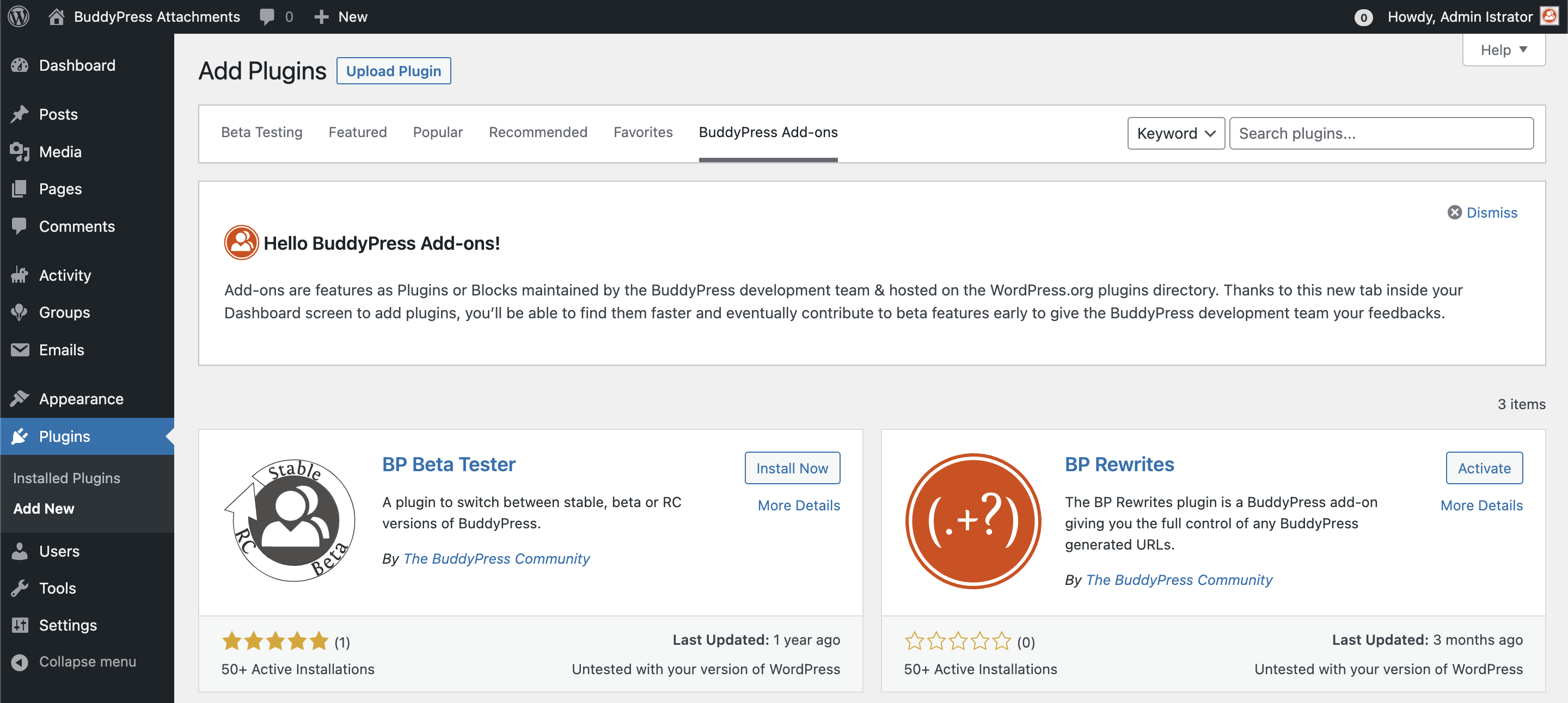
    BP Attachments (dev) (what does it do? Substitution of BuddyDrive?)
    – bbPress (smarter integration)
    – BP Profile Search (no filter options found)
    – BP Reply By Email (should be core as option)
    – BuddyDrive (should be Core)
    – Buddpress Docs
    – BuddyPress Xprofile Custom Field Types (should be core)
    – BuddyPress Xprofile Conditional Fields (should be core)
    – Rendez Vous (should be core as option)
    – “BuddyPress XY Blog” (should be core)
    – “BuddyPress XY Search”

    #326371
    restorm
    Participant

    Many thanks for the quick response. I’m not a developer so please excuse two clueless questions:
    1) Do these snippets work on their own, or does your User Roles plugin need to be activated?
    2) Do I insert both of the above snippets in the child theme, like this?
    add_filter( ‘bp_get_group_join_button’, ‘venutius_restrict_group_join’, 10, 2 );

    function venutius_restrict_group_join( $button, $group ) {
    global $bp;
    if ( current_user_can( ‘manage_options’ ) || $group->is_member ) {
    return $button;
    }

    $membership_total = count( BP_Groups_Member::get_membership_ids_for_user( $bp->loggedin_user->id ) );

    if ( $membership_total >= 1 ) {
    return false;
    }

    return $button;
    }
    add_action( ‘groups_join_group’, ‘venutius_group_join_filter’, 10, 2 );

    function venutius_group_join_filter( $group_id, $user_id ) {
    global $bp;

    if ( current_user_can( ‘manage_options’ ) ) {
    return;
    }

    $membership_total = count( BP_Groups_Member::get_membership_ids_for_user( $user_id ) );

    if ( $membership_total >= 4 ) {
    groups_leave_group( $group_id, $user_id )
    }

    }

    #326086
    DragoWeb
    Participant
    #326053
    shanebp
    Moderator

    Some names are the same but the underlying code is different.
    You need to ask BuddyBoss – they have a facebook page for questions.

    formlos
    Participant

    According to https://codex.buddypress.org/translations/ we should store the bbpress-de_DE.mo and bbpress-de_DE.po under /wp-content/languages/buddypress/, which we did. But these language files are being ignored.

    We are using buddypress in de_DE and made some tweaks to the wording (we replaced the string “group” with “cluster” in German).

    Buddypress uses the files stored under /wp-content/languages/plugins/ and ignores the aforementioned folder.

    What we already tried:

    • deleting the buddypress-de_DE files in /wp-content/languages/plugins/: this partially works. Buddypress then uses our files stored in /wp-content/languages/buddypress/. But somehow wordpress (or buddypress?) regenerates the files in /wp-content/languages/plugins/ after some hours. And then these “new” translations are used again of course. (Our own translations in /wp-content/languages/buddypress/ stay untouched by wordpress/buddypress)
    • Created a folder /wp-content/languages/plugins/buddypress and copied our files over to this folder. But to no avail – these files are being ignored completely (even if we delete the buddypress files in /wp-content/languages/plugins/).
    • Copied our files directly to /wp-content/languages/plugins/: this works until these files get overwritten after a couple of hours

    Specs:

    • WordPress 6.0.1
    • Buddypress 10.4.0
    • Custom template, which we’ve written on our own
      Multisite

    Questions:

    • What are we missing?
    • Is there a way to stop wordpress/buddypress regenerating the files living directly in /wp-content/languages/plugins/?
    • What is the right place to store our translations?
    #325396
    kleb123
    Participant

    I have some questions;

    – For the profile page, I would like to give members the option to edit username/email/password/picture and that’s it (in a custom template). So none of the other things like export data or email notifications.

    – Is it possible that when someone visits another members profile page they see their own profile page (or another given page)?

    #324754
    kekriszta
    Participant

    Hi there,
    I have Rehub theme+WCFM.
    I have recently installed Buddy Press as I need it for a new feature on my site.
    All good so far…I have 2 questions:
    1: Creating a vendor (store vendor) account, then clicking on the profile icon at the header> manage your store, the WCFM panel opens, which is great.
    BUT also the 4 Buddy Press menu options show above the WCFM panel (profile, listing manager,invitations, created by)
    It is really confusing, as if I click on the ‘listing manager’ menu on Bpress then the WCFM panel opens in a funny way.
    Is it possible to remove the listing manager option from BPress?
    Not sure if it makes any sense, I can send you screenshots just let me know your email address.

    2: how can I remove the ‘newbie’ sign from members pages?

    Thx

    WP version: 5.9.3
    BPress version: 10.3.0
    site: https://manofestum.com/manostaging/en/ (it’s the staging version )

    #324109

    In reply to: topic marked as spam

    waris Khan
    Participant

    You can not use/mention promotional stuff in your posts rather you can ask or answer someone’s questions. Promotional stuff can be like promoting your website, social account, or something else.

    havealookhere
    Participant

    Hi,

    I did not want to show some things in the activity stream. After searching a long time I did find a snippet what did work.

    function bp_activity_dont_save($activity_object)
    	{
    	$exclude = array(
         'bp_doc_created',
    	 'bp_doc_edited',
    	 'bp_doc_comment',
    	'bbp_topic_create', //bbpress
        'bbp_reply_create', //bbpress
    	'created_group',
    	 'joined_group',
    	);
    
    	// if the activity type is empty, it stops BuddyPress BP_Activity_Activity::save() function
    
    	if (in_array($activity_object->type, $exclude)) $activity_object->type = false;
    	}
    add_action('bp_activity_before_save', 'bp_activity_dont_save', 10, 1);

    Is this the best way to do this? Or do you have a better sollution?
    I cannot find the right term to exclude when someone updates in a group, does someone know that one?

    Then, I want to get rid off the options in the drop down menu on the activity stream. I did find some code what almost did the trick.

    `add_filter( ‘bp_get_activity_show_filters_options’, function( $filters ) {
    unset( $filters[‘bp_doc_created’] );
    unset( $filters[‘bp_doc_edited’] );
    unset( $filters[‘bp_doc_comment’] );
    unset( $filters[‘bbp_topic_create’] );
    unset( $filters[‘bbp_reply_create’] );
    unset( $filters[‘created_group’] );
    unset( $filters[‘joined_group’] );
    unset( $filters[‘updated_group’] );
    return $filters;
    } );

    I think there should be a better way, so I hope someone can advice me with this.

    Now i have a strange thing. The Forum topics and replies are not visible anymore in the dropdown so thats good.

    The group creation and the group joining are not visible anymore so thats good.

    I cannot find the group update term. Does someone know what Term i need?

    And, the bp docs are still visible. This is strange because they are not showing anymore in the activity feed, but i cannot get them out of the dropdown menu.

    Can someone help me to achieve this? Or give me a better sollution??

    Sorry for any bad English

    Thanks in advantage

    #323394

    In reply to: How to use bp hooks?

    shanebp
    Moderator

    There is already a filter with that name:
    apply_filters( 'bp_members_signup_error_message', '<div class="error">' . $error_message . '</div>' );
    It passes only one argument. You need to write a custom filter hook with a different name.

    also – these are the forums for BuddyPress.
    Please contact BuddyBoss for questions specific to their codebase.
    This thread is now closed.

    #323319
    restorm
    Participant

    I’m creating a new BuddyPress site that will be primarily organized around Groups. Each Group will represent a city, and each Group needs to have multiple Forums (such as for neighborhoods within the city). Two questions, please:
    1) How do I create multiple Forums for Groups? When I set up a new Group, it asks if I want the Group to have a Forum. But it says nothing about having more than one Forum.
    2) I’m confused about the difference between a BuddyPress user registration and a BBPress Forum user registration. Do I need both? Does the Forum registration just register them for one Forum, or for use of the whole BuddyPress site? If they register in BuddyPress, do they also need to register to take part in a Forum?

    In general, I don’t understand why BuddyPress and BBPress are separate plugins. It would make a lot more sense (and be less confusing) if they were all in one plugin, wouldn’t it?

    #322751
    sx1001
    Participant

    Hi guys,

    we have a big networks which keeps growing and growing – currently 20k users and still going strong. We want to try to tweak and improve every tiny screw / setting and we are just optimizing the database. Because: The DB is already 1.5GB and it’s growing fast.

    We identified a LOT of “default” metadata with every update / activity / post, hence this questions arise, I dig deep already 🙂

    1. Is it safe to delete the activity data where _link_embed=0 and _link_preview_data=”” (empty)? It comes for EVERY activity. 60% of ALL 100k activity rows are those “default” settings.

    2. Is it safe to delete the meta-data for sent messages which do NOT have a media, e.g. gif_raw_data or _gif_data or bp_media_ids empty values? In wp_bp_messages_meta

    3. Wouldnt it be possible to convert ALL userid fields (in messages, activity, users, friendship etc tables) to INT instead of BIGINT? This would reduce storage, index sizes, index scan time etc … We will never have 4 million of users…

    4. Would it do any harm when deleting “deleted” messages? I.e. messages from wp_bp_messages_messages where Subject==”Deleted” and message empty?

    5. Is it really necessary to store the subject of a message thread redundently? So for one thread within wp_bp_messages_messages we sometimes have 50 entries, all with the same subject.. (varchar…)

    6. the table wp_postmeta grows huge, because unfortunately, all uploaded attachements are handled as posts, hence quite some plugins like WPML or ELEMENTOR hook into it and save their metadata for every damn single uploaded attachement 🙁

    Thanks so far, hope we can get a really good discussion going here!!!!

Viewing 25 results - 26 through 50 (of 2,117 total)
Skip to toolbar