@lehn6 For clarity, let’s go over some points you made above.
>> I have a multisite network set up and had Buddypress installed on http://www.example.com/subsite1, as in that subsite was where the BP install was placed
So do you have something like this in your wp-config.php:
define ( 'BP_ROOT_BLOG', $blog_id ); where $blog_id is a the ID number of your subsite
>> UserPro plugin was added and network activated, then subsite1 was improperly deleted
Do you mean subsite1 was deleted by you or developer? How was it deleted? Do you have a database backup of your site before subsite1 was deleted?
>> looking to install BP to the main site and network activate. When I go to do that I find that as soon as I network activate BP the network admin dash and the main site dash are basically the same, where it says I am in the main site dash but none of the pages or posts are displayed.
How are the network admin dashboard and main site dashboard the same? Do you mean you have no access anymore to the Network Admin menus? https://codex.wordpress.org/File:dashboard.png vs https://codex.wordpress.org/File:superadmin-options.png Can you post a screenshot?
Hi all, I know this is probably out of scope for these forums to many users but im asking the question here because im interested in anyones experience with using a cluster of servers for their buddypress setup.
I can see the question has came up a few times about how scalable is buddypress etc, now i do realize true scalability boils down to the hardware and the software config you have to throw at it.
The goal i have set at the minute is to have one dedicated server serving as a dedicated database server, another server acting as a load balancer and 2 other servers running in unity to serve the website itself, now i also want this cluster of servers to be expandable (meaning i can add extra servers into the equation at will, for instance i may want to setup 2 more dedicated servers in future to serve as dedicated file servers for media uploaded by users).
So i have a few questions to those of you that may be in the know,have you any tips or tricks i may need to consider with this kind of setup, do you have any experience using apache mesos and if so would you say this is a good way to go? have you any experience in running memcached with multiple servers running in a cluster as i have read that you can implement memcache to run this way efficiently?, are there any recommended guides or routes i should take that you could suggest to help me explore all of my options?
Thx in advance.
Status of groups is all public, in fact i have no private groups at all, public (2) private (0) Hidden (0) when I go to groups menu.
These are my active plugins:
Adminimize
AG Custom Admin
Agreeable
Better Search Replace
BP Login Redirect
BP Profile Search
Buddypress – Who clicked at my Profile?
BuddyPress Cover Photo
BuddyPress Members only
BuddyPress Real Names
Custom Login URL
Email Login
K Elements
MAYO – Login Screen
Revolution Slider
rtMedia for WordPress, BuddyPress and bbPress
TM Replace Howdy
WPBakery Visual Composer
WPi Custom Logout
Go Daddy Quick Setup
I have the following active at the moment:
Adminimize
AG Custom Admin
Agreeable
Better Search Replace
BP Login Redirect
BP Profile Search
Buddypress – Who clicked at my Profile?
BuddyPress Cover Photo
BuddyPress Members only
BuddyPress Real Names
Custom Login URL
Email Login
K Elements
MAYO – Login Screen
Revolution Slider
rtMedia for WordPress, BuddyPress and bbPress
TM Replace Howdy
WPBakery Visual Composer
WPi Custom Logout
Go Daddy Quick Setup
None of them seem to deal with friend requests.
@rezon8dev,
why can’t you display something on the profile page ? Both snippets are working and display some content. Explain what you’re trying to achieve or test the snippet and give details about things which are not going like you want.
Profiles are showed one a page called Member. This page is part of BP and use the page context of WordPress internally, to generate dynamically BP’s content.
This means you cannot publish directly on this page, like an ordinary WP page. And all BP pages are working like this.
This means you can’t publish directly on them, using wp’s editor. For any specific content you want evtl. to show on a BP page, you have to generate it separatly, by coding a function.
That’s why the example above uses an iframe for the video.
Normaly, when you add a video to a wp post or page, you have just to copy/paste a link and WP does the whole code automatically for you.
But as it is a BP page, this is not avaible and you must add it manually.
More generally, WordPress doesn’t allow any kind of media and you can only show those which are allowed/recognized by the CMS. This rule is explained here and concern any type of site and any plugin, including BP.
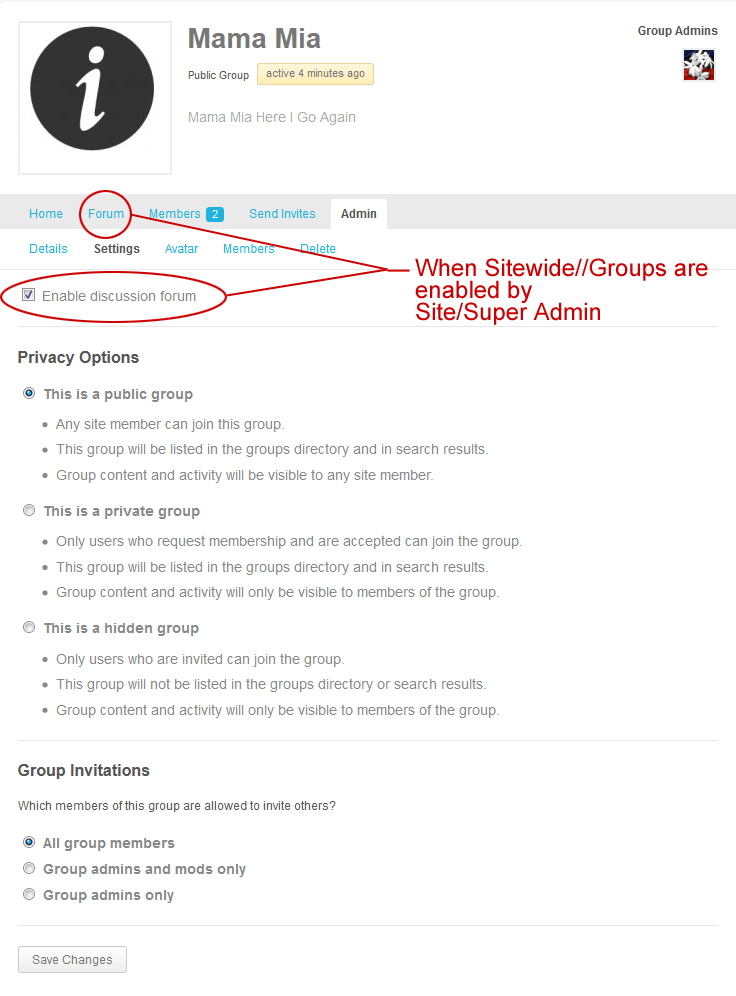
It’s unclear: do you have public or private groups ?
– Groups set for public viewing not showing up.
– There are groups on the site which are set for private viewing.
Privacy settings are different for these types of groups.
https://wordpress.org/plugins/better-wp-security/ you could try this plugin im sure this plugin lets you rename it to a different url and key of your choice if i remember correctly.
Meaning the plugin allows you to change yoursite.com/wp-admin/ and wp-login to a wording of your choice so only you and anyone you have told knows.
Hello,
I’m running the most current versions of wp/bp and have a theme called KLEO running. I’m attempting to use xprofile fields for my users to add embeds from the included oembed providers in stock wordpress. I have tried share links, iframes and shortcodes and can’t get them to display on a member profile page. The activity stream etc. displays them no problems I just can’t get them to display on any member profile page . Can anyone shed some lite on this for me??
I am using Latest version of Buddypress and WordPress. Also Default Buddypress theme.
Hey there,
I’m using the wordpress theme engine, and I just can’t get the registration to work. I tried all variants now for several hours.
1.) The page redircts to the wordpress registration form, wp-register.php. This isn’t working, it’s giving me a 404.
2.) I made a page called “register” and then added that to the buddypress pages for registration. All what it shows is an empty page without any registration form whatsoever.
I tried everything, reinstalling, deleting it via FTP etc. – nothing helps. Please help me, I don’t know what to do anymore. Obviously, the “allow every user to register” option in the settings is enabled.
@morka – I know you can’t enable / disable comments on those pages (at least from my experience with BP and a few themes / installs, of course with WP just about anything is possible) – You failed to mention if you have the same issue with the default wordpress themes.
@morka – do you have the same issue when using the default “wordpress 2014” or “twenty-twelve” themes?
If not, I would ask your theme author to add some kind of check on pages for something like “if is register page, turn off comments” / not load the comment hook thing…
sorry not a php or wp/bp expert, can’t point you in the right direction for those codes and what they are really called. I know with some standard WP pages you can go into the editor and select “comments off / disable trackbacks” – and with some themes you can use a theme option to “display comments off” or hide “comments off” on pages where comments are disallowed.
Hi everyone, i’m creating a topic cause i have an unwanted comment list on each buddypress page of my wordpress site such as register page and member page, i hope that you could help me with this issue…
for exemple, see my register page : http://www.excel07.fr/register-page35/
At the bottom of the page, there’s appear a commentlist, i don’t really know how it happens… hope you can help me to fix this :/
Thx previously for the interest of my topic and sorry for my terrible english, i try to train it everyday 🙂
See you soon !
Have you tried the WP members only plugin?
https://wordpress.org/plugins/buddypress-members-only/
This will restrict your whole website also to members only.
If you want to just restrict one part of the website, I can help you build a simple function to do this.
What does the link look like
http://www.example.com/groups/blah blah blah ??
Is that what you are trying to block non mebers access to?
I’m looking for something similar, however I want completely separate forms. I can see how to edit the registration page to only show the fields I need as I customised this to my requirements already. My problem is that I want multiple pages with separate forms on them as this would allow me to code them differently to my needs. When I have put the BP registration form code into a custom wordpress page template, this doesn’t display the form fields as it clearly isn’t recognising the BP specific code within the template.
I’m unsure of where to go with this.
Edit: I can get the form to show up now, but when I submit the form, it just reloads the page without registering the new user.
If you’re using BP 2.2 +, you should use this approach instead:
Post Types Activities
My cpts appear.
However, comments on them do not appear in the activity stream.
Perhaps because I didn’t create a component for those cpts – I hope that is not the case.
Hopefully this ticket will provide an answer.
Hi @nkeatign
Looking at the code snippet in that thread, wp_get_attachment_image_src() is used to get the array of info. The 2nd param is size so you can utilise that to get the large version. For example:
$theimg = wp_get_attachment_image_src( get_post_thumbnail_id( bp_get_activity_secondary_item_id() ), 'large' );
Note: you could also use medium or full if you wanted.
Ref: https://codex.wordpress.org/Function_Reference/wp_get_attachment_image_src
This might help you, dont know myself but looks like it is adjustable to do what you need.
Xprofile search
Thanks for the info, I am actually new to WordPress and have not looked through all the functions. I have only built custom queries on custom tables on my own website that I am currently developing.
I have tried wordpress in the past but then switched to other platforms as they was more adequate for my goals.
But right now I am sticking with wordpress and building a new website :),
I’m more use to sources and templates, scripting from scratch.
Out of curiosity, which one is better on performance? A straight up query OR the function above.
If there is security concerns with using a query, apart from sanitisation which I know and use on every custom table, then that info would be good to know also.
Thanks.
Edit, I would like to report a bug in your software, even though you posted this reply I got a notification for a reply in the first topic I made. I had no idea you replied to this other than looking through the latest list of topics.
Here is a screen shot
target=”_blank”>https://i.imgur.com/wxSgfsG.png
Here is the topic in question that I got the notification for which only has 1 reply, but was from other topics.
https://buddypress.org/support/topic/how-do-i-remove-textarea-resize-without-editing-the-js-script/?action=bbp_mark_read&topic_id=236164&_wpnonce=d849ee20f9#post-236164
Hi,
The pro version of this plugin works with BuddyPress:
https://wordpress.org/plugins/sp-client-document-manager/
Hey folks,
So, I’m currently running the latest version of WordPress and Buddypress. The site uses a subdomain but it has its own directory. Everything seems to be working right, except that the titles on my BP pages don’t display my site’s name.
Every other area of the site works fine, in terms of displaying the name of the page and then the name of the site, except for the BuddyPress pages. Here’s an example:
http://pro.indylist.net/activity/
I’ve tried disabling every other plugin, I’ve tried changing to a different theme, but nothing works. I’m capable of modifying code of different parts, so I’m willing to try anything.
I’ve also searched the site and Google to the best of my ability but haven’t made any progress. Hope someone can help!


Please help? running last version of wordpress and buddypress. I want to stop comments from other activity posts from showing on single member activity feed.