Search Results for 'activation email'
-
Search Results
-
I am using WP 3.5.1 and BuddyPress 1.7.2 and have had a few users sign up in the past few days who have not received activation emails. On another site I own, I have the BuddyPress Pending Activations plugin installed, and it works perfectly, allowing me to manually go in and activate users who have not yet been activated or resend their activation emails to the address they used when signing up.
But on this site, I am completely unable to do this, as the BuddyPress Pending Activations plugin doesn’t work. I’ve deactivated all plugins and themes, and still have this issue. Any help is appreciated. Thanks!
Topic: Activation page?
Total newby question here, but I think it’s a good one. What is the Activation page for if the Registration page takes care of registering a new member? Intuitively I was expecting an activation code to be sent to the email address I used to register as a member, to then be entered into the Activation page. Does the Activation page require a plugin for this functionality? Or is the Activation page used for when you create a Forum? Out of the box install, I don’t get what this Activation page is for or how to use it?
Topic: email Issue
Hi, first time here so Hello to all. At work i have a reseller account with Heart internet which i used to “test” out buddypress for my own use. After which i decided it was great and went with my personal preference of hosting choice “pixel internet” which i know are a “reseller” for heart internet too, so i know im basically with heart internet and get the same services.
So… i went ahead and basically re-did my buddy press site on pixel internets hosting, but found my self with an email issue. I wasnt getting sent “activation emails” for new user accounts. So i dug and dug with no avail so i opened a support ticket where i got told it was of course wordpress (who wasnt expecting that answer).
So i explained i have this setup on heart internet (which pixel actually is too) and that it works fine, this obviosuly confused them some what and said they would look into it.
In the mean time i tried everything from isntall SMTP configure plugin and trying that, but nothing, i tried different sending mail boxes and different reciptients but i could not get it to send activation emails.
So, after many hours i tried a lost password which resulted me an error that i cannot send the email (cant 100% remember the error). So with this in mind i wrote a quick PHP script to send a mail using mail(), and low and behold when i uploaded it, it wouldnt send, yet if i uploaded it to hearts internet hosting it working fine. I presented this to them and after “looking” into it they said it was because my website “has sent over 1000 emails in the last 12 hours, and so has hit our server limit.” This is a NEW install in the last 24 hours?
They gave an example of one when i asked which is here:
2013-05-23 17:27:09 1UfYM8-0001Fp-W4 F= rejected by non-SMTP ACL: Sender flyingfield.co.uk (uid: 1120202, user: flyingfield.co.uk, sender: flyingfield.co.uk@web99.extendcp.co.uk) is either overrate limit or disabled in main db
Now im still not sure if im being “fobbed off” here or not.
BUT to add to the problem, intermitantly whilst generally accessing my site i get a white page with simply:
Error establishing a database connection
refreshing lots or waiting a few minutes cures this and it springs back into life. To me that is a server generated error, not a wordpress generated error, the HTML source shows nothing but basic HTML tags and “Error establishing a database connection”.
When i questioned this they said they have this error in the logs which is the cause:
[Thu May 23 08:48:00 2013] [error] [client 83.105.86.162] WordPress database error You have an error in your SQL syntax; check the manual that corresponds to your MySQL server version for the right syntax to use near ” at line 1 for query SELECT COUNT(*) FROM made by do_action(‘admin_init’), call_user_func_array, bp_admin_init, do_action(‘bp_admin_init’), call_user_func_array, bp_core_activation_notice, referer: http://www.flyingfield.co.uk/wp-admin/admin.php?page=bp-components
[Thu May 23 08:48:00 2013] [error] [client 83.105.86.162] PHP Fatal error: Call to undefined function bp_blogs_record_existing_blogs() in /home/sites/flyingfield.co.uk/public_html/wp-content/plugins/buddypress/bp-core/admin/bp-core-functions.php on line 205, referer: http://www.flyingfield.co.uk/wp-admin/admin.php?page=bp-components
I know there is alot here, but it would be really appricative if someone could tell me if its my install that is causing the problems or if there is something server side that there not accepting…
I still havnt got emails working… 🙁
Many thanks
AndyTopic: Members welcome email fix
I create many sites by Buddypress and Multisite, after sending the mail I do not want to trigger the email notice out of network site, just like the activation email notification that their registration website. Help me.
Hi…
I’m using WP 3.5.1 and BP 1.7.1. Sometimes, when a new user has registered, the activation link from the Email doesn’t work. But only sometimes! If the user clicks on the link, he will be directet to the activation-template, where he has to enter the activation key. The key from the link won’t work. What can I do, to solve the problem?
Is there a chance, to send the activation-key within the Email (outside the link)? Or can I disable the activation-key?
Greetings,
iGorasI have a really bad situation here. Hundreds of people who love my site are bounced back each day because they are not able to log in to my site after creating an account. This is really disturbing because I have put much effort to the development of this site and the hosting… When I new user creates account on my site, everything works smoothly, even the email activation, but the problem is when the user tries to login with the username or email the person used during registration and the right password. I have tried to register a test user my self and I am facing the same problem. After some couple of minutes, when I went back to login, I was able to get inside, what is the problem. Check out my site and please try to create an account to understand me better. http://www.dstudbook.com
With BP inside S2Member… after paying through Paypal, I do get email from Paypal with a link to set up username and password. When I click the link it takes me to a page like this –
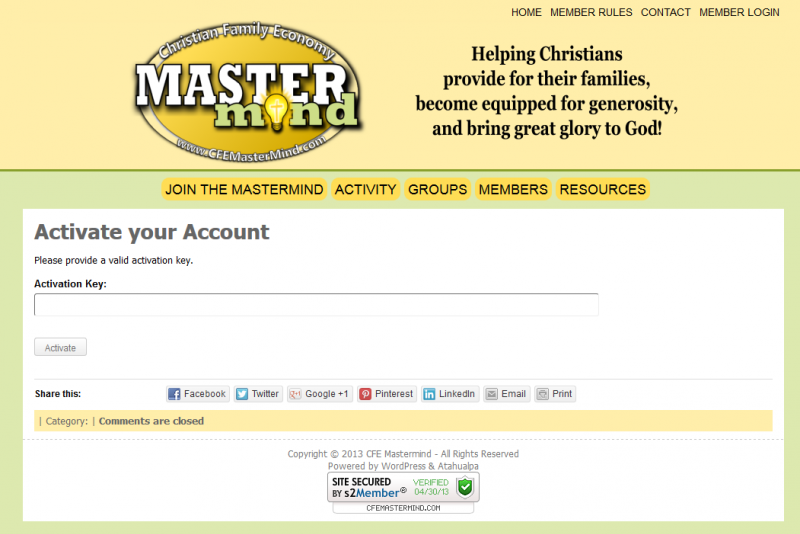
BUT I DID NOT RECIEVE AN ACTIVATION CODE AT ALL!
HELP! I’ve got to get this figured out and I’m at a loss!
Topic: User Registration Problems
I am having a couple issues with user registration.
When I click on the registration tab:
[button_link target=”_blank” style=”grey” size=”large” title=”Soul Befriending Community Sign Up” class=”” id=”” onclick=””]Sign Up Instantly![/button_link]It simply refreshes the page and returns a url with http://page/#. It does this in any browser. I can only register a new user by entering the exact URL address. http://www.mysite/register/
Also- the activation email never reaches my email account even though it says it was sent successfully.
Thanks
Matt
Hello I am trying to get buddypress 1.7 working on wordpress 3.5.1 but seem to be stuck, when a new user tries to sign up they do not receive an email with the activation code. I have followed some suggested steps and got the configure smtp plugin working but still dont get email when someone tries to sign up. Any help would be greatly appreciated.
example.com/activate lets users enter an activation key to complete site registration. Why is this needed?
My thinking is the activation email is all that is needed. Why would anyone need to manually enter an activation key?
Hi,
I know alot of people have been asking this question, but this one is a bit different.
So I edited the bp-core-filters file and changed the text to have a different text on the activation email, but it won’t change! I am using WP 3.5.1 and BP 1.7 (so I have the latest stuff).
Does anyone know how to change the activation email text??
Thanks,
Misterff1


