Search Results for 'spam'
-
Search Results
-
Hi
I am in a process of building a buddypress site.
And I get hundreds of spam registration each day.
I tried few plugins but they continue to register.
Believe most of you have same problem.
Whats the best solution you found to stop them?
Any suggestion for a good plugin and other recommended steps that can help stop or reduce spam registration?
Thanks in advanceHello,
i want to use Buddy Press. I `ve installed it, activated, then i automatically logged out.
When i want to logg me in – there is a message – my account is marked as spam. My Testaccount too. I think all my Users will be see this message if they want to login…I named the plugin folder in plugin.hold – i could login. i delete the folder buddypress and rename the folder, all works. I`ve deaktivated all plugins and try to install buddy press again – same fault 🙁
Please help me
Thank you very much
Topic: Uninstall
I am really really hoping someone can help me. I installed buddy press and bbpress in the hope I could get a forum going on my website. Somehow, around the same time I started getting hundreds of spam registrations both as users and participators. I have always had the occassional spam comment but I have got thousands of registrations in the past week or two.
I really just want to delete the plugin, however I am getting hundreds of lines of error message when I try to do this. I just want to uninstall the plugin, I am not technsavvy and havn’t ever encountered issues uninstalling a plugin before. Thanks. THis is what the error messages look like:
Warning: ksort() expects parameter 1 to be array, null given in /home/homebush/public_html/wp-content/plugins/buddypress/bp-core/bp-core-template-loader.php on line 221Warning: reset() expects parameter 1 to be array, null given in /home/homebush/public_html/wp-content/plugins/buddypress/bp-core/bp-core-template-loader.php on line 227
Warning: current() expects parameter 1 to be array, null given in /home/homebush/public_html/wp-content/plugins/buddypress/bp-core/bp-core-template-loader.php on line 231
Warning: next() expects parameter 1 to be array, null given in /home/homebush/public_html/wp-content/plugins/buddypress/bp-core/bp-core-template-loader.php on line 237
Warning: current() expects parameter 1 to be array, null given in /home/homebush/public_html/wp-content/plugins/buddypress/bp-core/bp-core-template-loader.php on line 231
Warning: next() expects parameter 1 to be array, null given in /home/homebush/public_html/wp-content/plugins/buddypress/bp-core/bp-core-template-loader.php on line 237
Warning: current() expects parameter 1 to be array, null given in /home/homebush/public_html/wp-content/plugins/buddypress/bp-core/bp-core-template-loader.php on line
I am using WP 4.3.1 installed as a directory in root. In order to combat spam registrations, I have been manually editing the register.php files and bp-members-screens.php files each time I update Buddypress to add a challenge field with a simple question. These were the files I was editing:
To add the challenge field:
\wp-content\plugins\buddypress\bp-templates\bp-legacy\buddypress\members\register.php
\wp-content\plugins\buddypress\bp-themes\bp-default\registration\register.phpTo accept the incoming form data:
\wp-content\plugins\buddypress\bp-members\bp-members-screens.phpEach Buddypress upgrade would revert these files to the default, and I would manually add the challenge question again. This worked for almost two years, and throughout several Buddypress upgrades, up to and including Buddypress 2.3.x.
Recently I upgraded from 2.3.x to Buddypress 2.4.3. This was the ONLY change I made. I did not upgrade any themes or other plugins. I went to edit the files above, only to find that editing them no longer affects the registration page. I cleared caches, then disabled all of my caching plugins and even deleted the two register.php files above from the server, and the registration form was not affected. With my manual code addition to bp-members-screens.php that REQUIRES the challenge field text to be present, forms with no challenge field submitted were succeeding. So then I deleted bp-members-screens.php from the server entirely, and registrations were STILL succeeding.
This leads me to believe that in Buddypress 2.4.x the registration page is generated and processed in a different way, and the files above are no longer used. If so, where can I go to edit them now?
Thanks in advance for your help.
Topic: Extra line breaks on buttons
Hi!
I have a problem with extra line breaks appearing on the buttons which come after the delete button, namely Like, Spam and Edit buttons.
Some of the unwanted line breaks appear between the a href=”…” and /a tags, like this:
http://www.tuomaskarhunen.com/images/bp-linebreaks2.pngAlso, they appear in both Finnish and English language buttons, so I don’t think it’s the translation causing it. I’m trying to locate the problem but my limited knowledge about programming stops at this (at the entry.php file): bp_activity_entry_meta
ALSO, after loading the BP front page, when I press the “All members” tab under the status update textbox, the line breaks disappear and the buttons display correctly…
This problem / bug appears on all activity streams, not just the BP front page.
I’m at a total loss with this, so any help/insight would be greatly appreciated.
WordPress version: 4.4
BuddyPress version: 2.4.3Site: tuomaskarhunen.com/yhteiso
For all the years I’ve been working with this great software project I have encountered the same problem and it’s the main thing keeping me from using Buddypress consistently.
- As soon as I allow registrations I am flooded with spammers selling knock off sunglasses and other “stuff” creating groups (I know I can limit group creation but I want people to create groups) and posting their spam all over my site. They seem to get around any antispam plugin I’ve tried!
- Real people who signup never get to use the site because their confirmation email either doesn’t get to them or isn’t seen by them because it goes straight to the spam box on their email client so I end up with a list of unactivated signups I have to manually approve but by that time most users have simply assumed my site is broken and abandoned it completely!
So to recap the people I want in can’t get in and those I dont want in I can’t keep out.
What do you all do about this assuming you’ve had the same happen to you?
Thanks,
JoeHi,
My site ran into a security issue, exploiting something in BP I would rather not reveal publicly. I’ve got a large site with over 70k members, and it cause the server to crash – And spam a ton of users.
Who should I PM or email? If a dev/mod sees this, feel free to PM me directly.
I recently imported a phpBB forum to bbpress. All went well.
The only issue is buddypress is now sending out notification emails for all mentions from the beginning of time. My forum is about 7 years old and has around half a million posts.
Thats a lot of notification emails, and a lot of potential spam.
How can I fix this? I still want new notifications for mentions going out – just not those from before the import. I’m happy to run a mysql query that will mark all notifications emails as being already sent out for each member through to now – if there is a way to do that????!!!
We have Cleantalk activated on our site which has been great so far. However, yesterday someone managed to get through the net and in the course of a few hours sent individual spam private messages to every user on our forum.
I know that some of this is preventable, and some of it is not. That being said, is it possible to limit the amount of messages a user can send in a given period of time?
If a user is only allowed to send a maximum of say 10 messages an hour, then this could’ve been caught earlier.
Thoughts?
Topic: format issues and spam
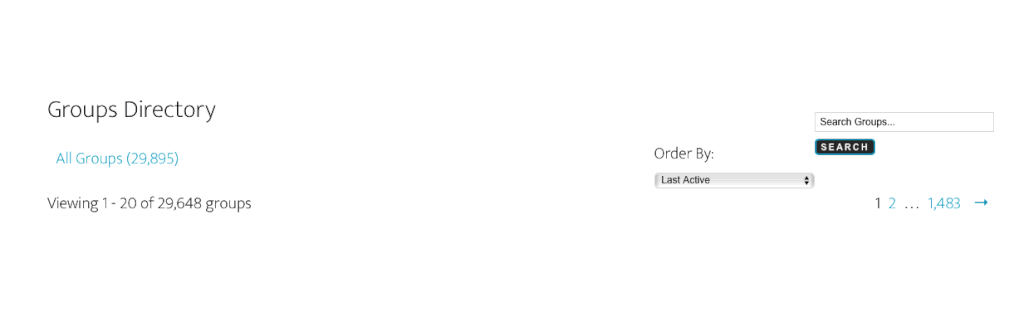
How do I align the ‘Order by’ menu with the search bar? Is there a way in which I can remove the ‘order by’ completely? I would also like to know how to bulk delete spam groups and users. Any help would be appreciated.
Hi,
I made some adjustments to the wp_users and wp_bp_groups_members tables in my database – removing some users manually, as we had a lot of spam users on our site. This is something that I have done in the past without any problem. None of these users had posted on the forum.
This time though it has broken the link to my forum on Buddypress. I had one forum for my group called ‘general’. Now, for some reason I have three group forums called general and all of them have no topics listed on the admin page for forums, even though all of the topics can be seen in wp_bb_topics and all of the posts in wp_bb_posts.
So, somehow the link has broken, and I am not sure how to fix this. I can post a new topic, and this shows in the database, but I still get the “Sorry, there were no forum topics found” message on the forum. When I enable WP_DEBUG I see the following errors:
Warning: substr() expects parameter 1 to be string, array given in /home/admin/domains/soteriabrighton.co.uk/public_html/wp-content/plugins/buddypress/bp-forums/bbpress/bb-includes/class.bb-query.php on line 776
Warning: strpos() expects parameter 1 to be string, array given in /home/admin/domains/soteriabrighton.co.uk/public_html/wp-content/plugins/buddypress/bp-forums/bbpress/bb-includes/class.bb-query.php on line 783
Warning: explode() expects parameter 2 to be string, array given in /home/admin/domains/soteriabrighton.co.uk/public_html/wp-content/plugins/buddypress/bp-forums/bbpress/bb-includes/class.bb-query.php on line 789
Warning: Invalid argument supplied for foreach() in /home/admin/domains/soteriabrighton.co.uk/public_html/wp-content/plugins/buddypress/bp-forums/bbpress/bb-includes/class.bb-query.php on line 789
Notice: Undefined variable: null_flag in /home/admin/domains/soteriabrighton.co.uk/public_html/wp-content/plugins/buddypress/bp-forums/bbpress/bb-includes/class.bb-query.php on line 811
Notice: Undefined variable: not_null_flag in /home/admin/domains/soteriabrighton.co.uk/public_html/wp-content/plugins/buddypress/bp-forums/bbpress/bb-includes/class.bb-query.php on line 822
Warning: substr() expects parameter 1 to be string, array given in /home/admin/domains/soteriabrighton.co.uk/public_html/wp-content/plugins/buddypress/bp-forums/bbpress/bb-includes/class.bb-query.php on line 776
Warning: strpos() expects parameter 1 to be string, array given in /home/admin/domains/soteriabrighton.co.uk/public_html/wp-content/plugins/buddypress/bp-forums/bbpress/bb-includes/class.bb-query.php on line 783
Warning: explode() expects parameter 2 to be string, array given in /home/admin/domains/soteriabrighton.co.uk/public_html/wp-content/plugins/buddypress/bp-forums/bbpress/bb-includes/class.bb-query.php on line 789
Warning: Invalid argument supplied for foreach() in /home/admin/domains/soteriabrighton.co.uk/public_html/wp-content/plugins/buddypress/bp-forums/bbpress/bb-includes/class.bb-query.php on line 789
Notice: Undefined variable: null_flag in /home/admin/domains/soteriabrighton.co.uk/public_html/wp-content/plugins/buddypress/bp-forums/bbpress/bb-includes/class.bb-query.php on line 811
Notice: Undefined variable: not_null_flag in /home/admin/domains/soteriabrighton.co.uk/public_html/wp-content/plugins/buddypress/bp-forums/bbpress/bb-includes/class.bb-query.php on line 822
I would be very grateful for any help in fixing this.
Thanks,
Nick
I had a bit of a weird scenario pop up yesterday.
I was seeing one user posting forum replies in my BBPress forum on my BP install, but there were NO activity entries in the stream being created for those replies.
I first thought it was Akismet, but they wee all cleared from being spam – it wasn’t that.
Today I realised it was because his replies included emojis from his iPhone.
The minute I edited the reply to get rid of the emoji, and re-saved, an activity stream entry was created.
I’m no sure if this is a BBPress issue or a BP issue.
The emojis were showing up just fine in BBPress – it was BP that wasn’t showing the activity entry that’s all.
Any guidance would be appreciated before I make any tickets anywhere.
Thanks!
Topic: Fail to get activation email
I successful to register an account, and get the “Check Your Email To Activate Your Account! You have successfully created your account. To begin using this site you will need to activate your account via the email we have just sent to your address.”
My problem is when i check my email, i didn’t receive any email. I checked inbox and junk and spam also no email.
How to fix it??? I know that activation email error is a common error on buddypress.


