Search Results for 'buddypress'
-
Search Results
-
Hi guys,
Thanks for the great job!I want to create a marketplace where members will be able to upload products (photos, info made with BP Forms I assume) but the sale WILL NOT go through the website, meaning the buyers (members as well) will contact the sellers through message and arrange privately all the aspects of the sale.
I have Dokan Pro and BuddyPress that came with the theme I bought, but at the moment it seems like this combination doesn’t work for what I want and need.My question is: Can I achieve having a social marketplace, where people WILL be able to upload products, but WON’T do the sales through the website (something like a Catalogue), with BuddyPress only? Can I just turn Dokan off, coz their dashboard is totally complicated and unnecessary for my idea (even when put on Catalogue mode)?
Thanks in advance, looking forward to your answer!
I.
Sir/Madam, I wanted to know if i could add a permanent ecommerce store in my Social media site later.. and if so, which plugins should i use to add my store to buddypress site?
Topic: Show recent posts first.
wordpress : 5.1.1
buddypress : 4.2.0Hello,
I am in charge of a site that uses wordpress, and buddypress. When someone receives a message, the old ones appear at the top and the recent at the bottom. When the page contains several messages, you lose time scrolling down the page each time before reading the most recent message. Is there a way to change the order of messages please? Thank you in advance.cordially
Hello Everyone!
I am building my own WordPress theme from scratch and im having an issue with Buddypress AJAX functions working on the “Buddypress Groups Widget”. When you click the “Newest | Active | Popular | Alphabetical” it just redirects the groups page instead of reloading dynamically on the page you are on, I thought this must be that the JS for Buddypress wasn’t getting injected properly, but it seems to be as other parts of buddypress JS are working, like the click to load more button.
When I use twenty seventeen the widget works fine.
I have disabled all other plugins to make sure there isn’t a conflict, no difference.
I have removed all Bootstrap 4 JS files to see if its a conflict, no difference.
I have the <?php wp_head(); ?> <?php wp_footer(); ?> in the right places for all the muck to be loaded
What else can I try to fix this? websites not live, im developing locally.
Thank you!
Topic: Please HELP : USER MANAGING
Hello Guys.
I need your help I’m building a new e-commerce web shop in WordPress and I found BuddyPress which should be great for us website I’m able to create like two different accounts for example one like a normal customer who will go through the portal and he can choose what he wants to buy and the second one like a professional buyer who can Connect or if I can say to link with another account and he can manage them something like a membership and he can shop through their accounts. I’m trying to find this solution in BuddyPress but I couldn’t find the way how to manage a people in my group and shop through them. Manage I mean edit their billing addresses and all this things PLEASE CAN YOU HELP ME WITH THAT I will pay for that but I really need helpTopic: Translate logo in bp emails
@demon19851027 asked:
Hello! I’m from Russia and don’t know English. I use a translator.
The bottom line is:
Tell me how to set your logo (picture) in BuddyPress letters?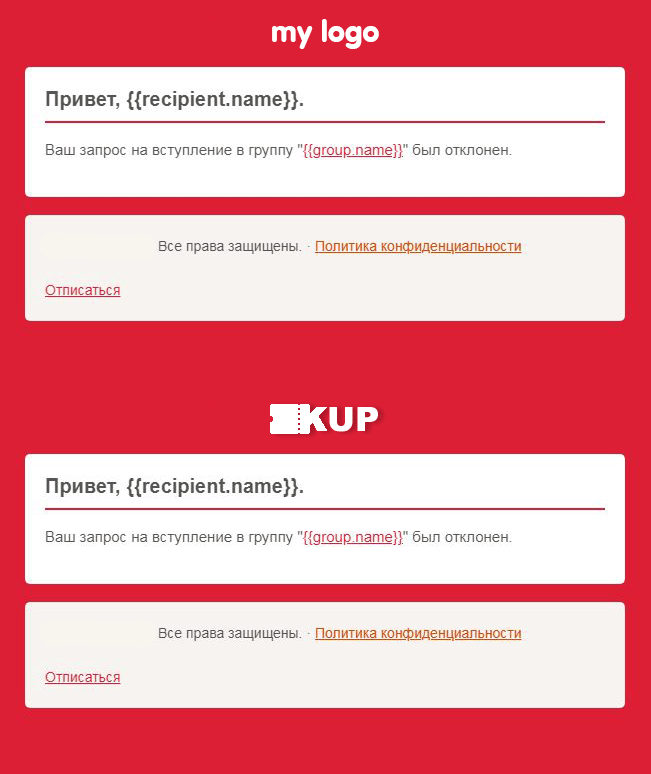
Hi there,
So I help my mom out with her blog (embracing spirituality.com). We’ve just re-installed BuddyPress and I’ve tested it out, but activation emails never get sent. Why is this? I have researched this before deciding to post and I noticed two things:
1) This is an extremely common issue. It’s almost apart of the BuddyPress package.
2) To fix it requires coding knowledgeI know absolutely nothing about coding. I tried to hire someone at codeable to help me fix this issue, but he charged me $500 which is too expensive for me.
Can anyone help me fix this issue please? I’m willing to pay someone!
Thank you for your time,
Kay
Topic: Limitations of Buddypress
Dear Sir/Madam, i wanted to know how many users can be accomodated and is there any limitations to upload size of a video file? My total user estimation is 50 million, wont that be a problem in future? If there would be an storage problem, which plugins could we use?
I’m using 5.1.1 in WordPress and latest Buddypress version (Nouveau template). It is currently in a subdomain (sandbox) for now. I’m also using a child theme to make adjustments. I would like to move the navigation on all pages to ABOVE the the cover image/avatar. Or just move the coverimage/avatar to below the navigation. Is this an easy adjustment?
forgot the link – https://testing.leveledproduction.com/
Side note – Buddypress is impressive.


