Search Results for 'buddypress'
-
Search Results
-
I am running WordPress 6.0.3 and am on BuddyPress 10.6.0.
I turned off the Private Messaging component in BuddyPress Settings over 2 years ago. Now all of the sudden my users are getting email notifications of Private Messages. I know these are legit because they include text I wrote before I shut Messaging down due to rampant spamming.
I checked BuddyPress Settings and the Private Messaging Component is still unchecked. Is there something else I need to do to ensure Private Messaging is off?
Hallo!
I have started using Buddypress with a site that is English and German (via plugin qtranslate-xt). The language switching works fine on the frontend but does not for the backend.
For example, the bp taxonomies (member type and group type) do not register on the backend with qtranslate-xt, so that I cannot easily switch between languages.
Similarly, the profile fields have to be edited “raw” using language tags ([:en]English word[:de]German word[:]). I managed to get it working for some input fields via a i18n-config.json configuration file but dropdown options do not work yet.
I was wondering if anything in the BuddyPress basic setup prevents backend language switching — it is especially strange for the taxonomies, which should work.
If anyone has used qtranslate-xt and Buddypress, I would appreciate any help!My site has its own login, register area but by some defaults (which I cannot yet figure out how to bypass or disable) users are directed to wp-login – this is disruptive to to the process and confusing/frustrating to users. I don’t want them directed to any pages asking to log into wordpress (which they get an error for trying to use their login info for my site) – Is there a way to redirect these to my specific buddypress/theme login, register, reset pages? I hope this is making sense.
I’m new to BuddyPress.
I’m running version 10.6.0 under WordPress 6.1.1.
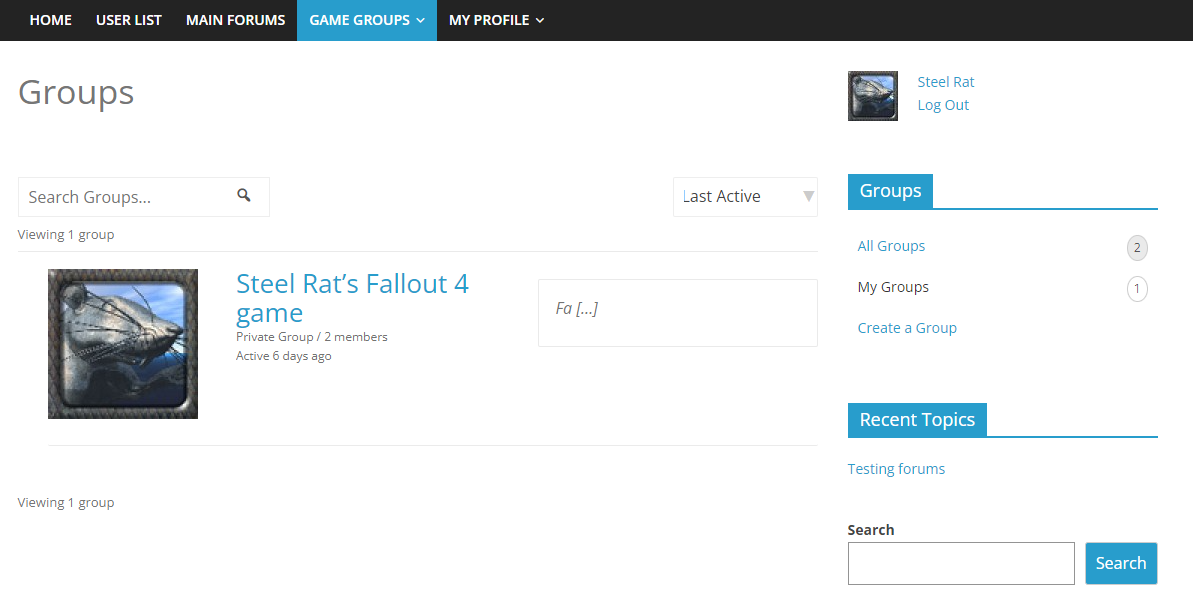
Using the Nouveau theme, the group description only shows 2 characters. If I use the legacy theme, which I prefer, the description is shown, but then the Groups Navigation widget becomes unavailable.
I’m using the Colormag WP theme. Switching to a different overall theme does not solve the issue.
I see old references to this problem from several years ago.
Attaching a screenshot
Topic: Missing from BuddyPress
Full hijack the authentication flow (Login/Logout/Register/Forgot/Wrong/All Other): End user should never land on a WP login page. I have a mix of BP, bbp, and WP login pages depending on how the user interacts.
reCAPTCHA during Registration: Should be core. Had to get the plugin from WBCom Designs
Extended Profile Fields: Should be core. Had to get the plugin from BuddyDev
User Menu: Username and Avatar. Conditional menu items. I had to use the “User Menus” plugin by Code Atlantic
Use the username as display name: Had to code this myself.
Disable Full Name field: Custom code again.
Set default notification preferences: More code.
Remove specific accounts from public member list: Really want to hide the admin! More code.
Remove tabs from user profile: More code.
Redirect WP Author to BP Profile: teh codez.
Topic: BuddyPress 11.0.0-beta2
Topic: trying to install buddypress
Warning: require(C:\Users\capon\Local Sites\kiwi\app\public\wp-content\plugins\buddypress/class-buddypress.php): Failed to open stream: No such file or directory in C:\Users\capon\Local Sites\kiwi\app\public\wp-content\plugins\buddypress\bp-loader.php on line 76
Call Stack
# Time Memory Function Location
1 0.0004 369752 {main}( ) …\plugins.php:0
2 0.3644 3576432 plugin_sandbox_scrape( $plugin = ‘buddypress/bp-loader.php’ ) …\plugins.php:192
3 0.3645 3577568 include_once( ‘C:\Users\capon\Local Sites\kiwi\app\public\wp-content\plugins\buddypress\bp-loader.php ) …\plugin.php:2314( ! ) Fatal error: Uncaught Error: Failed opening required ‘C:\Users\capon\Local Sites\kiwi\app\public\wp-content\plugins\buddypress/class-buddypress.php’ (include_path=’.:/usr/share/php:/www/wp-content/pear’) in C:\Users\capon\Local Sites\kiwi\app\public\wp-content\plugins\buddypress\bp-loader.php on line 76
( ! ) Error: Failed opening required ‘C:\Users\capon\Local Sites\kiwi\app\public\wp-content\plugins\buddypress/class-buddypress.php’ (include_path=’.:/usr/share/php:/www/wp-content/pear’) in C:\Users\capon\Local Sites\kiwi\app\public\wp-content\plugins\buddypress\bp-loader.php on line 76
Call Stack
# Time Memory Function Location
1 0.0004 369752 {main}( ) …\plugins.php:0
2 0.3644 3576432 plugin_sandbox_scrape( $plugin = ‘buddypress/bp-loader.php’ ) …\plugins.php:192
3 0.3645 3577568 include_once( ‘C:\Users\capon\Local Sites\kiwi\app\public\wp-content\plugins\buddypress\bp-loader.php ) …\plugin.php:2314Hi all!
Problem: I try to translate the plugin Buddypress User Blog, using Loco Translate. There is a …/plugins/buddypress-user-blog/languages/buddypress-user-blog-en_US.po file, which I copied to buddypress-user-blog-de_DE.po. I use the copy for translation. But translated file does not have any effect, neither if saved in plugins/buddypress-user-blog/languages/buddypress-user-blog-de_DE_formal.po nor in languages/loco/plugins/buddypress-user-blog-de_DE_formal.po.
Any ideas?
Kind regards
uagriMy Setting:
WP, Version 6.0.3
BuddyBoss-Plattform, Version 2.0.8
BuddyBoss Platform Pro, Version 2.1.1
BuddyPress Docs, Version 2.1.7
BuddyPress Group Tabs Creator Pro, Version 1.1.9
BuddyPress Groups Extra, Version 3.6.10
BuddyPress Integration for WooCommerce, Version 3.4.8
BuddyPress Simple Events, Version 5.1
BuddyPress User Blog, Version 1.3.5
BuddyPress User Profile Tabs Creator Pro, Version 1.2.6
Loco Translate, Version 2.6.2
and more …
https://zukunftmachen.mensch-in-bewegung.info/Topic: Feedback Request then Closed
Its frustrating and demoralizing to the end users of buddypress when the people (like myself) want to support bp.. but we just get shut down..
Its time to have an honest conversation about the future of bp.. when the feedback thread started getting any conversation the conversation gets shutdown..
I say this with respect and admiration for everyone and the work everyone does..I need to disable the ability to watch YouTube Videos directly on my website. (activity feed)
I need it to function like Facebook where it only shows in image preview and you have to click the image to proceed to YouTube.
I’ve tried Disable Embeds plugins but it didnt work.
Any suggestions?
My new buddypress installation does not send any notifications to any user by email.
For example
– when they get a net friendrequest or
– when they get a new messsageWhere can I change that?
Topic: Disqus integration
Hi there,
I’ve got this error message appearing in Member profile when you clock on ‘Editing “Basic” Profile Group’
Warning: Undefined array key “public” in /homepages/20/d921393002/htdocs/clickandbuilds/MediaStarAlexo/wp-content/plugins/buddypress/bp-xprofile/bp-xprofile-template.php on line 917
Warning: Trying to access array offset on value of type null in /homepages/20/d921393002/htdocs/clickandbuilds/MediaStarAlexo/wp-content/plugins/buddypress/bp-xprofile/bp-xprofile-template.php on line 917
This field may be seen by:I’m unsure how to fix this or how to remove the ‘Profile’ tab from Member Navigation. I’m new to Buddypress, currently using Version 10.6.0
I’m using the BuddyX Theme (Version: 4.4.4) Buddypress Nouveau along with Paid Membership Pro.
My customer wants to launch this Friday 18th and this is holding us back.
Please do let me know if any further information is needed.
Thanks in advance!
Hi there!
I am looking to build a site with BuddyPress and Divi Theme. But I am not sure how compatible are the two with each other. Eg. Using the Divi Theme Builder to customize the layout of the profile pages etc.
I asked the guys at Elegant Themes and they have mentioned to check if BuddyPress uses the default WordPress post type for the pages. If it does, then it should be editable with the Divi builder.
Would appreciate any help for this! Thank you!
Topic: Woo Commerce conflict
My BuddyPress and woo commerce do not work


Hello,
I don’t know how to code, but I would like to have disqus comments show up on buddypress activity on a user’s profile.
From a previous ticket, I read I’m supposed to use this link: https://codex.buddypress.org/developer/function-examples/bp_activity_add/
but I would like a step-by-step guide on how to use the link to achieve what I want.
Thanking you in advance