hi there, if I write a normal wordpress post then this post appears also in the buddypress stream as an activity. but it seems that this “wordpress activity post” is not commentable within the stream. If I write a “normal” activity post within the stream then there is a “comment button” – but in this case not. How can I get the “comment button” also under the “wordpress activity post”?
Hi I have a question regarding the activation email that is sent to users when they sign up. Currently, when a user on my website receives the activation email they click on the activation link and the key does not automatically fill into the required field. The user has to copy and paste the key into the field and then they can complete their account activation.
Is there anything I could do to try to get the activation key to automatically fill in and not require the user to copy and paste?
Thank you for you help!
Wordpress version- 5.7.2
Buddypress version- 8.0.0
website-
http://www.goskilledtrades.com
It is unclear if this is a BuddyPress issue.
BP does not store avatar info in the database.
It calls avatars from the uploads > avatars directory and organizes them based on the WP user ID.
See bp_core_fetch_avatar
If not found, the default image is used.
This is very useful but i think i need reverse process:
I need to assign a Membership Level to a WordPress User Role by Default.
Is it possible to do it as well with this add-on!? Or i need something else!?
How can i do that?!?
Thanks for helping me, i really appreciate!
The loginpress only that the user to the wordpress profile admin page, and not to buddyprerss main page
You can use https://wordpress.org/plugins/loginpress/ to style the default wp-login page or If you are planning to use any custom login page using any page builder you can use create it and map newly created page to login button in header via theme customiser setting for page mapping.
to disable rss feed
https://pastebin.com/zaiGH4Dr
Buddy Press version BuddyX 3.9.1
Wordpress 5.7.2
I would like to invite new users to write their story in a specific forum.
I should probably use {{{lenostrestorie.url}}} but how do I associate this token to its url ?
How do you create new email tokens ?
Our forum: durecomemuri.it/forum/
WordPress v. 5.7.1
BuddyPress v. 7.3.0
hi, i use buddypress on my wordpress site but i noticed that autorefresh doesn’t work. I also checked the box … what could this depend on? thank you
@danielmark you can change it with help of language files
Customizing Labels, Messages, and URLs
Logo Translate plugin will allows you to change string within WordPress Dashboard, use system path when creating language file
My site is multisite and currently on localhost, I am using wordpress v5.7 and buddypress 8, I am currently trying to remove or replace this gravatar text message because I use plugin to disable access of gravatar, so I dont need this,
The text is
“Your profile photo will be used on your profile and throughout the site. If there is a Gravatar associated with your account email we will use that, or you can upload an image from your computer.”
It located in wp-content/plugins/buddypress/bp-templates/bp-nouveau/buddypress/members/single/profile/change=avatar.php as I know, direct change is bad for production wordpress and I need to alter it someway, I tried to make overload theme in my child-theme but the page just show blank, help please for up to date way to solve this?
Support team, same question, theme Buddy X, ok I agree to see my profile in search, but in the settings of WordPress I indicated a nickname, but when viewing my profile, I see Login instead, there is one more question, now we will create a new topic …
Hi,
For anyone following this issue, see this link for more details.
Hi @tamarazambrana & @niftythree
The signup fields order issue will be fixed in next BuddyPress version. Thanks a lot for your feedback.
For more details about the issue: https://buddypress.trac.wordpress.org/ticket/8500
WordPress version 5.7.2
BuddyPress version 8.0.0 (Legacy)
My website is not yet pulic, so no link. I just would like to know how I can hide the notification bell from top navigation bar- I tried every CSS I could come up with but unfortunately I couldn’t find the right one, so would appreciate some help here. I mean this: https://gofile.io/d/VWTqV4
WordPress version 5.7.2
BuddyPress version 8.0.0 (Legacy)
My website is not yet pulic, but here I describe what I am aiming for: https://gofile.io/d/zYGthw
Is there a plugin which can achieve this? It would have to be a dynamic solution, as I would want to have the placement rather every 3 to 4 rows and when the number of members grows, it would have to display automatically with new members, so I wouldn’t have to insert it manually.
I don’t use an ad plugin as these get detected by ad blockers and thus are useless. I create ads myself with sliders. Currently I use widgets where I can choose user role based who sees the ad sliders and who doesn’t. So same would be needed for the above. I would want to display the ad sliders to basic members and not to premium members.
WordPress version 5.7.2
BuddyPress version 8.0.0 (Legacy)
My website is still not public, that’s why I don’t send a link, but you can view a sceenshot regarding the issue: https://gofile.io/d/bBBHNU
When a user makes a member search, the first search result he gets is always his own profile. I might be weird, but when I want to search for OTHER members, I am not particularly keen on finding my own profile as a search result, since I already know me 😀 Anyway: How can I stop this nonsense? Is there a code snippet which I can use to ‘hide own profile’ or something?
Hi @leahkoerper
Thanks a lot for these new inputs. I’ve tested what you’ve described to try to reproduce the issue. I’ve created 3 new users on my development environment:
– User A is contributor
– User B is Editor
– User C is Subscriber
Being an admin, I’ve added a field without enforcing the field visibility.
Users A, B & C can change the field visibility and the field visibility they chose is fully respected.
So I can’t reproduce your issue with a fresh WordPress install with only BuddyPress being activated.
I believe you may have some code running on your config that prevents BuddyPress to act like it should. If it’s not a plugin or a theme, try to look if there’s an existing wp-content/plugins/bp-custom.php file or a wp-content/mu-plugins/ directory with files in it.
Hi @imath,
We are having the same issue as @tamarazambrana. Tested on a new and up-to-date WordPress and BuddyPress install with no other plugins or any sort of caching anywhere. There are no errors in the browser console on the front-end or back-end. If we add 8+ (from rough observation) fields into Signup field, the rearrangement of fields do not stick and start to get rearranged on their own.
You can see what’s happening here, as an example – https://youtu.be/T8BbbEgKzfs
Thanks.
Hi @mjf68
This setting is available from the BP Nouveau panel of the WP Customizer.
Once you’re inside the WP Customizer, you’ll find the BP Nouveau Panel as shown below.
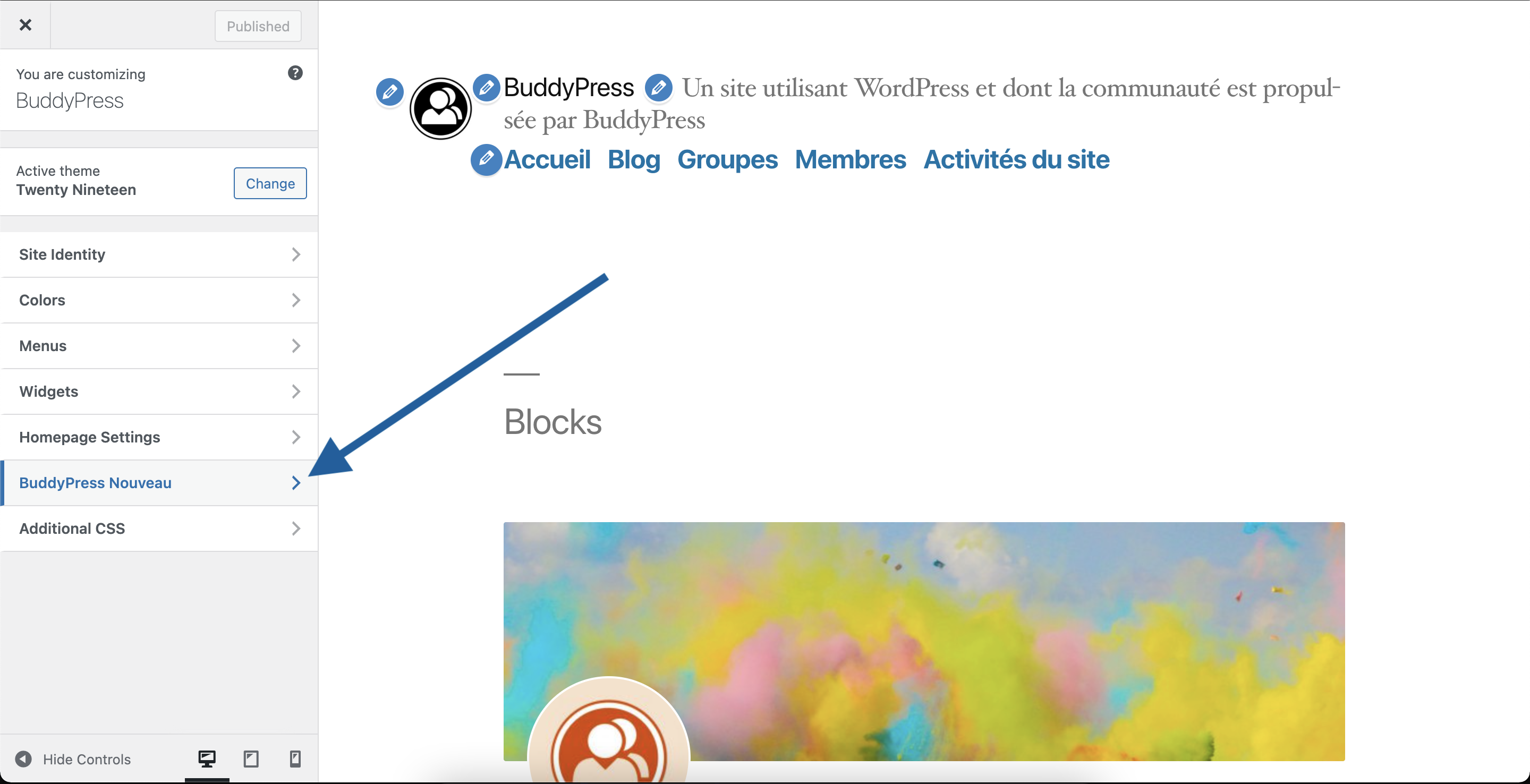
Click on it to reach the BP Nouveau available setting sections.
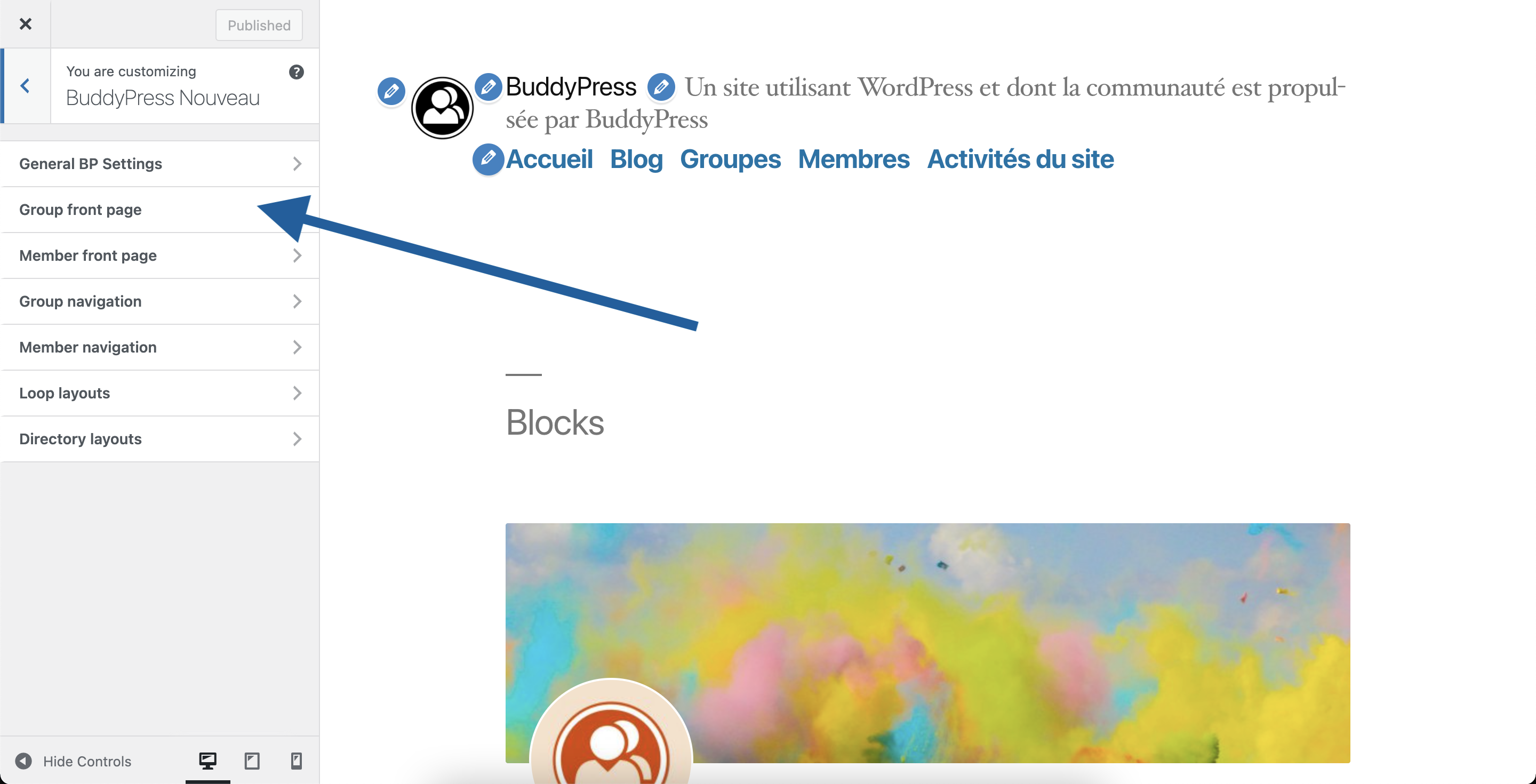
Click on the Group Front Page section to customize this area. You’ll reach the following settings.
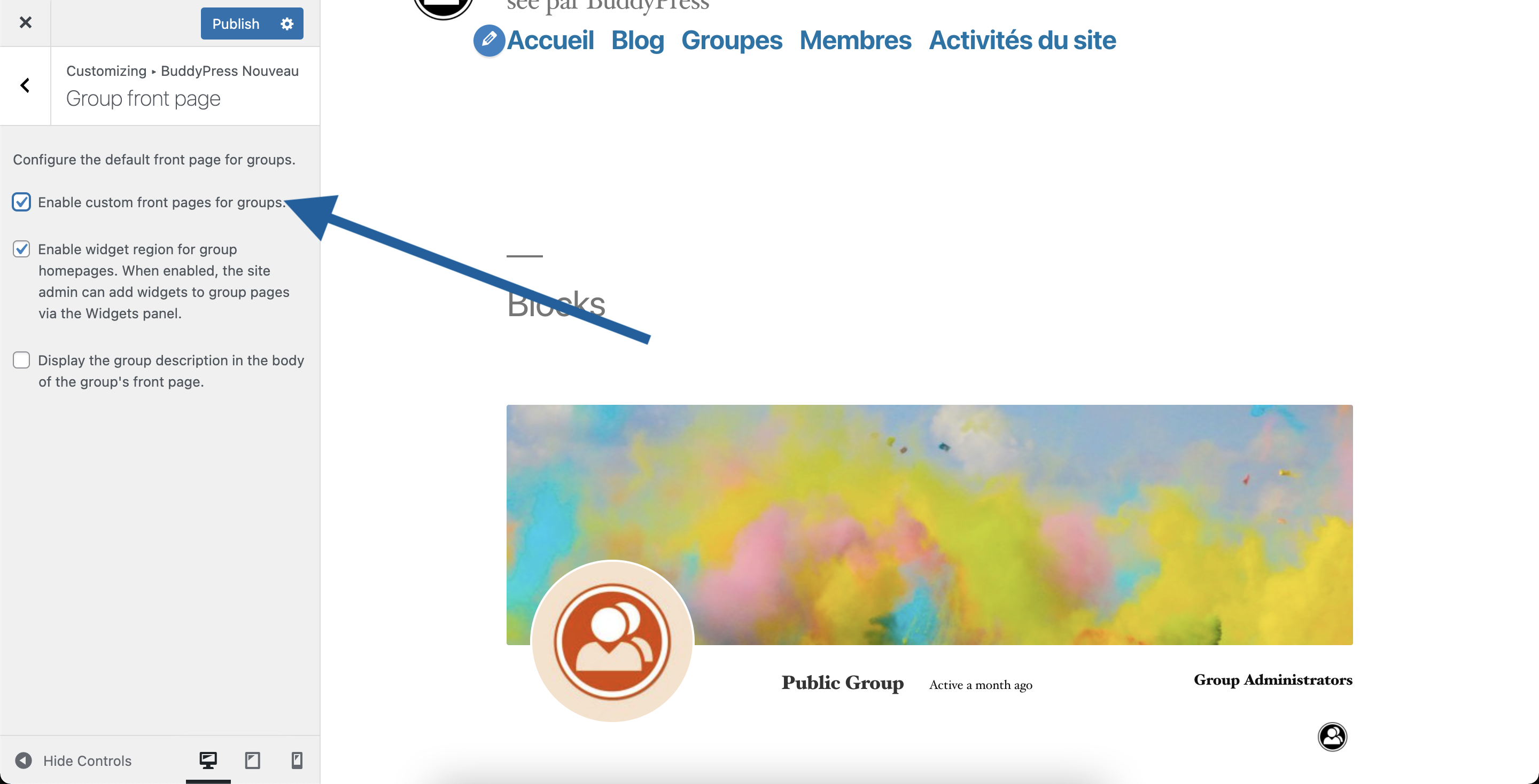
If you want to disable the Group’s front page, you simply need to uncheck the first checkbox.
afaik, that message comes from WordPress and is sent when an email domain is banned or not allowed.
Some code on your site or your hosting provider controls which domains are banned.
Yes, I used some more custom codes and a BP plugin, Disable Activation Reloaded . Your condition worked perfectly
Thank you very much.
But unfortunately it didn’t solve my problem.
Use boddypress to feed an app with the json api wordpress plugin. I thought he would use the same controller panel to make the user record in the api.
Even so registered the user in the app by the api he does not appear in activities. Do you know how I can handle this?
Have you looked at this plugin:
BP xProfile Location
Hi,
It’s possible by default in WordPress, just go to yoursite.url/wp-login.php


