Skip to:
Content
Pages
Categories
Search
Top
Bottom

Search Results for 'buddypress'

Viewing 25 results - 1,326 through 1,350 (of 69,120 total)
  • Author
    Search Results
  • webmasterfreya
    Participant

    Buddypress 11.0.0
    Wordpress .1.1
    PHP 8.1.14

    /wp-content/plugins/buddypress/bp-blogs/bp-blogs-activity.php. Foutmelding: Uncaught ArgumentCountError: 3 arguments are required, 2 given in /var/www/vhosts/freya.nl/httpdocs/wp-content/plugins/buddypress/bp-blogs/bp-blogs-activity.php:233
    Stack trace:
    #0 /var/www/vhosts/freya.nl/httpdocs/wp-content/plugins/buddypress/bp-blogs/bp-blogs-activity.php(233): sprintf()
    #1 /var/www/vhosts/freya.nl/httpdocs/wp-content/plugins/buddypress/bp-activity/bp-activity-functions.php(2312): bp_blogs_format_activity_action_new_blog_post()
    #2 /var/www/vhosts/freya.nl/httpdocs/wp-content/plugins/buddypress/bp-activity/bp-activity-functions.php(4180): bp_activity_post_type_publish()
    #3 /var/www/vhosts/freya.nl/httpdocs/wp-includes/class-wp-hook.php(308): bp_activity_catch_transition_post_type_status()
    #4 /var/www/vhosts/freya.nl/httpdocs/wp-includes/class-wp-hook.php(332): WP_Hook->apply_filters()
    #5 /var/www/vhosts/freya.nl/httpdocs/wp-includes/plugin.php(517): WP_Hook->do_action()
    #6 /var/www/vhosts/freya.nl/httpdocs/wp-includes/post.php(5347): do_action()
    #7 /var/www/vhosts/freya.nl/httpdocs/wp-includes/post.php(4607): wp_transition_post_status()
    #8 /var/www/vhosts/freya.nl/httpdocs/wp-includes/post.php(4819): wp_insert_post()
    #9 /var/www/vhosts/freya.nl/httpdocs/wp-admin/includes/post.php(426): wp_update_post()
    #10 /var/www/vhosts/freya.nl/httpdocs/wp-admin/post.php(227): edit_post()

    #328143
    Jakob Helmer
    Participant

    Hello, since the new version I can not update posts anymore. I reverted it back to version 10.6.0 and everything is working fine. It would be nice if someone could help me out. Thank you!

    WordPress version 6.1.1
    BuddyPress (version 11.0.0)
    PHP version 8.0.26

    Foutdetails
    ===========
    Een fout van het type E_ERROR werd veroorzaakt op regelnummer 233 van het bestand /home/deb74155/domains/rugzaklopers.nl/public_html/wordpress/wp-content/plugins/buddypress/bp-blogs/bp-blogs-activity.php. Foutmelding: Uncaught ArgumentCountError: 3 arguments are required, 2 given in /home/deb74155/domains/rugzaklopers.nl/public_html/wordpress/wp-content/plugins/buddypress/bp-blogs/bp-blogs-activity.php:233
    Stack trace:
    #0 /home/deb74155/domains/rugzaklopers.nl/public_html/wordpress/wp-content/plugins/buddypress/bp-blogs/bp-blogs-activity.php(233): sprintf()
    #1 /home/deb74155/domains/rugzaklopers.nl/public_html/wordpress/wp-includes/class-wp-hook.php(308): bp_blogs_format_activity_action_new_blog_post()
    #2 /home/deb74155/domains/rugzaklopers.nl/public_html/wordpress/wp-includes/plugin.php(205): WP_Hook->apply_filters()
    #3 /home/deb74155/domains/rugzaklopers.nl/public_html/wordpress/wp-content/plugins/buddypress/bp-activity/bp-activity-functions.php(1633): apply_filters()
    #4 /home/deb74155/domains/rugzaklopers.nl/public_html/wordpress/wp-content/plugins/buddypress/bp-activity/classes/class-bp-activity-activity.php(209): bp_activity_generate_action_string()
    #5 /home/deb74155/domains/rugzaklopers.nl/public_html/wordpress/wp-content/plugins/buddypress/bp-activity/classes/class-bp-activity-activity.php(167): BP_Activity_Activity->populate()
    #6 /home/deb74155/domains/rugzaklopers.nl/public_html/wordpress/wp-content/plugins/buddypress/bp-activity/bp-activity-functions.php(2379): BP_Activity_Activity->__construct()
    #7 /home/deb74155/domains/rugzaklopers.nl/public_html/wordpress/wp-content/plugins/buddypress/bp-activity/bp-activity-functions.php(4176): bp_activity_post_type_update()
    #8 /home/deb74155/domains/rugzaklopers.nl/public_html/wordpress/wp-includes/class-wp-hook.php(308): bp_activity_catch_transition_post_type_status()
    #9 /home/deb74155/domains/rugzaklopers.nl/public_html/wordpress/wp-includes/class-wp-hook.php(332): WP_Hook->apply_filters()
    #10 /home/deb74155/domains/rugzaklopers.nl/public_html/wordpress/wp-includes/plugin.php(517): WP_Hook->do_action()
    #11 /home/deb74155/domains/rugzaklopers.nl/public_html/wordpress/wp-includes/post.php(5347): do_action()
    #12 /home/deb74155/domains/rugzaklopers.nl/public_html/wordpress/wp-includes/post.php(4607): wp_transition_post_status()
    #13 /home/deb74155/domains/rugzaklopers.nl/public_html/wordpress/wp-includes/post.php(4819): wp_insert_post()
    #14 /home/deb74155/domains/rugzaklopers.nl/public_html/wordpress/wp-admin/includes/post.php(426): wp_update_post()
    #15 /home/deb74155/domains/rugzaklopers.nl/public_html/wordpress/wp-admin/post.php(227): edit_post()
    #16 {main}
    thrown

    #328139
    1benk1
    Participant

    Hello,
    the file wp-content/languages/plugins/buddypress-de_DE.po has in line 3687 following german translation:
    msgstr "Du hast % 1 $ d Kommentar-Antworten"

    This causes a PHP Fatal error:  Uncaught ValueError and should be:
    msgstr "Du hast %1$d Kommentar-Antworten"

    Best regards,
    Ben

    kemmieg
    Participant

    I found the function to make this work but I don’t know how to exclude the updated profile

    function bp_plugin_dont_save_minis( $activity_object ) {
        // friendship_created is fired when a member accepts a friend request
        // joined_group is fired when a member joins a group.
        $exclude = array( 'friendship_created', 'joined_group');
     
        // if the activity type is empty, it stops BuddyPress BP_Activity_Activity::save() function
        if( in_array( $activity_object->type, $exclude ) )
            $activity_object->type = false;
     
    }
     
    add_action('bp_activity_before_save', 'bp_plugin_dont_save_minis', 10, 1 );
    wingflap
    Participant

    I’m using the latest WordPress and Buddypress. From the Dashboard, If I click Settings and then Buddypress, there are 3 tabs to change settings: Components, Options, and Pages. When I select Components or Options, I don’t see the “Save Changes” button below the tables with the settings. On the Pages tab, the button apprears.

    I’m using the Phlox theme. When I change to the Twenty-Twenty-Three theme, the buttons do show.

    When I examine the elements in my browser, I can see that the button is in the HTML for Components and Options, but is wrapped by a <p> tag with a class of Submit and Clear. On the Pages tab, the button is wrapped by a <p>tag with only a class of Submit.

    The Phlox Theme is using a class Clear which includes overflow: hidden and visibility: hidden. The Twenty-Twenty-Three theme is using a class Clear without the overflow or visibility attributes.

    Is the “Clear” class in the <p> for the Components and Options tabs a mistake or does Phlox need to change the way it defines Clear?

    It’s frustrating to have to inspect elements and change the overflow and visibility every time I want to change any of these settings.

    Advice on this would be greatly appreciated.

    #328116
    la_ri_za
    Participant

    Hi,
    I noticed one strange thing when I checked BuddyPress Emails section on WordPress Dashboard. Many of the “situations” are missing. So it looks like the emails are not connected to any situation. That would explain why the system is not sending them. What about you?
    I wonder also if this has something to do with my multilingual setup: I’m using Polylang and Multilanguage BuddyPress with Polylang plugin (https://github.com/awsmug/multilanguage-buddyPress-with-polylang). It used to work perfectly…

    #328104
    Shuvo Sarker
    Participant

    I use BuddyPress And Paid Memberships Pro on my website. So, My Problem is, When Members post anything in BuddyPress. Then non-members can’t see their posts. I want when any member posts anything then this post can see any user. Please give me a solution. How to make this. My website link is: https://nachbarschaftshilfe-ostholstein.de/

    My WordPress version: 6.0.3
    BuddyPress Plugin Version: 10.3.0
    Paid memberships pro version: 2.9.8
    Paid Memberships Pro – BuddyPress & BuddyBoss Add On: 1.3.1

    #328103
    Mathieu Viet
    Moderator

    Hi @fantamily

    Thanks a lot for your feedback. The issue is actually caused by some custom code wrongly using the bp_get_send_message_button_args filter. Instead of returning an empty array to disable the private button on members profile header, this custom code retuns false.

    That being said. We should be more cautious about this potential wrong usage, so we’ll have it fixed asap (next minor version 11.1.0).

    See https://buddypress.trac.wordpress.org/ticket/8800 to follow our progress about it.

    #328095
    Mathieu Viet
    Moderator

    Hi @yoshibot,

    Here’s the link to download previous version of BuddyPress: https://downloads.wordpress.org/plugin/buddypress.10.6.0.zip

    FWIW, I can’t reproduce the issue you shared about notifications. For me everything works as expected, see:

    Notifications screen

    #328083
    MikeAlan
    Participant

    Anyone please.
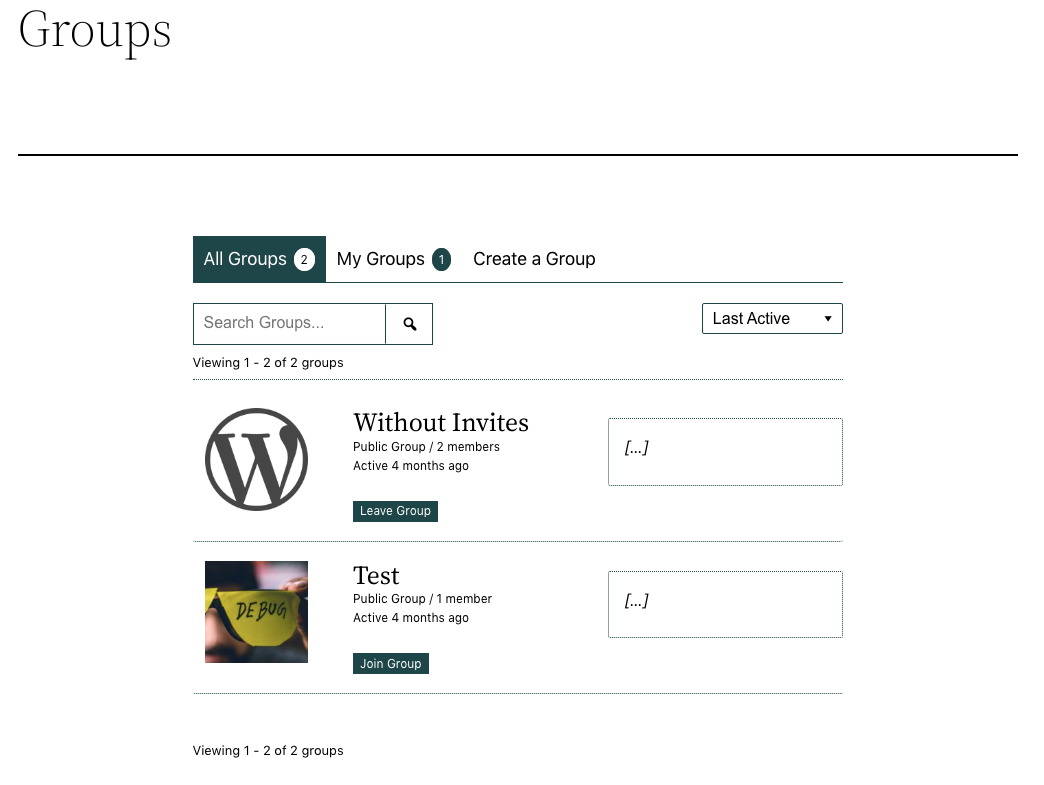
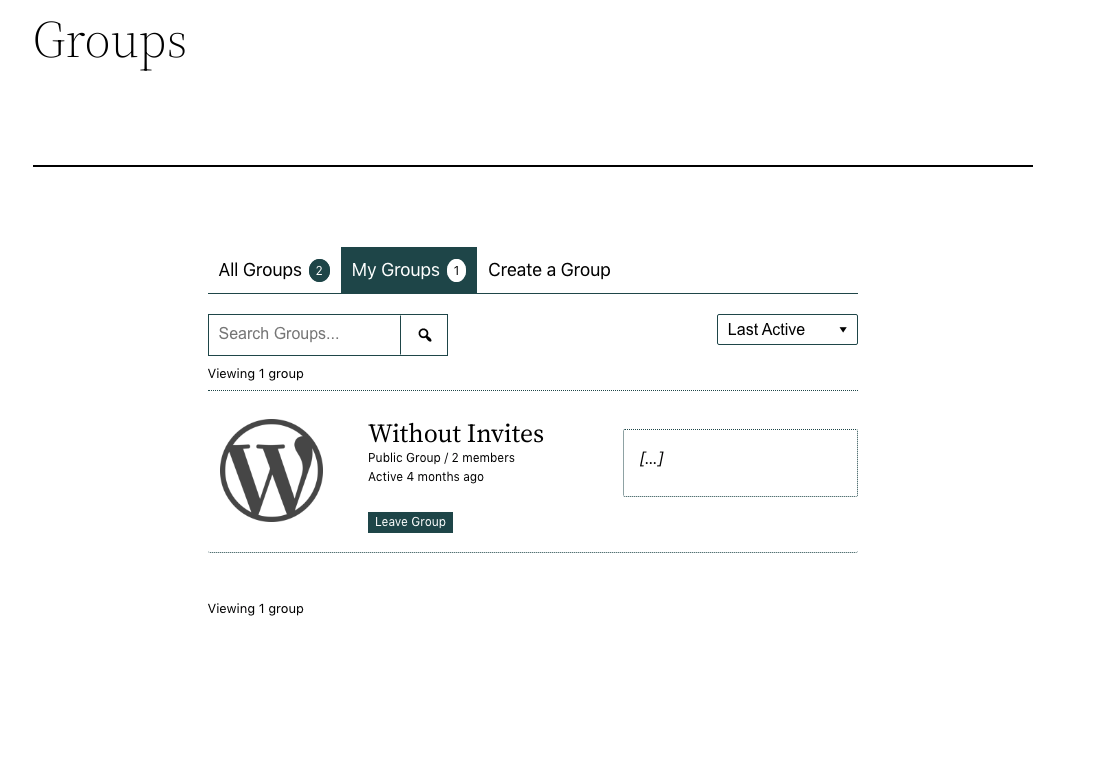
    My Groups page does not display after pressing the My Groups tab in Groups.
    Can anyone help please.
    Changing themes, deactivating plugins and clearing cache makes no difference.
    I’ve even tried co pletely deleting Buddypress from the database and reinstalling but to no avail.
    Any help would be appreciated.

    ildomandatore
    Participant

    I did some tests and found that your plugin prevents the color of the social icons from changing on hover. How can I fix?
    https://postimg.cc/gallery/VMqsbgK

    #328072
    darkban
    Participant

    Hi,

    I wish to change my password on buddypress.org and cannot find where to do that. Where can I find this option?

    Many thanks in advance,
    Lior

    #328058
    Rosso Digital
    Participant

    @combinc actually just found out the /?v= is added by WooCommerce when you have ‘user geolocation (page cache support) enabled. This doesn’t have anything to do with BuddyPress.

    If you disable the user geolocation with page cache support it fixes the issue!

    #328051
    saiwin12
    Participant

    Hello, I immediately apologize for my language. In general, the versions are all the latest and wordpress and buddypress. website https://withoutbadhabbits.ru / The problem is that if you log in via social networks, then it is not possible to change the avatar, and if you register through the standard form, everything works (login via social networks via the socializer) . Tell me what’s wrong I’m new to this business

    terminus
    Participant

    Hello,

    I’m using WordPress 6.1.1 running Twenty Twenty-Three theme, BuddyPress Version 11.0.

    https://math.cwelms.org/

    I’ve seen similar topics to mine here, which is this:

    BuddyPress Forum works fine, but I cannot create any BuddyDocs, linked to a BuddyGroup. When I try to create on the frontend, I end up on a page that says, “Archives: Doc, Create a Doc” but when I click on the Create a Doc link, nothing happens.

    I can create BuddyDocs on the Dashboard, but can’t connect them to a group.

    I created an open ‘beta’ group if you want to try yourself.

    when i drop back to the Twenty Twenty theme, I can create docs, which makes me think that the issue is somewhere with the WordPress editor.

    When I revert to the Twenty Twentythree theme, the docs I created when using the TwentyTwenty theme are still there and editable.

    What do I need to do with the TwentyTwenty-Three theme to create BuddyDocs?

    robert lewis

    #328046
    inderatech
    Participant

    update:

    I updated buddypress version, and now receive this error:

    POST https://thesapphiclibrary.com/wp-admin/admin-ajax.php 400
    jquery.min.js?ver=3.6.1:2

    #328045
    inderatech
    Participant

    hi all. When I go to click the + button to add a friend on my WP site, nothing happens at all. It was working yesterday, just not today. The only thing I did was remove my paid tier plans to have one free tier right now, and changes all those settings to allow everything.

    When I go into the chrome console, I see that when I press the + button to add a friend, it returns me with a

    Failed to load resource: the server responded with a status of 400 (). /wp-admin/admin-ajax.php/:1

    This was never happening before, so not sure what to do! Any advice?

    #328038
    AWOL
    Participant

    @officialmymilestonecard
    I think you have a different issue – this is just an error appearing in debug logs, and certainly in my case it is not visually affecting anything I am aware of, maybe slowing the site down though. I would start a new thread if you haven’t already, and include any extra information you can to help others diagnose the problem, such as any errors in the console, debug logs, or any other info like which version of wordpress, theme etc. You might also want to try deactivating then reactivating Buddypress before all that to see if it helps.

    #328037

    Same issue I am experiencing, after installing buddypress Activity not working, can’t post anything new! What to do? Please help.

    #328034

    In reply to: Get group ID from slug

    seandkendle
    Participant

    What about: BP_Groups_Group::group_exists( $group_slug )?

    
    	 /**
    	 * Get whether a group exists for a given slug.
    	 *
    	 * @since BuddyPress 1.6.0
    	 *
    	 * @param string      $slug       Slug to check.
    	 * @param string|bool $table_name Deprecated.
    	 * @return int|null Group ID if found; null if not.
    	 */
    	public static function group_exists( $slug, $table_name = false ) {
    		global $wpdb;
    
    		if ( empty( $slug ) ) {
    			return false;
    		}
    
    		$args = array(
    			'slug'              => $slug,
    			'per_page'          => 1,
    			'page'              => 1,
    			'update_meta_cache' => false,
    			'show_hidden'       => true,
    		);
    
    		$groups = self::get( $args );
    
    		$group_id = null;
    		if ( $groups['groups'] ) {
    			$group_id = current( $groups['groups'] )->id;
    		}
    
    		return $group_id;
    	}

    class-bp-groups-group.php line 715

    #328030
    wearebitcoin
    Participant

    Hello, my WP version is 6.1.1 my BuddyPress version is 11.0.0

    I used the Theme https://themeforest.net/item/armadon-gaming-community-wordpress-theme/27957394?gclid=Cj0KCQiAiJSeBhCCARIsAHnAzT_68l6iD7qmpDX1_KFM-VnNqRGmsOrPpQ1dfq7xAjjg6jMI0PdAUDkaAlK0EALw_wcB

    I get this issue when users attempt to log in into my website they get the message “Method not Allowed” and I can’t seem to be able to fix it

    #328028
    me5rine
    Participant

    Hello, there is a bug with the last version of buddypress on my website. I can use profil banner image, because it does not appear when uploaded.

    After downgrade, everything works normally.

    I tried the latest version disabling all the other plugins but that didn’t solve the problem.

    The only solution I currently have is to downgrade.

    Me5rine

    #328019
    AWOL
    Participant

    I would like to add my name to this list but I am only getting the line 1577 error. I am wondering if it might be related to either or both of the following things – I have Better Messages plugin installed and I am running PHP version 8.1. Can the other two who have posted say if they have one or both of these things? There might be a common denominator. I am running the most recent updates of WordPress and of course Buddypress.

    #328018
    luixv
    Participant

    I am using the following:
    WP Version: 6.1.1
    Permalink: /%postname%/
    Active Theme: BuddyX 4.4.5
    Platform: Windows
    Browser Name Chrome
    PHP Version: 8.0.7
    MySQL Version: 5.5.5
    The plugins I have are these:

    Activity Plus Reloaded for BuddyPress 1.0.8
    Akismet Anti-Spam 5.0.2
    BP Friends Suggestions Widget 1.1.0
    BP Profile Search 5.4.7
    BuddyPress 11.0.0
    BuddyPress Activity ShortCode 1.1.8
    BuddyPress Extended Friendship Request 1.2.1
    BuddyPress Global Search 1.2.1
    BuddyPress Login Redirect to Profile 1.2.3
    BuddyPress Profile Completion 1.0.8
    BuddyPress Simple Terms And Conditions 1.3
    BuddyPress Xprofile Custom Field Types 1.2.5
    Classic Editor 1.6.2
    Classic Widgets 0.3
    Colorlib Login Customizer 1.3.1
    CookieYes | GDPR Cookie Consent 3.0.8
    Custom Font Uploader 2.0.0
    Duplicator 1.5.1
    Easy Registration Forms 2.1.1
    Force Login 5.6.3
    GEO my WP 3.7.2.1
    Kirki Customizer Framework 4.0.24
    Quick and Easy FAQs 1.3.6
    Shared Counts 1.4.1
    Verified Member for BuddyPress 1.2.6
    Wbcom Designs – BuddyPress Member Reviews 2.8.3
    WordPress Username Availability Checker 1.1.8

    I have configured a new Register page using ERForms. I’ve created just a wordpress page which has only a shortcode to the ERform.
    I’ve set it at buddypress settings-> Pages -> register. Buddypress is redirecting to the wordpress regitration page instead of my page.
    I’ve also changed the redirection at buddypress setting to whatever page (for example my FAQ page) and always redirects to the wordpress registration page.

    I’ve tried also deactivating all plugin but buddypress and ERforms and no, buddypress is always redriecting to the standard wordpress registration page instead of what I am setting.

    Any hint / idea what to cope this problem?

    Thnks in advance

    #328009
    Anonymous User 18187419
    Inactive

    Try this.
    Add code to functions.php or use Code Snippets plugin (easier)

    
    function rename_rtmedia_profile_tab() {
    
    buddypress()->members->nav->edit_nav( array( 'name' => __( 'Photos', 'textdomain' ) ), 'media' );
    
    }
    add_action( 'bp_actions', 'rename_rtmedia_profile_tab' );
    
Viewing 25 results - 1,326 through 1,350 (of 69,120 total)
Skip to toolbar