What modemlooper meant to say was, try adding a custom menu under “Appearance > Menus” in the WP admin dashboard.
Follow the steps in step 2 of this codex article:
https://codex.buddypress.org/getting-started/how-to-set-up-your-main-site-navigation-using-the-built-in-wordpress-menus/#step-2-create-your-main-navigation-menu
did these plugins not work?
https://wordpress.org/plugins/buddypress-groupomatic/
https://wordpress.org/plugins/buddypress-auto-group-join/
or function
function automatic_group_membership( $user_id ) {
   if( !$user_id ) return false;

   groups_accept_invite( $user_id, $group_id );
}
add_action( 'bp_core_activated_user', 'automatic_group_membership' );
Hello,
and thank you for the response.
Of course we do not know how this all works with the development; but of course one would think since BuddyPress thrives on all the other plug-in developers for it, it would make some kind of an effort to communicate important changes, instead of just doing it, and saying “well if you guys don’t check our blog for changes…”?
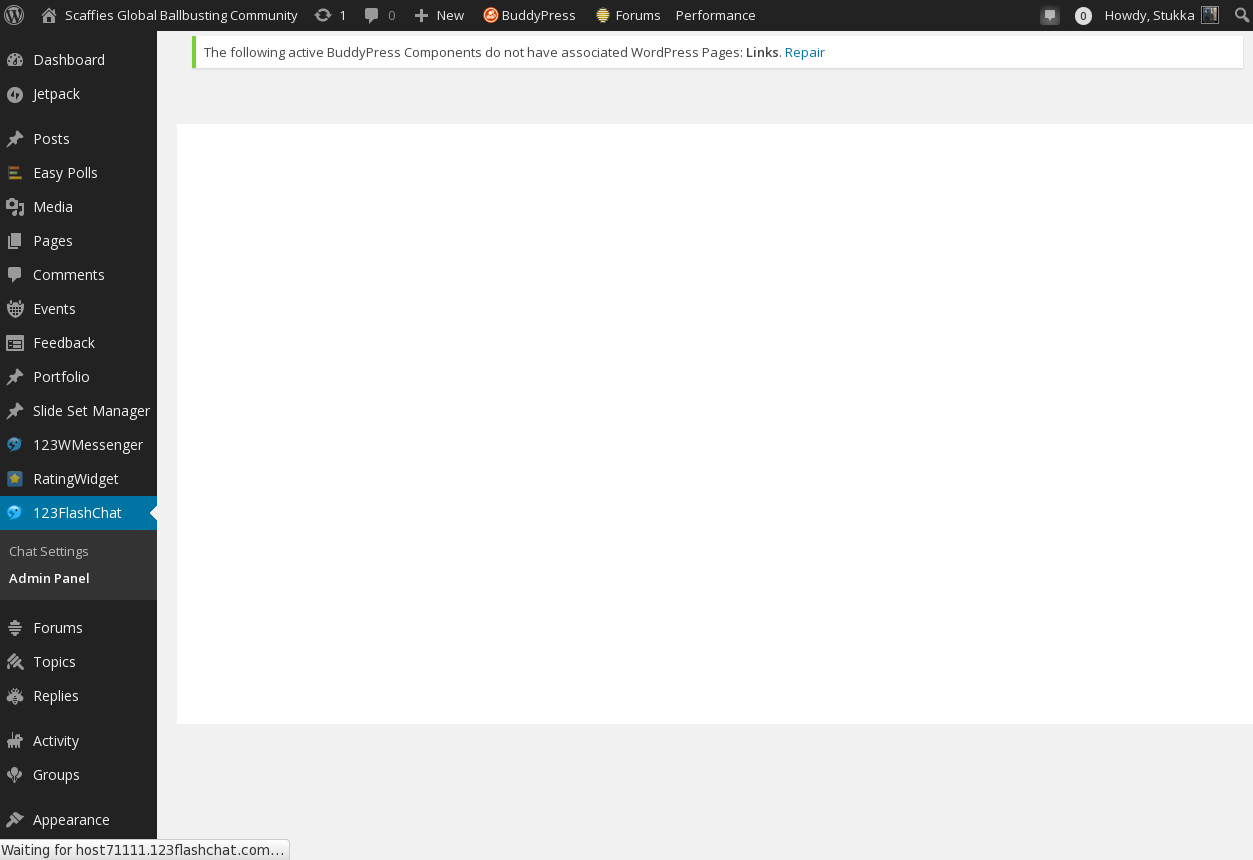
This upgrade broke so many things, and so severely that we cannot even load the admin interfaces for both the chat and the messenger in the WP dashboard:
NSFW: http://scaffies.nl/wordpress/wp-content/uploads/2015/02/flashchat-admin-panel.png
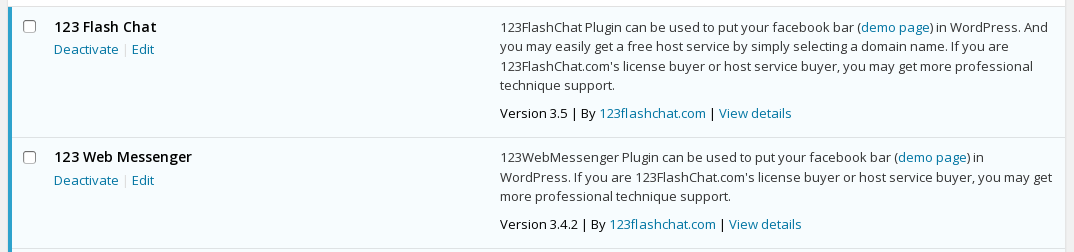
From the Plugin Page:
NSFW: http://scaffies.nl/wordpress/wp-content/uploads/2015/02/chat-messenger-plugins.png
These are the (Commercial) plugins – meaning we pay for both, several hundred $ per year:
Chat:
NSFW: http://scaffies.nl/wordpress/wp-admin/plugin-install.php?tab=plugin-information&plugin=wordpress-chat-plugin-by-123-flash-chat&TB_iframe=true&width=600&height=550
Messenger:
NSFW: http://scaffies.nl/wordpress/wp-admin/plugin-install.php?tab=plugin-information&plugin=wordpress-instant-messaging&TB_iframe=true&width=600&height=550
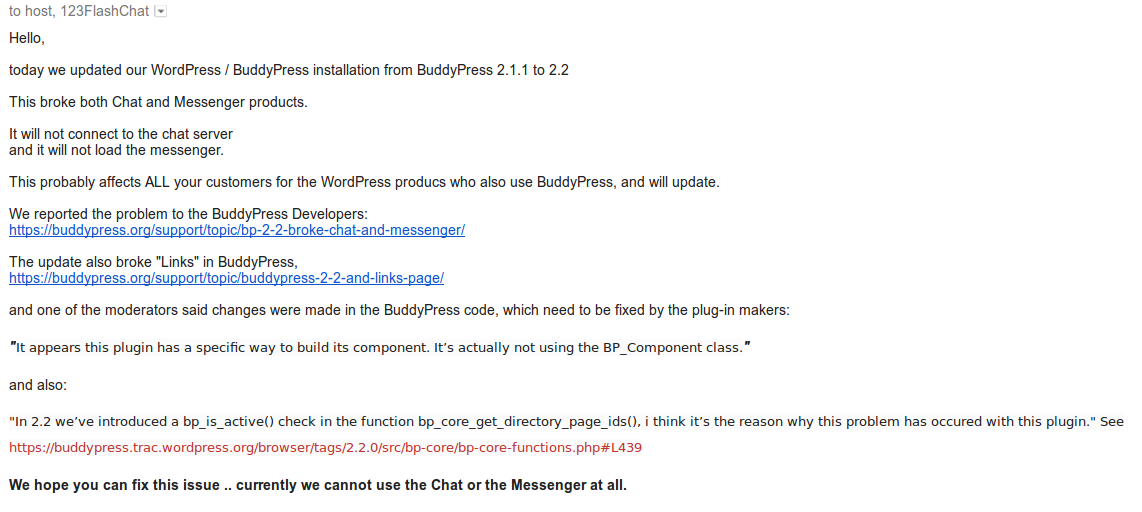
We also informed the vendor in Hongkong about it (by email, since we could not submit a support ticket through the admin interface…):
NSFW: http://scaffies.nl/wordpress/wp-content/uploads/2015/02/FlashChat-Support-re-BP-2-2.png
We certainly appreciate every bit of help we can get!
Stukka
(Creator & Admin of Scaffies – in Dallas, Texas)
Hi @jeremy_lv
Unfortunately, the functionality you describe isn’t available in BuddyPress currently. You could try opening a topic in the Ideas forum. Alternatively, you could attempt coding it yourself or perhaps search for a plugin in the WordPress Plugin Directory.
If you decide to go-it-alone and code yourself, then feel free to open a new topic here for each specific question you may have.
Hope this info helps!
@r-a-y
FWIW, I am testing locally, but ‘wp_remote_post( ‘https://buddypress.org’ );’ seems to return a response just fine. RSS items displayed in the “WordPress News” dashboard widget load as well.
I don’t want to this to be a red herring, so I am happy to test out any other ideas.
Hi @disha76
P2 is made by Automattic so you can be sure the theme is of the highest quality. Whilst I haven’t tried it myself, I’ve heard it offers some great features such as inline comments and real-time updates. If you notice a problem with it, then try opening a support ticket on their support forum.
Hope this helps 😀
Ref: https://wordpress.org/themes/p2
I was installed Multinetwork Wp I can create user and sub site without problem but if someone want register user or user+create sub blog the system give me
Fatal error: Cannot use object of type WP_Error as array in /home/*******/public_html/community/wp-content/plugins/buddypress/bp-members/bp-members-screens.php on line 113
I was test with buddypress 2.1.1 and 2.2 (in 2.1.1 give the same but line 75)
Wordpress 4.1 eng
Pages Buddypress all created and submited , register,active etc
in setting i was tested the only register user and register and creating site no lucky
How can i fix the registration?
Help, please:
besides breaking the “Links” in BP
https://buddypress.org/support/topic/buddypress-2-2-and-links-page/
the BuddyPress v2.2 upgrade also broke both our Messenger (bar at the bottom of each page) and the HTML5 chat (it is called flash, but in fact is HTML5):
NSFW: http://scaffies.nl/wordpress/wp-content/plugins/wordpress-chat-plugin-by-123-flash-chat/123flashchat.php?room=
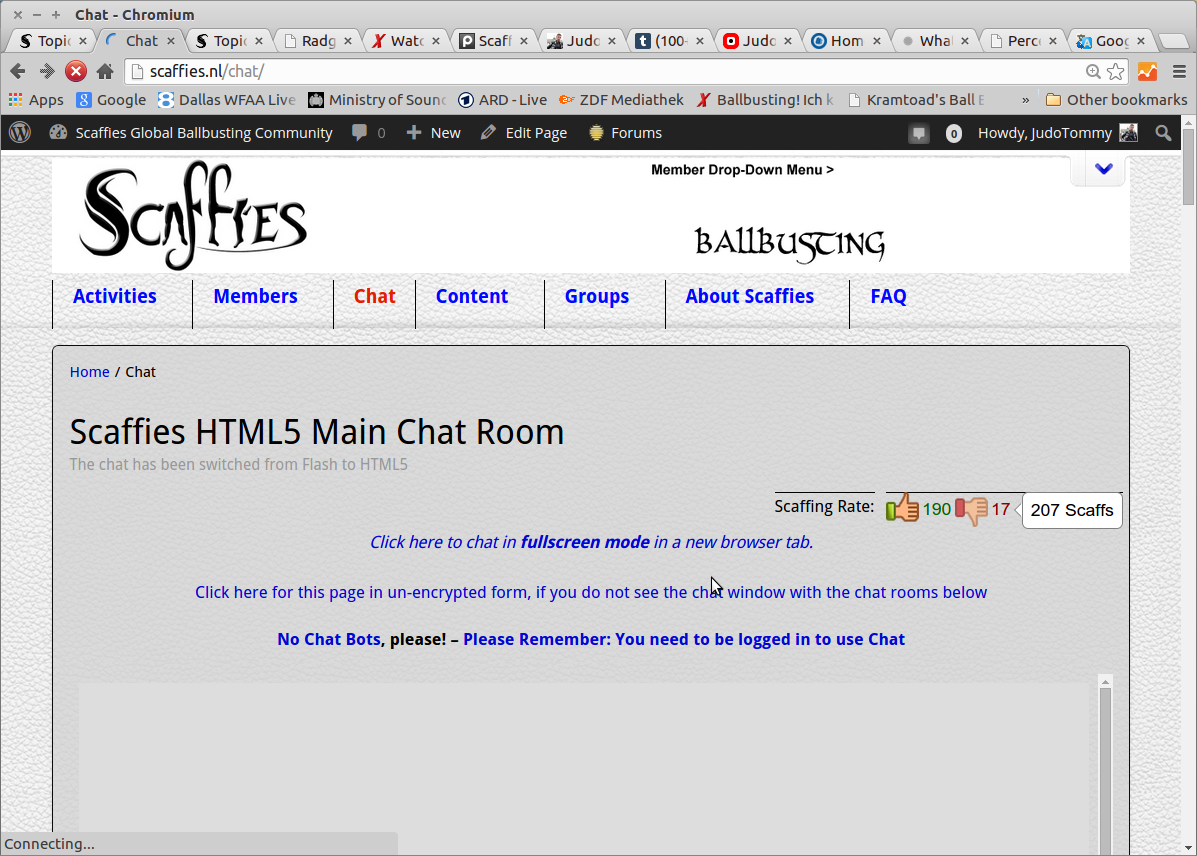
It will simply no longer connect to the chat server, and block the messenger bar from loading… says “connecting …” and eventually times out.
NSFW: http://scaffies.nl/wordpress/wp-content/uploads/2015/02/Chat-Broken.png
Obviously, this is a huge disappointment to your 260,000+ users that these updates and their are not better communicated to plug-in developers, and break major features in BuddyPress installations 🙁
 Anonymous User
Inactive
The code will make sure the BP Links directory page is displayed.
I think, there’s no problem with the database. It’s a good practice (i really advise you to follow) to make a backup of all your files and/or at least your database before any upgrade of your WordPress configuration.
@nomad48 what theme are you using? There is an outstanding issue with themes which use the new title feature. Have you you updated that SEO plugin? https://buddypress.trac.wordpress.org/ticket/6107
Anonymous UserInactive
Just tested on a fresh install, i’m not able to reproduce, that’s why i’ve asked you about a specific config.
When you say “Register and Activate pages cannot be created” Have you created the pages from the Add new page WordPress menu. You need to create 2 pages there and then come back to the BuddyPress settings > Page to set for Register and Activate one of the pages you’ve created.
this was the issue before (quotes from our change log)
NSFW: http://scaffies.nl/change-log-nl/
.. and it took from SEP/OCT 2014 to now you get it sorted in this 2.2.0 release.
07 OCT 2014 – Tuesday
☠ [10:35 GMT – @scaffiesadmin ] Dumb: the previous BuxFix (known BP 2.1 issues) a few days (Oct 1st) ago, which solved a bug we had reported (GitHub), was NOT included in today’s bugfix update. Manually restored it. Hmmmpf!
☠ [09:00 GMT – @scaffiesadmin ] Updated 1 Plug-In: BuddyPress BugFix Release v2.1.1
this referred to the “enqueue” bug, which was previously discovered, and manually fixed
https://buddypress.trac.wordpress.org/attachment/ticket/5889/5889.01.patch
☠ [14:35 GMT – @scaffiesadmin ] BuxFix (known BP 2.1 issues) received: The BuddyPress people found a bug we had reported (GitHub)- some of the broken functions are now restored!
23 SEP 2014 – Tuesday
☠ [18:30 GMT – @scaffiesadmin ] Upgrading to WordPress 4 and BuddyPress 2.1 unfortunately broke some things – we reported it upstream, and hope for a solution soon.
Same problem here .. pretty annoying, to be honest:
NSFW: http://scaffies.nl/wordpress/wp-content/uploads/2015/02/BuddyPress-Links-gone.png
“☠ [16:50 GMT – @scaffiesadmin ] Through the BuddyPress Update the page “Links Elsewhere” was broken – all Links disappeared. Hmph! Removed t from the menu.”
We had lots (!) of links entered on the page(s) under “Links” and many ‘up’ and ‘down’ votes. ALL are lost, it is now completely empty and I had to remove the page from the menu.
When I stated on our change log I had upgraded Buddypress to the latest version, I added “let’s see what it fixed and what it broke” .. something always seems to go wrong, and with over 260,000 users, it is a bummer.
NSFW: http://scaffies.nl/change-log-2015/
Sadly, I was proven right 🙁
This is a bad day for open source development.
We (all the admins) are clueless about “classes” and “skeleton components” – we just use the software, pay / donate for what we do use, and hope it works … and does not render the work and efforts of thousands worthless in a single, badly tested software update.
I am afraid to install updates – the last one required some code changes do be done manually to fix something else which was broken – yet have to, in order to avoid security problems.
We are not using Multi-Site (i.e. single site, WP 4.1, and all plugins in their latest revisions).
Brandon, London
Hi, I am not too sure how to answer that but I have not changed anything on my buddy press. I am using wordpress on a single domain site if that what you mean.
Hi,
Many thanks for the reply.
WordPress 4.1 running Twenty Fifteen theme. I have recently just done a fresh wordpress installation and with the latest buddypress.
At the moment I only have bbpress and buddypress activated.
Anonymous UserInactive
Hi,
Could you describe your configuration :
– Multisite ?
– WordPress version 4.1 ?
– Any BuddyPress plugin activated ?
Anonymous UserInactive
hi @venutius
Sorry something went wrong with BuddyPress Links.
It appears this plugin has a specific way to build its component. It’s actually not using the BP_Component class.
I’ve run some test with branch 1.7 of the BuddyPress skeleton component (https://github.com/boonebgorges/buddypress-skeleton-component/tree/1.7) which is using the BP_Component class to set its example component. With this plugin, the directory page issue is not happening.
So i’d recommand the author of the plugin to use the BP_Component class making sure the Links component is set as active using this kind of code https://github.com/boonebgorges/buddypress-skeleton-component/blob/1.7/includes/bp-example-loader.php#L64
In 2.2 we’ve introduced a bp_is_active() check in the function bp_core_get_directory_page_ids(), i think it’s the reason why this problem has occured with this plugin. See https://buddypress.trac.wordpress.org/browser/tags/2.2.0/src/bp-core/bp-core-functions.php#L439
Hi,
I have just updated my buddy press and I can not seem to Associate WordPress Pages.
I have created new pages for both for register and activate respectively. After selection from drop-down menu both do not save after clicking the save button.
Any help new, I am new to this buddy press
Hello, thanks for looking. I am using the most current versions of WP and BP. I have not linked my site here because it it still under development.
I am having trouble getting the functionsphp in my child theme to work. I am trying to limit the activity loop, and have found the bp_has_activities function, but when I try to use it in my child theme I just get an error. I am very new to wordpress, and know it is something simple and stupid stopping me. This is all the that is in the child theme php….
<?php
add_action( ‘wp_enqueue_scripts’, ‘theme_enqueue_styles’ );
function theme_enqueue_styles() {
wp_enqueue_style( ‘parent-style’, get_template_directory_uri() . ‘/style.css’ );
}
<?php if ( bp_has_activities( bp_ajax_querystring( ‘activity’ ).’&object=updates,posts,comments’ ) ) : ?>
Can somebody please tell me what I’m doing wrong?
Thanks
Hello, today I tried to update the buddypress to 2.2.0 I have problems. Lost the title on the page users and groups (screenshots). Before that, it was all OK 2.1.1 stood. I use the plugin SEO, Yoast me he generates the title. While returned 2.1.1.
4.1 Budypress WordPress 2.1.1 link site http://lovelovely.ru/
http://joxi.ru/WKAxZxqcZE7Om8
http://joxi.ru/wRmzR1MTYn8WmO
When sending a sitewide notice, they automatically show up where <?php wp_footer(); ?> is called. In the temlate I’m working on, they’re supposed to show up in the sidebar though, which is done like so:
<?php if ( bp_is_active( 'messages' ) ) : ?>
  <?php bp_message_get_notices(); ?>
<?php endif; ?>
This causes the notices to show up in both places however. So my question is this:
how can I disable the messages from showing in the footer? I checked the code and saw they are registered as follows:
add_action( 'wp_footer', array( $this, 'sitewide_notices' ), 9999 );
Is there a way to hook into wp_footer and get rid of these messages or even a better way?
Thanks!
—
BuddyPress v 2.1.1
WordPress v 3.9.1
Link: I’m working on a local vagrant box
I use Buddypress links, I upgraded to Buddypress 2.2 this morning and on both my sites the links page no longer works.
I get following error message:
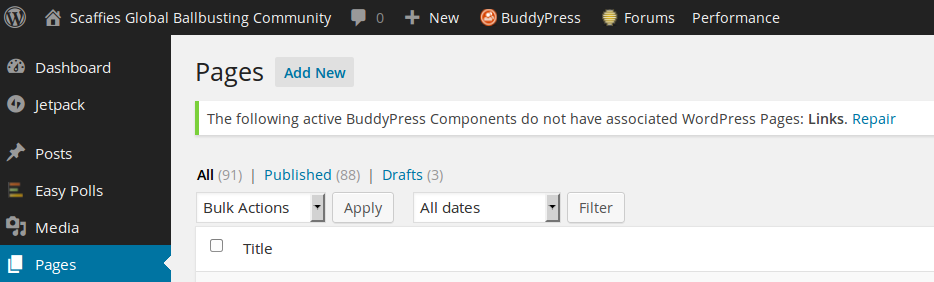
The following active BuddyPress Components do not have associated WordPress Pages: Links.
However when I go to repair it I see the association already exists
But when I try to view the links page I just get a blank page now.
Is this an issue for Buddypress or does Buddypress Links now need to change?
Hi @mrjarbenne
Using Twenty Fifteen with just BuddyPress and BuddyPress follow activated, I can’t seem to reproduce the problem. Can you provide some details of your set-up and open a Trac ticket so that it can be investigated? With the default theme and no plugins things should work so I’m a little puzzled. The core dev team will know more.
Anonymous UserInactive
Hi @tranny
I’m sorry to read about the problem you’re having when activating BuddyPress. From what you’ve described it looks like a plugin or a theme is checking for a capacity very early in the process, well at least before the BuddyPress members component has been fully loaded.
BuddyPress hooks ‘plugins_loaded’ at a 10 priority and define its components a little while after. So your target is a plugin, a theme, or a specific code direclty loaded in global scope that is doing a current_user_can() before the action ‘plugins_loaded’ has been fired.
If you look at this page, you’ll see there are 3 actions fired before ‘plugins_loaded’ : https://codex.wordpress.org/Plugin_API/Action_Reference#Actions_Run_During_an_Admin_Page_Request
Searching the cause of the problem won’t be easy, if i were you i’d do a back up of your entire site and would do some tests on a local server making sure the local server environment contains a x-debug client so that it would display the different functions called before the error appears.