because specifically I am looking at having an extensive group page that has different roles based on the different capabilities. Role Scoper fit in that perspective, because I only want some roles to view and edit some content types.
If it’s not possible, I’m thinking about just hacking one up via Pods CMS or something
I installed BP on the main site
Now I open a subsite mysite.com/subside1
but I don’t understand how activate groups in subsite
because when I go on GRUPS say me PAGE DON’T FOUND
What can I do?
Thanks
Yeah, so I’m bumping an 11 month old post. But if anyone has done a Gigya + WordPress/BuddyPress integration, I’d love to talk to you about any lessons learnt, etc.
BuddyPress must be installed site wide.
Thanks for the reply Paul.
Do you know how can I go about telling a non-BP template page that I want it to display a BP user’s data?
Basically, I’ve copied the code from ‘members/single/home.php’ into a non-BP template file, but none of the user data is appearing. Having compared ‘home.php’ with my non-BP template file there’s no difference in the code, so there’s obviously something happening elsewhere to specify which pages are BP pages.
Sorry if I’m not making much sense, it’s hard to explain…
I have a WordPress Multisite, or whatever it’s called, with several different sites. I would like one of these sites to run BuddyPress, but I don’t want them all to run BuddyPress.
When, however, I try to activate BuddyPress on the site I want to install BuddyPress on, it’s not in the Plugins directory.
Does this mean I have to install BuddyPress on all sites or none? And if can install BuddyPress on one site, how can I do it?
Why not just use moderators?
do you think its also possible to sticky groups. itll provide a way to have high priority groups shown in the first few rows.
Hi, I’d like to be able to limit users to joining a certain number of groups, and once they’ve passed that limit they can’t join any more (ideally I’d like to work with group hierarchy, so I set a limit for groups under a certain parent-group, though for starting any sort of limit would help). I’ve seen this plugin: http://buddydev.com/buddypress/limit-groups-per-user-plugin-for-buddypress/ which limits group creation but not joining. I was wondering if there’s anything that affects group joining already, or if I should just try to adapt that plugin.
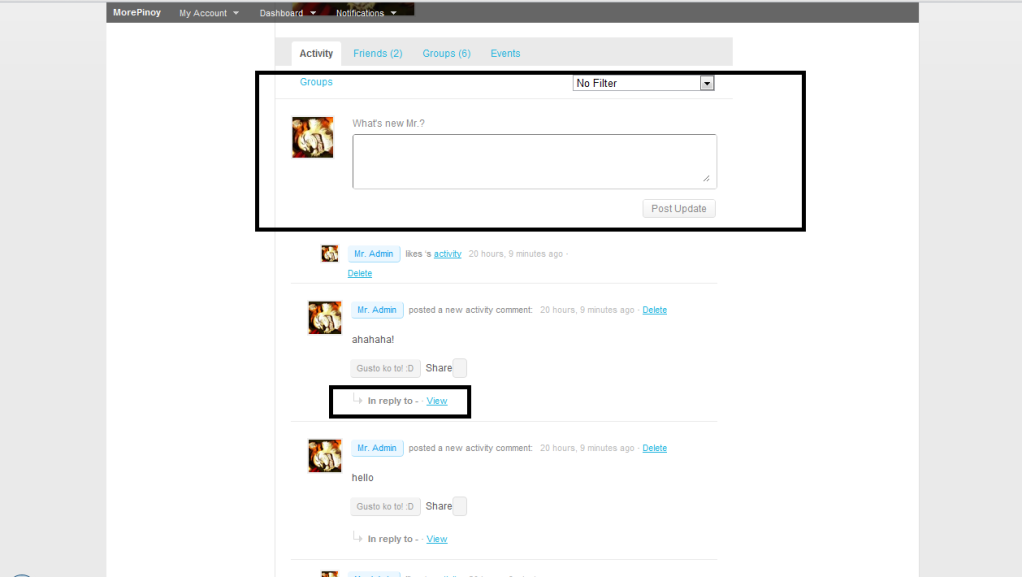
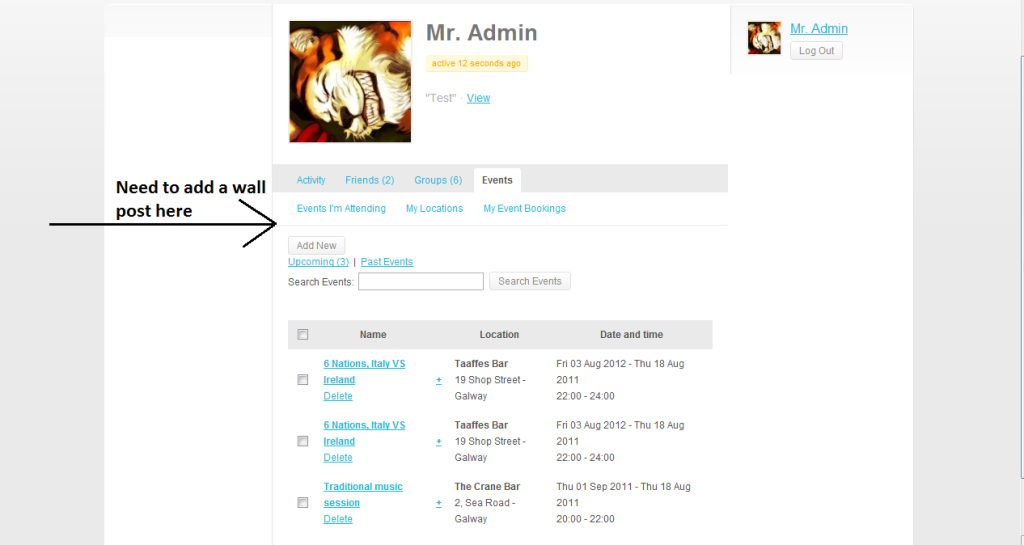
I’m using WP version 3.1.1 and buddypress version 1.2.9 , here’s the link on the initial screenshot of the wire? or activity updates… waaa… i dunno… please help me… 
i need to remove the following…
http://i1089.photobucket.com/albums/i354/MineJoe/r1.png
http://i1089.photobucket.com/albums/i354/MineJoe/r2.png
i hope you can help me with my problems… thank you so much T_T
does anyone have any thoughts on this? Even if just expanding how buddy press does roles? Currently, it only allows 3-4 (i forgot) roles, what if we wanted to expand this with the flexibility of Role Scoper?
I’m making some custom buttons for my member pages using bp_send_private_message_button() as my template (see below). What I want the buttons to do is link to the page specified in the link_href field. I need that link to go to the archives page of whatever user’s profile was being viewed when the link was clicked. This is for a “view user’s posts” button on each member’s page.
What would the syntax be for that particular link in the link_href field below? I’ve tried a few things but not having much success.
Code:
`/**
* bp_send_private_message_button2()
*
* Copy of original bp_send_private_message_button()
*
* @uses bp_get_send_message_button2()
* @since 1.2.6
*/
function bp_send_private_message_button2() {
echo bp_get_send_message_button2();
}
function bp_send_message_button2() {
echo bp_get_send_message_button2();
}
function bp_get_send_message_button2() {
return apply_filters( ‘bp_get_send_message_button2’,
bp_get_button( array(
‘id’ => ‘private_message2’,
‘component’ => ‘messages2’,
‘must_be_logged_in’ => true,
‘block_self’ => true,
‘wrapper_id’ => ‘send-private-message2’,
‘link_href’ => LINK GOES HERE,
‘link_class’ => ‘send-message’,
‘link_title’ => __( ‘Send a private message to this user.’, ‘buddypress’ ),
‘link_text’ => __( ‘Post New Ad’, ‘buddypress’ )
) )
);
}`
It’s a little hard to diagnose without a link as could be a few things but let’s see about some common ones first.
– have you changed your perm links at all?
– are you using a plugin that has changed them / what happens when you remove all plugins aside from BuddyPress? Does it work then?
– does the members page actually exist?
If none of those apply a link and if that’s not possible more information like version, theme and plugins would help drill down to the problem.
It’s a little hard to diagnose without a link as could be a few things but let’s see about some common ones first.
– have you changed your perm links at all?
– are you using a plugin that has changed them / what happens when you remove all plugins aside from BuddyPress? Does it work then?
– does the members page actually exist?
If none of those apply a link and if that’s not possible more information like version, theme and plugins would help drill down to the problem.
@pcwriter, you are a star, thumb up. it now fire on.
works great
thanks
@modemlooper thanks for the advice.
I am using the plugin link code you gave me, thank you here’s the link to verify:
https://github.com/modemlooper/buddypress-group-fields/tree/master/buddypress-group-fields
I see thtat its saving in the groupmeta table in the database but when i go to look at it in the group details itself it doesn’t show anything in those fields. Not to mention I need for it to be searchable. Please let me know what i can do to help to make this something that the community can use. I’m a quick learner ( i think hehe).
Any ideas how to solve that? have a look yourself http://www.caradacapoeira.com
@alfredojp do not do that, you should be only saving group stuff to groupmeta and not creating your own db inserts.
I’ve changed some of the code from Boone’s example so if you are not using the plugin link code could be the reason it isn’t saving.
You’re going to have to do a few edits like this:
div#content .padder {

margin-left: 225px;

}
div#sidebar {
float: left;
width: 224px;
margin-right: -226px;
}
div#content {
float: right;
width: 100%;
}
You’ve caused this difficulty for yourself, really. Unfortunately I cannot do much other than suggest you set up a test site and re-implement all your changes onto a new 1.2.8 using custom plugins to customise the hooks and filters. And then switch that clean version of BuddyPress, and then you’ll be in a good position to upgrade to BP 1.5.
Hi,
I have a simple BP-site and I want to move the widget sidebar from right to the left side, but I’m not sure what I have to edit. I tried to modify sidebar div in style.css but I couldn’t move it. I’m using BP default child theme. Any help would be appreciated.
@djpaul l wouldn’t upgrade because I’ve edited many files so if I upgrade I’ve to edit them all a second time, also I’m using many plugins that are not compatible with 1.5
I didn’t install it on a live site, so I am not risking anything , I am not a programmer so I try to help at least by testing, on my opinion this feature (groups custom fields ) is one of the most important features to most of Buddypress users, so thanks both Boone and Modemlooper for trying to help us.
I can’t thank you enough @modemlooper and @boonebgorges you have also been super helpful. I really have no need for the links so i took out line 9 all together and that error disappeared. I did however realize that when i create the group the information apart fromt he URL doesn’t stay saved and the all the information goes to a table int he database for group metadata. What do you think about a conditional statement that says if (first time run) then alter table wp-groups to add in more fields and then a good old INSERT INTO.
else
just an INSERT INTO (wp-roups)
what do you think about that?